
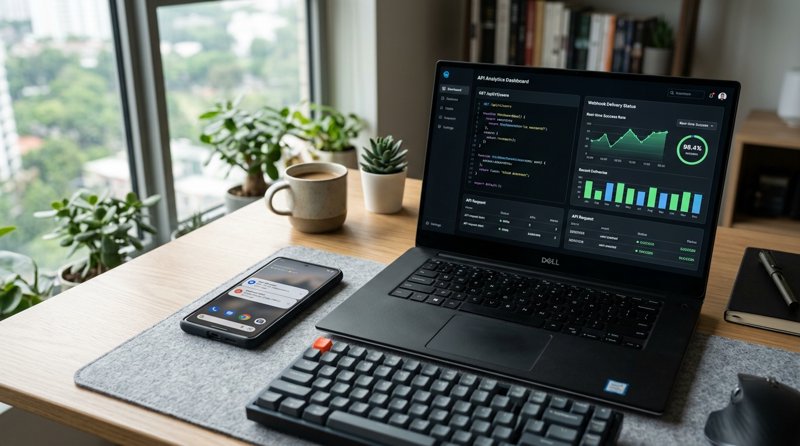
Automated SMS sending via Webhook and REST APIs has become indispensable for modern businesses to keep customers informed in real-time. Whether it's appointment confirmations for dental practices, pickup notifications for workshops, or status updates for driving schools – reliable delivery directly to the mobile phone ensures smooth operations. In this guide, we'll show you how to efficiently set up SMS Webhooks and APIs while avoiding high costs and bureaucratic hurdles.
What is SMS sending via Webhook and how does it work?
When we talk about SMS sending via Webhook, we first need to distinguish between two technological concepts that often go hand-in-hand in practice: the outbound REST API and the inbound Webhook.
An SMS API (Application Programming Interface) allows your software (e.g., your CRM, booking software, or an ERP system) to send an HTTP request to an SMS gateway to trigger a message. A Webhook, on the other hand, is an HTTP callback interface. It is used by the SMS gateway to send real-time status updates to your system – for example, whether an SMS was successfully delivered to the recipient's device or if a customer replied to your SMS.
For an optimal customer experience, you need both directions:
- Outbound (API): Your system sends a POST request to the gateway to send the SMS.
- Inbound & Status (Webhook): The gateway sends a POST request to your server URL as soon as the delivery status changes or a reply is received.
The difference between REST API and Webhook
Put simply: With an API, your system actively asks for data or triggers an action (Pull/Push). With a Webhook, your system passively waits for the SMS gateway to report an event (Event-driven). For example, if you want to receive notification of a successful delivery, you would have to constantly poll the API (keep asking) without Webhooks. With Webhooks, the gateway sends the information immediately when it becomes available.
The challenges of traditional SMS providers (Twilio, MessageBird & Co.)
Many developers and small businesses instinctively reach for established US-based platforms like Twilio, MessageBird (now Bird), or Vonage. However, anyone attempting to implement these services in Europe or other regions outside the USA quickly encounters massive hurdles.
The biggest problems with traditional providers at a glance:
- Complex registration processes: To send SMS via traditional gateways, you must go through lengthy verification processes (like 10DLC in the USA or country-specific carrier registrations). For small local service providers like hair salons, auto repair shops, or physiotherapists, this bureaucratic effort is hardly manageable.
- Intransparent billing by segments: Traditional providers charge for SMS per segment (160 characters). If your message contains special characters (like German umlauts ä, ö, ü) or emojis, the segment size shrinks to 70 characters (UCS-2 encoding). A supposedly short message is thus quickly billed as 3 separate SMS.
- High costs: Prices per SMS at global providers have risen drastically in recent years. Often you pay 5 to 8 cents per SMS segment plus monthly fees for phone numbers.
If you are looking for a more economical solution, it's worth taking a look at our comparison of Twilio alternatives for 2026 or our guide to the cheapest SMS APIs for small businesses.
The smart alternative: MySMSGate as an Android SMS Gateway
MySMSGate takes a completely different approach. Instead of using expensive routing networks from telecommunications giants, MySMSGate turns your own Android smartphone into a powerful SMS gateway. You send and receive SMS directly via your own SIM card and your existing mobile plan.
This brings unbeatable advantages for local businesses and developers:
- No carrier registration: Since the SMS is sent directly via your own phone, there are no lengthy approval processes. The message is sent with your real mobile number, which your customers already know and trust.
- Simple pricing structure: MySMSGate charges a flat fee of only $0.02 per SMS. There are no monthly basic fees, no minimum terms, and above all, no segment surcharges. A message always costs 2 cents, regardless of length or included umlauts.
- Real-time Webhooks: Receive immediate status reports on delivery or forward incoming SMS directly to your web applications.
- Refund for failed SMS: If an SMS cannot be delivered (e.g., due to an invalid number), your credit will be automatically refunded.
To see how easy the basic setup is, check out our detailed tutorial: Send SMS from Android phone via API.
Step-by-Step: Setting up SMS sending via Webhook and API
The integration of MySMSGate is designed to be extremely simple for both developers and non-programmers. Follow these steps to set up your first automated SMS dispatch.
Step 1: Create a MySMSGate account and connect the app
Register for free on MySMSGate. After logging in, you will receive your API key and a QR code on your dashboard. Download the MySMSGate Android app to your smartphone and scan the QR code. Your smartphone is instantly linked to your account – without any manual entry of API keys.
Step 2: Send SMS via the REST API
MySMSGate offers an extremely lean API endpoint. You only need to send a POST request to /api/v1/send. Here is a simple integration example in Python:
import requests

url = "https://mysmsgate.net/api/v1/send"
headers = {
    "Authorization": "Bearer YOUR_API_KEY",
    "Content-Type": "application/json"
}
data = {
    "to": "+491701234567",
    "message": "Hello! Your appointment at our practice is tomorrow at 10:00 AM. We look forward to seeing you.",
    "sim_slot": 1
}

response = requests.post(url, json=data, headers=headers)
print(response.json())
Thanks to dual-SIM support, you can even specify which SIM slot (Card 1 or Card 2) the message should be sent from.
Step 3: Set up Webhooks for status reports
To track the status of sent SMS, you can store a Webhook URL in your MySMSGate dashboard. As soon as your Android phone has successfully handed over the SMS to the mobile network or the recipient receives the message, MySMSGate sends a JSON payload to your defined URL:
{
  "event": "sms_delivered",
  "message_id": "msg_987654321",
  "to": "+491701234567",
  "status": "delivered",
  "timestamp": "2026-08-27T14:32:00Z"
}
With this data, your system can automatically set the status in the customer profile to "Delivered".
Comparison: MySMSGate vs. Traditional SMS Gateways
For small and medium-sized service providers, the cost-benefit ratio is crucial. The following table compares MySMSGate with classic cloud SMS providers:
| Criterion | MySMSGate | Traditional Providers (Twilio, Plivo, etc.) |
|---|---|---|
| Cost per SMS | $0.02 (Flat rate) | $0.05 - $0.08 + Segment surcharges |
| Basic fee / Contract | None ($0.00) | Monthly fees for numbers |
| Sender number | Your own mobile number | Purchased virtual number |
| A2P / 10DLC Registration | Not required | Mandatory (time-consuming) |
| Umlauts & Emojis | No additional costs | Often doubles/triples the price |
| Delivery Webhooks | Yes, in real-time | Yes |
Practical Examples: Who benefits from SMS sending via Webhook?
Automated SMS sending via Webhook solves real, everyday business problems. Here are three typical scenarios:
- Medical and Dental Practices: Drastically reduce missed appointments. Your booking system automatically sends a reminder 24 hours before the appointment. If the patient replies with "No", the appointment is immediately released in the system via the incoming Webhook.
- Auto and Repair Workshops: As soon as the car or smartphone is repaired, the workshop system triggers an SMS: "Your device is ready for pickup!" Customers appreciate this fast and uncomplicated information.
- Driving Schools and Tutoring Institutes: Send short-term room changes or driving lesson cancellations directly to the students' phones. SMS have an open rate of over 98% – emails, on the other hand, are often read too late in such urgent cases.
Frequently Asked Questions (FAQ)
Here you will find answers to the most frequently asked questions about SMS sending via Webhooks and MySMSGate.
How does SMS sending via Webhook work with MySMSGate?
You send an HTTP POST request with the recipient and text to our REST API. MySMSGate forwards this job via push notification to your connected Android smartphone. The MySMSGate app installed on the phone then sends the SMS via your SIM card. Status updates (e.g., successful delivery) are reported back to your system via Webhooks.
Do I need approval or registration for my sender number?
No. Since the SMS is sent via your own Android smartphone and your own SIM card, no official registration (like 10DLC in the USA) or approval by the network operator is required. You can start immediately after setting up the app.
Can I also receive incoming SMS via a Webhook?
Yes, absolutely. When a customer replies to your SMS, your Android phone receives this message and forwards it immediately to MySMSGate. We then trigger a Webhook to your server URL so you can display the reply directly in your CRM or chat interface.
What happens if the SMS dispatch fails?
If an SMS cannot be sent due to an error (e.g., invalid number or network problems), our system detects this immediately. The credit deducted for this message will be automatically and without delay credited back to your MySMSGate account.


Comments (0)
Be the first to comment!