
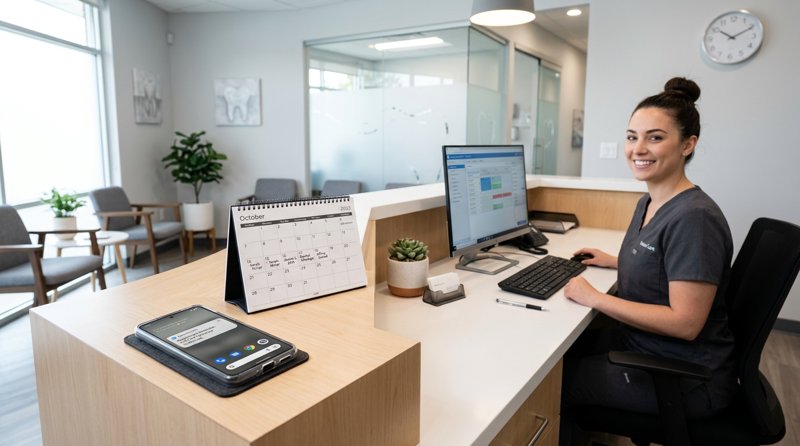
For dental clinics and local health practices, a missed appointment is not just an empty slot—it is lost revenue and disrupted patient care. Implementing an automated dental clinic appointment reminder SMS system is the most effective way to reduce no-shows, but traditional cloud APIs have become too expensive and complex for small businesses. By using an Android SMS gateway, clinics can now send automated text reminders directly from their own local office numbers without dealing with complex carrier registrations or hidden fees.
The Real Cost of No-Shows and the Twilio Complexity in 2026
A single missed dental appointment can cost a clinic between $150 and $500 in lost billable time. Multiply that across a month, and no-shows can easily drain thousands of dollars from your practice. While sending a simple text reminder is the proven solution to keep chairs filled, setting up a traditional enterprise SMS api has become an administrative nightmare for local service businesses.
Historically, developers and business owners turned to platforms like Twilio or MessageBird. However, in 2026, the landscape of A2P SMS (Application-to-Person) has changed dramatically. Carriers have introduced strict compliance frameworks, requiring businesses to register their brand, submit tax documentation, pay monthly registration fees, and wait weeks for approval. For a local clinic, a physiotherapy practice, or a small service business, this level of bureaucracy is an unnecessary barrier to entry.
Furthermore, traditional gateways charge per 160-character segment. If your reminder message contains a long dentist name, address, or an accented character, a single text can easily be split into two or three segments, doubling or tripling your expected bill. This is why local clinics and service providers are seeking a low cost sms api that offers flat-rate pricing and uses existing local SIM cards.
Why the Android SMS Gateway Model Wins
Using an Android SMS gateway like MySMSGate completely bypasses carrier registration bottlenecks. Instead of leasing a virtual number from a cloud provider, you connect your own Android phone and SIM card to a web dashboard or API. When your booking software triggers a notification, the message is sent through your actual phone line. Your patients see a familiar local number that they can call back directly, which significantly improves trust and response rates.
Comparing MySMSGate vs. Traditional Cloud SMS APIs
When choosing a platform to send your operational notifications, it is essential to compare the true costs. Traditional providers often hide fees behind carrier surcharges, per-segment billing, and monthly number rentals. MySMSGate offers a transparent, flat-rate model designed specifically for small businesses and local clinics.
| Feature | MySMSGate | Twilio / Traditional APIs |
|---|---|---|
| Price per SMS | $0.02 (Flat rate) | $0.05 - $0.08 (With carrier surcharges) |
| Monthly Fees | $0.00 | $15.00+ (A2P registration + number rental) |
| Character Limits | No per-segment multiplier (1 flat charge) | Billed per 160-character segment |
| Setup Time | Instant (Under 5 minutes via QR code) | Weeks (Pending brand/10DLC approval) |
| Sender ID | Your own local SIM number | Leased virtual shortcode or toll-free number |
| Two-Way Chat | Included via Web Conversations dashboard | Requires complex custom backend development |
As shown in the table, MySMSGate offers a highly competitive option for businesses looking for cheapest sms api alternatives to twilio 2026. Because you are sending messages through your own SIM card, you do not have to pay virtual number rental fees or undergo tedious carrier verification processes.
Industry-Specific SMS Templates for Local Service Businesses
Whether you are running a dental practice, a wellness clinic, or a local trade business, the psychology of a reminder text remains the same. It must be clear, polite, include the exact time, and offer a simple way to reschedule or confirm. Below are optimized, real-world templates tailored to various local service industries that you can copy and paste directly into your automated workflows.
Healthcare and Wellness Templates
Dental Clinic Appointment Reminder SMS:
"Hi [Name], this is a reminder from Bright Smile Dental. Your appointment is scheduled for [Date] at [Time] with Dr. Evans. Please reply YES to confirm or call us at [Phone] to reschedule."
Physiotherapy Appointment Reminder SMS:
"Hello [Name], your upcoming physical therapy session with [Staff] is scheduled for [Date] at [Time]. Please wear comfortable clothing. Reply to this message if you need to modify your booking."
Optometry Appointment Reminder SMS:
"Hi [Name], your annual eye exam at ClearVision Optometry is set for tomorrow, [Date] at [Time]. We look forward to seeing you. Reply to this number if you have any questions."
Veterinary Clinic Appointment Reminder Text Messages:
"Hi [Owner], this is a reminder that [Pet Name] has an appointment at Oakwood Vet on [Date] at [Time] for vaccinations. Please reply to confirm or call to reschedule."
Beauty, Personal Care, and Fitness Templates
Nail Salon Appointment Reminder SMS:
"Hi [Name], we are excited to see you at Luxe Nails on [Date] at [Time] for your manicure. To cancel or reschedule, please notify us at least 24 hours in advance at [Phone]."
Barbershop Appointment Reminder Text Messages:
"Hey [Name], your haircut appointment with [Barber] is set for [Date] at [Time]. See you soon! Reply to this message if you need to reschedule."
Tattoo Studio Appointment Reminder SMS:
"Hi [Name], your tattoo session with [Artist] is confirmed for [Date] starting at [Time]. Please remember to eat a good meal beforehand and bring your ID. See you at the studio!"
Home Services, Professional, and Trade Templates
Plumber Appointment Reminder SMS:
"Hi [Name], this is a confirmation that our technician from Apex Plumbing will arrive at your property on [Date] between [Time Window]. Please ensure someone is home to let them in."
Appliance Repair Appointment SMS:
"Hello [Name], your appliance repair appointment is scheduled for [Date] at [Time]. Our technician will call you 15 minutes before arrival. Contact [Phone] for help."
Cleaning Service Appointment Confirmation SMS:
"Hi [Name], your home cleaning service is confirmed for [Date] at [Time]. If you need to update access instructions, please reply directly to this message."
Small Law Firm Appointment Reminder SMS:
"Dear [Name], this is a reminder of your legal consultation with [Attorney] scheduled for [Date] at [Time] at our main office. Please bring any relevant documents."
Technical Integration: Sending Reminders via MySMSGate REST API
If you are a developer or a tech-savvy business owner using platforms like GitHub, integrating a automated messaging pipeline is incredibly straightforward. MySMSGate provides a simple, single-endpoint REST API that lets you trigger text messages programmatically from your CRM, booking software, or custom database.
To see how to connect your phone and begin sending, check out our comprehensive guide on how to send SMS from an Android phone via API. Below is a practical example of how to trigger a dental clinic appointment reminder SMS using a standard HTTP POST request.
cURL API Request Example
curl -X POST "https://mysmsgate.net/api/v1/send" \
  -H "Authorization: Bearer YOUR_API_KEY" \
  -H "Content-Type: application/json" \
  -d '{
    "to": "+1234567890",
    "message": "Hi John, this is a reminder from Bright Smile Dental. Your appointment is scheduled for tomorrow at 10:00 AM. Reply YES to confirm.",
    "sim_slot": 1
  }'
This simple payload instructs MySMSGate to route the message through the connected Android device using the SIM card in slot 1. There is no complicated routing, no virtual number allocation, and no additional carrier fees.
Python Integration Example
If you are building an automation inside a Django, Flask, or FastAPI backend, you can trigger your appointment reminders using the standard Python requests library:
import requests

def send_appointment_reminder(patient_phone, patient_name, appt_time):
    url = "https://mysmsgate.net/api/v1/send"
    headers = {
        "Authorization": "Bearer YOUR_API_KEY",
        "Content-Type": "application/json"
    }
    payload = {
        "to": patient_phone,
        "message": f"Hi {patient_name}, this is a reminder of your dental appointment on {appt_time}. Reply YES to confirm.",
        "sim_slot": 1
    }

    response = requests.post(url, json=payload, headers=headers)
    return response.json()
For non-technical users, MySMSGate also integrates seamlessly with no-code automation tools like Zapier, Make.com, and n8n. This allows you to connect your Google Calendar, Acuity Scheduling, or Jane App directly to your Android device with zero code required.
How to Set Up MySMSGate in 3 Simple Steps
Getting your automated reminder system up and running takes less than five minutes. There are no contracts, no verification delays, and no setup fees. You can read more about alternative approaches in our appointment reminder SMS without Twilio guide.
- Create an Account: Sign up at mysmsgate.net to instantly retrieve your API key and unique connection QR code.
- Install the Android App: Download the MySMSGate companion application onto any spare Android phone. Scan the QR code displayed on your web dashboard to pair the device instantly.
- Configure and Send: Hook the API up to your scheduling platform or use the Web Conversations dashboard to send and receive text messages directly from your computer browser.
If a message ever fails to deliver due to network issues or an invalid number, your account balance is automatically refunded. This ensures you only pay for successfully processed messages.
Frequently Asked Questions
Find answers to the most common questions about using an Android SMS gateway for your service business or medical clinic.
Do I need to undergo A2P 10DLC registration to use MySMSGate?
No. Because MySMSGate routes messages through your own physical Android phone and active SIM card, you do not need to register a corporate brand, apply for carrier approval, or pay monthly registration fees. It operates exactly as if you were typing and sending the message manually from your personal device.
Can I use multiple Android phones on a single account?
Yes. MySMSGate supports multi-device setups. If your dental practice has three different branches, you can connect three separate Android phones to a single centralized dashboard. You can select exactly which phone and SIM slot to send from in each conversation or API call.
What happens when patients reply to the automated reminders?
All incoming messages are forwarded automatically from your Android phone to the MySMSGate web dashboard in real time. You can view, manage, and reply to conversations directly from your computer browser using our chat-like Web Conversations interface, or receive the replies on your own backend via webhooks.
Is there a character limit or per-segment billing?
Unlike traditional providers that charge per 160-character segment, MySMSGate charges a flat rate of $0.02 per message sent, regardless of length. This means you do not have to worry about your reminder text getting split and costing double or triple the expected price.


Comments (0)
Be the first to comment!