
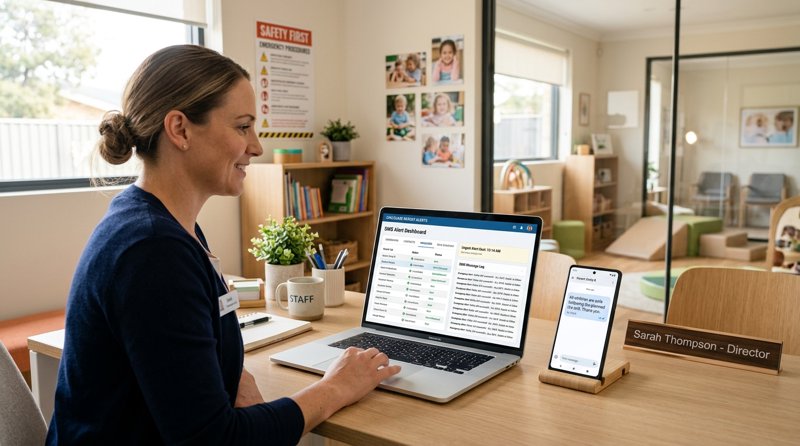
The Critical Need for Instant Parent Communication
When an unexpected power outage hits, a water main breaks, or extreme weather forces an early closure, childcare directors must reach parents instantly. Relying on parents to check email, scroll through social media, or refresh a parent portal app is a gamble when minutes matter. A reliable emergency text messaging system for childcare centers ensures that critical alerts land directly on parents' mobile screens, where they are seen within seconds. Unlike mobile applications that require data connections or push notifications that are frequently muted, standard text messages rely on core cellular networks that remain active even when local internet infrastructure fails.
For a preschool, nursery, or daycare center, communication during an emergency is not just about convenience; it is a fundamental safety requirement. If a facility must evacuate due to a localized issue, staff cannot spend hours calling individual phone numbers from a landline. They need a system that can broadcast a single, clear message to hundreds of emergency contacts simultaneously. However, setting up such a system has historically required navigating complex technical landscapes, signing restrictive contracts, or managing expensive software suites that do not fit the operational realities of a local educational business.
The Obstacles of Traditional SMS Gateways
When childcare operators search for a way to automate these alerts, they usually encounter large-scale telecom aggregators. While these platforms are built to handle millions of marketing messages, they introduce several roadblocks for small, local organizations. The first major hurdle is compliance and registration. Under modern telecom standards, any business sending messages from a virtual number must undergo extensive verification. This involves registering for regulatory frameworks like A2P 10DLC or securing specific sender IDs, which you can read about in our SMS glossary. For a local childcare center, this registration process can take weeks, requires submitting tax documents, and can be rejected for minor formatting errors. During this waiting period, the center remains without a functioning alert system.
The second challenge is the unpredictable nature of pay-per-message billing. Traditional cloud providers charge for every single message segment sent. A standard text message is limited to 160 characters. If an emergency alert exceeds this limit—which is common when including addresses, pickup instructions, and safety protocols—the message is split into multiple segments. A metered provider bills you for each segment individually. Furthermore, if a parent has a mobile number registered in a neighboring country, the rate for that specific message can spike dramatically. To understand how these costs accumulate and why standard cloud routing can become a financial burden, you can review our direct comparison with Twilio.
Setting Up an Emergency Text Messaging System for Childcare Centers
To bypass these administrative delays and high costs, childcare centers can adopt a hardware-based approach. Instead of renting virtual phone numbers from global telecom companies, you can turn an Android device that your business already owns into a dedicated local gateway. By installing a lightweight application on an Android phone, you pair the device with your administrative dashboard by scanning a simple QR code. This setup allows your software to route automated emergency messages directly through your own SIM card, utilizing the mobile plan you already pay for.
This approach completely eliminates the need for carrier registration. Because the messages originate from your physical SIM card and your own business phone number, they are treated by the network as standard person-to-person communications. Parents will receive the emergency alert from the familiar number they already have saved in their contacts, greatly increasing the likelihood that they will open and read the message immediately. If a parent replies to the text with an update on their arrival time, the incoming message is forwarded back to your web dashboard or a custom webhook, allowing your administrative staff to maintain real-time, two-way communication during a crisis.
Comparing Alert Infrastructure Options
When deciding how to build your center's emergency alert infrastructure, it is helpful to contrast the traditional virtual-number model with a localized Android gateway. The table below outlines the key operational differences that impact setup speed, reliability, and ongoing management.
| Operational Feature | Traditional Cloud API | Local Android Gateway | |||
|---|---|---|---|---|---|
| Setup Time | Weeks (due to A2P/10DLC registration) | Minutes (instant QR code pairing) | Sender Number | Rented virtual number (unfamiliar to parents) | Your own SIM card and business number |
| Long Message Billing | Charged per 160-character segment | No segment-based metering (uses local SIM) | Two-Way Replies | Requires complex routing configuration | Forwards directly to dashboard and webhooks |
| Dual-SIM Support | Not applicable | Supported (route alerts across two networks) |
For childcare centers that operate multiple branches, a local gateway solution offers unique flexibility. You can connect several phones to a single administrative account. If your nursery has a north campus and a south campus, each location can maintain its own dedicated Android phone with its own local SIM card. This ensures that emergency alerts sent to parents of the north campus come from the local north campus phone number, keeping communications organized and localized without mixing contact lists.
Crafting Actionable Emergency Templates
In a high-stress situation, administrators should not have to draft emergency messages from scratch. Your software should be pre-configured with clear, concise templates that can be dispatched with a few clicks. Because emergency messages often contain critical details, they frequently exceed the standard 160-character limit. When using traditional APIs, this causes costs to multiply rapidly. However, when using a system that supports unmetered sending through your own SIM card, you can send detailed instructions without financial penalty. You can learn more about how this works in our guide on how a long message is billed as one.
Here are three essential templates that every childcare center should have saved in their system:
1. Severe Weather / Early Closure Template
“[Center Name] Alert: Due to approaching severe weather, we will be closing early today at [Time]. Please arrange to pick up [Child Name] as soon as possible. Staff will remain on-site until all children are safely collected. Reply to this text to confirm your estimated arrival time.”
2. Power Outage / Utility Failure Template
“[Center Name] Update: We are currently experiencing a power outage. Our facilities remain safe, warm, and secure. However, phone lines are down. We are monitoring the situation and will send another update by [Time]. No immediate action is required. For urgent inquiries, reply directly to this text.”
3. Facility Evacuation Template
“[Center Name] Emergency Evacuation: All children and staff have safely evacuated our main building due to a [Reason, e.g., gas leak]. We are currently gathered at our designated safe assembly point: [Location Address]. Please proceed there immediately to collect [Child Name]. Bring photo identification.”
How to Deploy Your System Without Technical Friction
If you are an administrator or an independent developer building a custom management portal for a local preschool, the integration process should be straightforward. This is where MySMSGate provides a practical solution. Instead of writing complex integrations for proprietary platforms, you can use a single, well-documented REST API endpoint to send messages. If your school management system already has built-in integration for Twilio but you want to avoid their carrier registration delays and metered costs, you can simply change the base URL in your existing code to point to our Twilio-compatible endpoint.
To get started, you do not need to purchase expensive hardware or sign long-term contracts. You can set up the system using a spare Android phone lying in your office drawer. Follow these simple steps to secure your communication pipeline:
- Create your account by visiting the registration page.
- Download the gateway application onto an Android device equipped with an active SIM card.
- Scan the QR code displayed in your web dashboard to link the phone to your account.
- Integrate your parent directory using our simple API, or use our manual dashboard to send broadcasts.
- Run a scheduled test drill to ensure messages are dispatched smoothly from your device to your staff's mobile phones.
By taking control of your own communication hardware, you protect your childcare center from unexpected service disruptions, bypass tedious bureaucratic approvals, and ensure that when an emergency occurs, you can reach every parent instantly, reliably, and without unpredictable expenses. For more details on how this approach compares to traditional commercial routing, explore our analysis of how MySMSGate compares with the big SMS providers.


Comments (0)
Be the first to comment!