
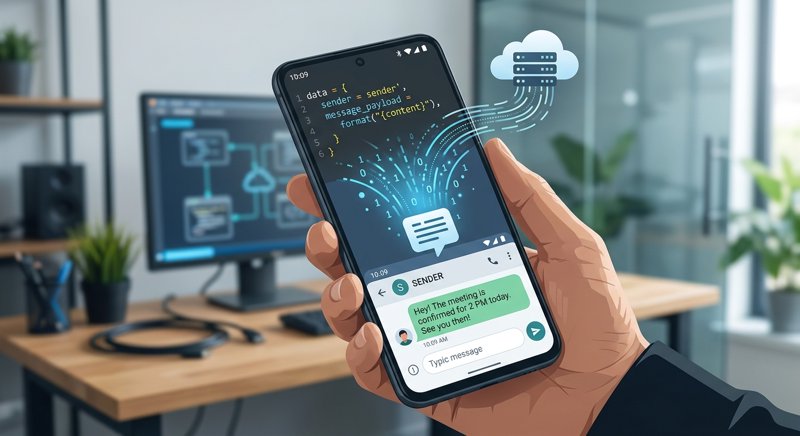
Have you ever sent a simple appointment reminder to your clients only to find that your SMS bill had doubled for no apparent reason? This phenomenon is directly linked to **sms message encoding**, a technical aspect often ignored that can heavily impact your communication budget.
What is SMS message encoding?
To get a clear sms encoding definition, you must understand that mobile networks do not read all characters the same way. Encoding is the technical process that converts letters, numbers, and symbols in your message into binary data (0s and 1s) transmissible by telecom operators.
Historically, the cellular network was designed to transmit very lightweight messages. Two main standards currently govern SMS sending:
- GSM-7: The standard encoding that uses 7 bits per character. It allows you to write up to 160 characters in a single SMS.
- UCS-2 (Unicode): A richer encoding using 16 bits per character, necessary for non-Latin alphabets, complex special characters, and emoticons. It limits the size of a single SMS to only 70 characters.
GSM-7 vs UCS-2: The trap of special characters and emojis
This is where complications begin for small business owners (hair salons, medical clinics, driving schools). A single character outside the GSM-7 table forces your entire message to switch to Unicode.
The sms encoding of special characters and accents like "ç", "ê", or "ë" (common in French) as well as sending emojis via ucs2 sms encoding instantly reduces your character limit from 160 to 70 per message. The emoji impact on sms encoding is therefore immediate: your message is split into several parts (segments), which multiplies the cost of sending with most traditional providers.
Here is a comparative table to better visualize this difference:
| Encoding Standard | Character Limit (1 SMS) | Allowed Characters | Impact on Classic Billing | |
|---|---|---|---|---|
| GSM-7 | 160 characters | Basic Latin alphabet, numbers, spaces, and some common accents (é, à, è, ù) | Standard pricing (1 credit) | |
| UCS-2 (Unicode) | 70 characters | All alphabets (Arabic, Cyrillic, Chinese), emojis, complex accents (ç, ê, ï) | Double or triple pricing (multiple segments) |
The impact of unicode encoding on sms price
The impact of unicode encoding on sms price is the number one financial trap of classic SMS gateways like Twilio or Plivo. These platforms charge per SMS "segment." A segment corresponds to 160 characters in GSM-7 but drops to 70 characters as soon as a single Unicode character is detected.
Imagine you manage an auto repair shop and send this appointment reminder:
"Hello! Your vehicle is ready. Please pick it up before 6 PM at the garage. See you soon!"
This message contains 107 characters. If you send it as is, it uses standard GSM-7 encoding. This costs you 1 SMS segment.
If you add a simple car emoji at the end to make the message more welcoming, the message switches to UCS-2. Your 108 characters now exceed the strict 70-character limit of Unicode. Your message is then split into 2 segments. With a classic operator, you will pay double for this message, solely because of an emoji.
It is to avoid this kind of unpleasant surprise that many companies look for alternatives. With MySMSGate, you connect your own Android smartphone to send your messages. We charge a single, flat rate of $0.02 per SMS sent, regardless of its length or encoding. There is no hidden per-segment billing. To learn more about cost-effective options, check out our guide on the cheapest SMS gateway for small business.
Developers: Which encoding to choose for sending an api sms?
If you are integrating SMS notifications into your own application or management software, the technical question arises: which encoding to choose for sending an api sms?
Almost all modern APIs, including MySMSGate's, accept requests in UTF-8 encoded JSON format. However, the SMS gateway must then convert this UTF-8 stream to the mobile network. To ensure maximum compatibility and avoid corrupted characters (the famous question marks or black squares), it is essential to properly configure utf8 sms gateway encoding.
Here is a simple example in Python to send a correctly encoded message via the MySMSGate API without worrying about complex splitting:
import requests

url = "https://mysmsgate.net/api/v1/send"
headers = {
    "Authorization": "Bearer YOUR_API_KEY",
    "Content-Type": "application/json"
}
payload = {
    "to": "+33612345678",
    "message": "Your appointment is confirmed for tomorrow at 2 PM! ",
    "sim_slot": 1
}

response = requests.post(url, json=payload, headers=headers)
print(response.json())
Our API handles the conversion transparently. Additionally, our system includes an automatic refund mechanism in case of delivery failure, ensuring you only pay for what actually works. For a full integration on your own server, read our tutorial to send SMS from Android phone via API.
How to avoid double sms encoding?
To avoid double sms encoding, make sure your code does not apply an encoding function (like urlencode or utf8_encode) on a string that is already being processed by your HTTP library. Sending double-encoded data results in your customers receiving unreadable messages containing strings of strange symbols.
The specific case of sms/mms video encoding preset
In the field of mobile telecommunications, you may sometimes encounter the term sms/mms video encoding preset. Unlike text encoding (GSM-7 or UCS-2), this preset concerns the compression and formatting of multimedia files (videos, animated images) sent via MMS.
Mobile networks impose very strict size limits for MMS (often less than 300 KB or 600 KB depending on the operator). The video encoding preset allows for drastically reducing the resolution and bitrate of a video so it can be delivered without rejection by the operator's gateway. If your goal is only to send text notifications or operational reminders, you won't have to worry about these complex settings.
Frequently Asked Questions about SMS Encoding
Here are the answers to the most frequently asked questions regarding encoding management and special characters when sending professional SMS.
Why can a simple French accent double the price of my SMS?
Certain characters like "ç" (c-cedilla), "ê" (e-circumflex), or "à" (a-grave) are not part of the standard GSM-7 alphabet. As soon as you use one of these characters, your sending software switches the entire message to Unicode (UCS-2) mode. The limit per SMS then drops from 160 to 70 characters. If your text exceeds 70 characters, it is divided into two segments, doubling the sending cost with traditional operators.
How can I test my SMS encoding before sending them?
There are online SMS segment testing tools (often called "SMS Length Calculators"). They allow you to paste your text and instantly see if an invisible character or an emoji forces the switch to Unicode, as well as the exact number of segments that will be billed by your provider.
How does MySMSGate help avoid extra costs related to Unicode?
Unlike classic APIs (Twilio, Plivo) that bill each segment individually, MySMSGate applies a single, fixed rate of $0.02 per message sent, regardless of length or the use of special characters or emojis. Your messages pass directly through your own Android smartphone connected to our platform, which eliminates abusive segmentation fees.


Comments (0)
Be the first to comment!