
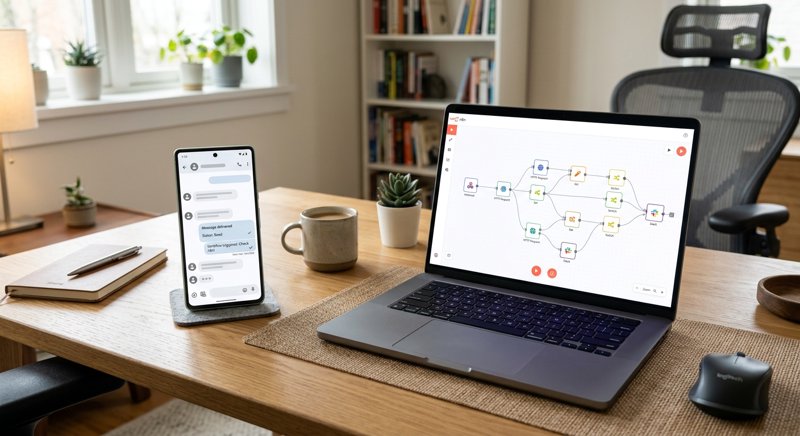
Automating text messages for your business shouldn't require expensive API contracts or complex carrier registration processes. In this practical guide, we will build a complete n8n sms automation example that routes messages through your own Android phone using a simple REST API.
Why Use n8n and an Android SMS Gateway for Business Automation?
For small service businesses like dental practices, auto repair shops, driving schools, and salons, keeping customers informed is critical to reducing no-shows and improving satisfaction. However, traditional SMS APIs like Twilio or MessageBird have become increasingly hostile to small operators. Between complex A2P 10DLC registration, carrier approval delays, and per-segment billing that charges you double for messages over 160 characters, setting up simple notifications has become a major headache.
By combining n8n—a powerful, self-hostable workflow automation tool—with an Android SMS gateway like MySMSGate, you can bypass these hurdles entirely. This setup allows you to send automated SMS notifications directly through your own Android phone and SIM card. You use the phone number your customers already recognize, pay a flat rate of $0.02 per message regardless of length, and avoid all carrier registration processes.
Using n8n for your automation hub gives you total control over your data and workflows. Whether you want to send appointment reminders from a Google Calendar trigger, dispatch "ready for pickup" alerts from your point-of-sale system, or build a custom alert system, this approach is both cost-effective and highly reliable.
The Cost Advantage of Android SMS Gateways
Traditional SMS APIs charge not just for the message, but for every 160-character "segment" (including hidden formatting characters). A single long text can quickly cost three to four times the base rate. MySMSGate charges a flat $0.02 per message with no monthly fees, no contracts, and no per-segment billing. If a message fails to deliver, your balance is automatically refunded. This transparent pricing is ideal for local businesses sending 100 to 1,000 operational messages per month.
Step 1: Setting Up Your Android SMS Gateway
Before configuring your n8n workflow, you need to connect your Android phone to the MySMSGate API. This turns your physical device and SIM card into an active SMS gateway capable of sending and receiving messages programmatically.
- Create a free account at MySMSGate to retrieve your API key.
- Download and install the MySMSGate Android app on your phone.
- Open the app and scan the QR code displayed on your web dashboard to link your device instantly. No manual API key entry is required.
- Ensure the app has permission to send and receive SMS, and disable battery optimization so the background service remains active.
Once connected, your phone acts as your personal SMS gateway. You can manage multiple devices and choose which SIM card to send from if you use a dual-SIM phone. For a detailed walkthrough of this setup, check out our guide on how to send SMS from an Android phone via API.
Step 2: Building the n8n SMS Automation Workflow
With your gateway active, you can now configure n8n to send messages. This n8n sms automation example uses a standard HTTP Request node to communicate with the MySMSGate API endpoint. Since MySMSGate uses a single, clean REST API endpoint, integration takes less than five minutes.
Below is the JSON structure required to trigger an outbound text message via the MySMSGate API:
POST https://mysmsgate.net/api/v1/send
Headers:
  Authorization: Bearer YOUR_API_KEY
  Content-Type: application/json

Payload:
{
  "to": "+447123456789",
  "message": "Your vehicle is ready for pickup at the workshop. Total: £145.00.",
  "device_id": "your_device_id_here",
  "sim_slot": 1
}
In n8n, you can easily map variables from previous steps (such as a customer's phone number and booking details from a CRM or Google Sheet) directly into this JSON payload. This allows you to scale your operations without writing complex backend code.
Configuring the HTTP Request Node in n8n
To implement this inside your n8n canvas, add an "HTTP Request" node. Set the Method to POST and enter the URL https://mysmsgate.net/api/v1/send. Under Authentication, select Header Auth, set the Name to Authorization, and paste your API key prefixed with Bearer . Set the Body Content Type to JSON and map your parameters accordingly. This simple setup makes n8n using sms automation incredibly robust and easy to maintain.
Practical Use Case: DIY Android SMS Gateway for Home Automation
While local businesses use this setup for customer relations, smart home enthusiasts and system administrators also benefit from a diy android sms gateway for home automation. By integrating n8n with platforms like Home Assistant, Node-RED, or self-hosted monitoring tools, you can receive critical system alerts even if your internet connection goes down.
For example, if a water leak sensor is triggered or a server goes offline, Home Assistant can send a webhook to your local n8n instance. n8n then processes the alert and routes an SMS through your Android phone's cellular connection. Because it relies on a local SIM card, your critical alert system remains independent of third-party cloud communication platforms that require active internet routing to deliver external SMS.
Handling Incoming Messages and Two-Way Conversations
A complete automation loop often requires handling replies from your customers. When a customer replies to an appointment reminder (e.g., replying "YES" to confirm), your Android phone receives the message and automatically forwards it to your MySMSGate dashboard.
To automate actions based on these replies, you can register a webhook in MySMSGate. When an incoming message is received, MySMSGate sends a POST request to your specified n8n webhook URL. This allows you to build workflows that automatically update your database, confirm appointments, or trigger internal notifications.
If you prefer using other automation platforms, you can find detailed integration parameters in the Make.com webhooks sms api automation documentation, which outlines how to route incoming payload data to various external systems.
Comparing SMS Automation Approaches
Before choosing an infrastructure for your business alerts, it is helpful to compare the costs, setup requirements, and limitations of traditional developer APIs versus an Android-based gateway model.
| Feature | Traditional APIs (e.g., Twilio) | MySMSGate (Android Gateway) |
|---|---|---|
| Base Cost per SMS | $0.05 - $0.08 (varies by country) | $0.02 flat rate |
| Message Length Billing | Billed per 160-character segment | Flat rate per message (any length) |
| Carrier Registration (10DLC) | Required (long approval times) | Not required (uses your own SIM) |
| Sender ID | Random virtual number | Your actual mobile number |
| Incoming SMS Routing | Paid virtual numbers required | Free forwarding from physical SIM |
| Setup Time | Days/Weeks (due to compliance) | 5 Minutes (QR code setup) |
Frequently Asked Questions
Below are answers to common questions about setting up SMS automation with n8n and an Android-based gateway system.
Do I need to register for 10DLC or A2P compliance?
No. Because MySMSGate routes messages through your physical Android phone and your existing cellular subscription, you do not need to go through carrier approval, registry filings, or 10DLC compliance. You are simply using your phone to send messages, just as you would manually.
Can I use n8n to send SMS to international numbers?
Yes. Your Android phone's SIM card dictates your international sending capabilities and rates. If your cellular plan includes international texting, you can send messages globally through MySMSGate. The API cost remains a flat $0.02 per message regardless of destination.
What happens if my phone loses internet connection?
If your phone goes offline, MySMSGate queues your outbound messages. As soon as your phone reconnects to Wi-Fi or cellular data, the background service automatically wakes up via push notifications and dispatches the queued messages. If a message ultimately fails to send, your API balance is automatically refunded.
Can I connect multiple phones to a single n8n workflow?
Yes. MySMSGate supports multi-device setups. You can link unlimited Android phones to a single account. In your n8n HTTP Request payload, simply specify the unique device_id of the phone you wish to send from. This is ideal for businesses with multiple branches or regional offices.


Comments (0)
Be the first to comment!