
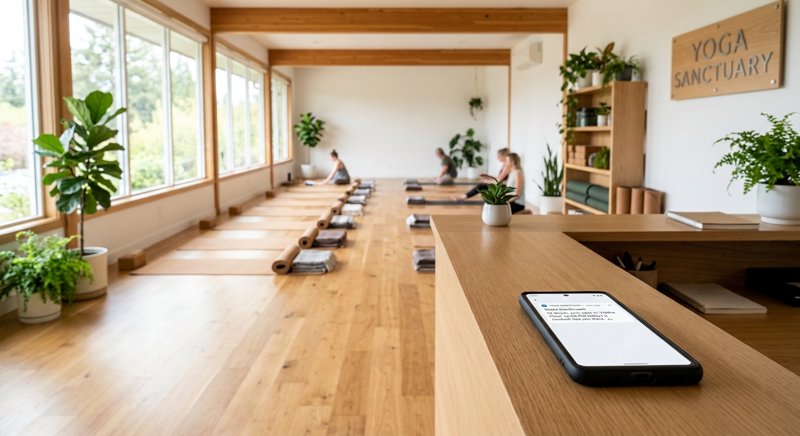
For yoga studio owners, empty mats mean lost revenue and disrupted class energy. Implementing a reliable yoga studio class reminder sms system is the single most effective way to cut down no-shows, but traditional SMS gateways make the setup incredibly complex and expensive. Here is how you can send automated class reminders directly from your own Android phone and SIM card using MySMSGate.
Why Traditional A2P SMS APIs Fail the Yoga Studio Class Reminder SMS Use-Case
When most small business owners look for a low cost sms api to automate their scheduling, they are directed to enterprise platforms like Twilio, Plivo, or Vonage. However, these platforms are built for massive corporations, not local service businesses. For a local yoga studio, setting up a traditional a2p sms (Application-to-Person) system presents major hurdles.
First, there is the administrative nightmare of carrier registration. In the US and many other regions, you must register your business brand and use-case (10DLC) before you can send a single text. This process requires paying setup fees, waiting weeks for carrier approval, and submitting detailed privacy policies. If you are a studio outside the US, navigating these corporate carrier rules is even more frustrating.
Second, traditional APIs use "per-segment" billing. A standard SMS is 160 characters. If your reminder message goes even one character over—perhaps because of a personalized client name or a long booking link—you are billed for two messages. Twilio and its competitors charge per segment, meaning your monthly bill can easily double without your knowledge.
Finally, your customers do not recognize the sender. Traditional gateways send messages from random shortcodes or generic toll-free numbers. Your clients are far less likely to open or reply to a text from an unknown 5-digit number than from a local phone number they already have saved in their contacts.
The Android SMS Gateway Alternative
An android sms gateway bypasses these carrier restrictions entirely. By connecting an Android phone to MySMSGate, you can send automated texts directly through your own SIM card. Your clients receive the message from your studio's actual mobile number. There is no carrier registration, no 10DLC approval, and no setup delay. You can start sending reminders within five minutes of setting up your account.
Comparing the True Costs of Class Reminders
Let us look at the actual numbers. If your yoga studio sends 1,000 class reminders per month, how do the costs stack up between traditional APIs and MySMSGate? When evaluating the cheapest SMS API for small business, you have to look beyond the base rate and calculate hidden fees, segment billing, and monthly subscription costs.
Cost Comparison Table
| Feature / Cost Component | Twilio / Plivo | MySMSGate |
|---|---|---|
| Base Cost per SMS | $0.0079 - $0.05 (varies by country) | $0.02 (flat rate globally) |
| Monthly Carrier Fees | $10.00 - $30.00 (10DLC / Brand registration) | $0.00 (none) |
| Character Segment Billing | Billed per 160-char segment | Flat charge per message (regardless of length) |
| Minimum Commitment | None, but credit expires / monthly fees apply | $5.00 (250 SMS package), credit never expires |
| Setup Complexity | High (Requires developer + carrier approval) | Low (Scan QR code, ready in minutes) |
With MySMSGate, you pay a flat $0.02 per message. If your message is 200 characters long, it still costs exactly $0.02. If a message fails to deliver, the balance is automatically refunded to your account. There are no contracts, no monthly platform fees, and no recurring commitments. You can read more about how this compares to traditional setups in our guide on appointment reminders without Twilio.
How to Set Up Your Yoga Studio Class Reminder SMS System
Setting up your reminder system is straightforward and does not require advanced technical skills. You can manage everything through our visual web dashboard or connect your existing booking software via our simple sms api.
- Create your account: Go to MySMSGate Register and sign up. You will instantly get an API key and access to your dashboard.
- Install the Android App: Download our lightweight Android SMS app onto any spare Android phone. The phone will act as your gateway.
- Scan the QR Code: Open the app on your phone and scan the QR code displayed on your web dashboard. This instantly pairs your phone to your account—no manual typing of API keys required.
- Insert your SIM card: Ensure your Android phone has an active SIM card with an SMS plan. If your phone supports Dual SIM, you can even choose which SIM slot to send from directly from your dashboard.
Once connected, our proprietary auto wake-up technology ensures the phone stays connected to our servers even when the screen is off or the device goes into sleep mode.
Integrating with Your Booking Platform
If you have a developer or use a platform that supports webhooks and custom API integrations, MySMSGate is one of the best apis for outbound calls and sms from backend architectures. Our REST API features a single, highly reliable endpoint.
Here is a simple Python example to send a class reminder:
import requests

url = "https://mysmsgate.net/api/v1/send"
payload = {
    "to": "+1234567890",
    "message": "Hi Sarah! This is a reminder for your Vinyasa Flow class tomorrow at 9:00 AM. See you on the mat!",
    "sim_slot": 1
}
headers = {
    "Authorization": "Bearer YOUR_API_KEY",
    "Content-Type": "application/json"
}

response = requests.post(url, json=payload, headers=headers)
print(response.json())
For non-technical studio owners, you do not need to write code. You can easily connect MySMSGate to booking systems like Mindbody, Acuity Scheduling, or Jane App using automation platforms like Zapier, Make.com, or n8n.
SMS Reminder Templates for Yoga Studios and Service Businesses
To get the best engagement and lowest no-show rates, your messages should be concise, friendly, and actionable. Below are proven templates you can copy and paste into your automation system.
Yoga Studio Templates
Template 1 (24 Hours Before): "Namaste [Name], this is a reminder for your [Class Name] tomorrow at [Time] with [Teacher]. Please bring your mat and arrive 10 minutes early! Reply STOP to opt-out."
Template 2 (Waitlist Notification): "Good news [Name]! A spot opened up in today's [Class Name] at [Time]. Reply YES to claim your mat, or ignore this message if you can no longer make it."
Templates for Other Local Service Businesses
The same Android gateway system can be utilized across various service niches to keep clients informed and reduce missed appointments:
- Optician recall reminder sms small business: "Hi [Name], it has been over a year since your last vision check. Keep your eyes healthy—book your annual eye exam online at [Link] or reply to this text to find a time."
- Nonprofit volunteer reminder sms: "Hi [Name], thank you for signing up to help at our weekend food drive! We look forward to seeing you this Saturday at [Time]. Wear comfortable clothes!"
- Wedding planner client reminder sms: "Hi [Name], this is a quick reminder of our catering tasting session tomorrow at [Time] at [Venue Address]. Can't wait to finalize your menu!"
- Photography studio session reminder sms: "Hi [Name], your portrait session with [Photographer] is scheduled for [Date] at [Time]. Please review our prep guide here: [Link] to get ready!"
- Recruitment agency interview reminder sms: "Hi [Name], your interview with [Company Name] for the [Role] position is scheduled for tomorrow at [Time]. The video call link is: [Link]. Best of luck!"
- Accounting firm client reminder sms: "Dear [Name], tax season is approaching. Please upload your W-2 and financial documents to our secure portal by [Date] so we can begin your filing: [Link]"
- Real estate viewing reminder sms: "Hi [Name], confirming our viewing of [Property Address] today at [Time]. Please let me know if you are running late or need to reschedule."
- Cafe reservation reminder text messages: "Hi [Name], we have your table reserved for tonight at [Time] for [Guest Count] people. We hold tables for up to 15 minutes. See you soon!"
- HVAC service reminder sms: "Hi [Name], this is a reminder that your annual AC system maintenance is scheduled for tomorrow between [Time Window]. Our technician [Tech Name] will text you when they are on their way."
- Music school lesson reminder text messages: "Hi [Name], this is a reminder for your piano lesson with [Teacher] tomorrow at [Time]. Please remember to bring your sheet music!"
Managing Two-Way Conversations from Your Computer
A common issue with automated SMS systems is that clients will naturally reply to the reminders. If they text back saying "I can't make it, can we reschedule?", those replies are often lost in traditional API systems unless you pay for expensive inbound shortcodes.
MySMSGate includes a built-in Web Conversations dashboard. Any incoming SMS received by your connected Android phone is instantly forwarded to your computer's browser. You can chat in real-time with your clients, answer questions, and reschedule classes directly from your laptop. This makes your client communication feel personal, immediate, and professional.
If you want to learn more about how to set up two-way messaging on your own hardware, check out our comprehensive guide on how to send SMS from an Android phone via API.
Frequently Asked Questions
Do I need to register for A2P 10DLC to send class reminders?
No. Because MySMSGate routes messages through your own physical Android phone and SIM card, the messages are sent as standard person-to-person (P2P) traffic. You do not need to go through complex carrier approval, register your brand, or pay registration fees.
What happens if my Android phone loses internet connection?
If your phone goes offline, MySMSGate queues your outgoing messages on our secure cloud servers. As soon as your phone reconnects to the internet, the queue is processed and the messages are sent. Our Android application also uses push notifications to automatically wake up the device if it enters a deep sleep state.
Can I connect multiple phones to a single account?
Yes! If your yoga studio has multiple locations, or if you run a franchise, you can connect an unlimited number of Android phones to a single MySMSGate account. You can manage all incoming and outgoing conversations from one unified web dashboard and choose which phone sends each specific message.
Are there any monthly subscription fees?
No. MySMSGate operates on a pay-as-you-go pricing model with a flat rate of $0.02 per SMS. There are no monthly subscription fees, no contracts, and your purchased SMS credits never expire. The minimum package starts at just $5.00 for 250 SMS.


Comments (0)
Be the first to comment!