
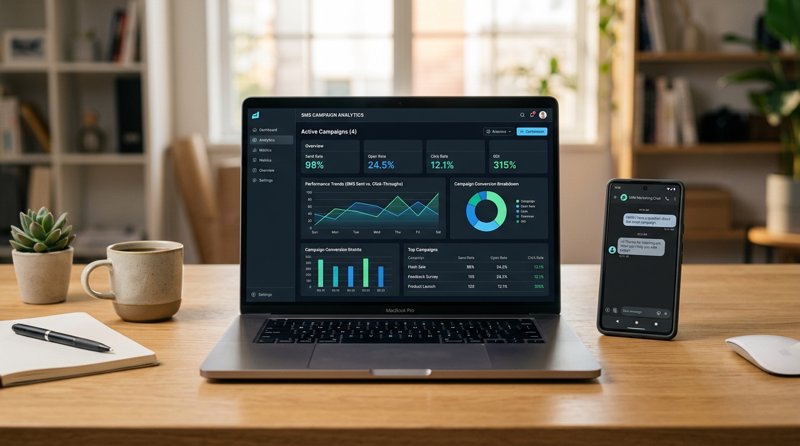
When you launch a communication campaign for your business, a technical but crucial question quickly arises: for your SMS marketing campaign, how many max characters can you use without doubling your bill? Understanding encoding limits and the pitfalls of billing segments is essential for optimizing your operational costs.
The Golden Rule of 160 Characters: GSM-7 vs. Unicode
In the world of telecommunications, the standard size of an SMS is historically set at 160 characters. However, this limit is not absolute and depends entirely on the character encoding you use. This is where many local businesses (hair salons, medical clinics, driving schools) are caught off guard by doubled or tripled sending bills without understanding why.
There are two main types of encoding for sending SMS:
- GSM-7 Encoding: This is the standard telecom alphabet. It includes letters from A to Z, numbers, and basic punctuation. Under this encoding, you have 160 real characters. If you are wondering cuantos caracteres consumen puntos y comas en sms (how many characters periods and commas consume), know that in the GSM-7 alphabet, each period, comma, or space consumes exactly 1 character.
- Unicode Encoding (UCS-2): As soon as you insert a special character that is not in the GSM-7 table (such as an emoji, a specific accent, or a Cyrillic character), the entire message switches to Unicode. Under this encoding, the maximum limit instantly drops to 70 characters per message.
The Impact of Special Characters on Your SMS Budget
Understanding como afecta los caracteres unicode en los mensajes sms (how Unicode characters affect SMS) is essential for anyone managing marketing campaigns or appointment reminders. If you write a 100-character message containing a single special character (like a simple emoji or an unsupported accented character), your message will be split into two segments billed by traditional gateways like Twilio.
To optimize your mailings, it is essential to know the caracteres especiais validos no sms (valid special characters) within the GSM-7 standard. For example, characters like é, è, à, or ù are generally supported in the GSM-7 extension, but others like 'ç' or emojis will force the switch to Unicode. Identifying and filtering these caracteres especiais para sms will save you from major billing surprises.
The Segment Billing Trap and Concatenated SMS
What happens if you exceed the limit of 160 GSM-7 characters or 70 Unicode characters? Your message is not blocked, but it is divided into several parts called "segments," then reconstituted on the recipient's phone. This is called a concatenated SMS.
Be careful, however: during concatenation, a few characters from each segment are reserved to integrate technical linking data (the UDH header). Thus:
- In GSM-7, a concatenated SMS goes from 160 to 153 characters per segment.
- In Unicode, a concatenated SMS goes from 70 to 67 characters per segment.
Traditional operators bill each segment individually. If you use a classic API, you risk exceeding your budgets without even receiving a mensagm de atingiu numero de caracteres (character limit reached alert message) before sending.
Some platforms and gateways also impose strict technical limits to avoid out-of-control costs. This is the motivo de limitar 396 caracteres sms (reason for limiting to 396 characters) observed with some providers, which corresponds exactly to the equivalent of 6 Unicode segments or 2.5 GSM-7 segments.
The MySMSGate Solution: Forget Segment Billing
This is where MySMSGate changes the game for small businesses and professionals. Unlike Twilio, Plivo, or MessageBird which bill you per 160-character segment, MySMSGate offers a single flat rate of $0.02 per SMS sent, regardless of its length or encoding. You send your SMS from your own Android phones and SIM cards, eliminating the segment splitting fees imposed by traditional cloud gateways.
How to Send SMS Campaigns Without Using Code?
Many local business owners (beauty salons, repair centers, tutoring schools) are looking for a simple solution to communicate with their customers. If you are wondering how to send sms campaigns without using code?, MySMSGate was designed for you.
Thanks to our intuitive Web Conversations interface, you can manage your SMS directly from your computer browser as if it were a classic messaging application. Here is how it works in practice:
- Create a free account on MySMSGate.
- Install our app on your Android phone and scan the QR code displayed on your dashboard to link the device instantly.
- Import your contact list or manage your conversations directly from the web dashboard.
- Draft your message and send it. The connected Android phone physically sends the SMS via its own SIM card.
This approach allows you to use your own mobile phone number, the one your customers already know and save in their contacts, thus maximizing open rates and trust.
Multi-Device and Dual SIM Management
For businesses with multiple branches or departments, MySMSGate allows you to connect an unlimited number of Android devices to a single account. You can choose which phone and which SIM card slot (thanks to Dual SIM support) to use for each send, directly from the web dashboard. Your customers receive a message from a familiar local number, without having to go through complex virtual number validation processes (like 10DLC or carrier approval in the US).
Developers: Manage SMS Validation and Size via REST API
For developers and SaaS solution integrators, validação caracteres especiais em sms (special character validation) and controlling tamanho de sms caracteres (SMS character size) remain important steps to ensure the proper reception of operational notifications (OTP, order confirmations, system alerts).
MySMSGate offers an extremely simple REST API with a single endpoint for sending messages. Here is an example of quick integration in Python to send an SMS without worrying about complex segment limits:
import requests

url = "https://mysmsgate.net/api/v1/send"
payload = {
    "api_key": "YOUR_API_KEY",
    "to": "+33612345678",
    "message": "Hello! Your appointment is confirmed for tomorrow at 2 PM. Please avoid delays. See you soon! 😊",
    "sim_slot": 1
}

response = requests.post(url, json=payload)
print(response.json())
Thanks to our automatic refund system in case of delivery failure, if an SMS cannot be sent by the phone, your balance is instantly re-credited. To learn more about integrating our API with other languages, check out our MySMSGate integration guides.
Cost Comparison: MySMSGate vs. Traditional SMS Gateways
The choice of your SMS gateway should not only depend on technical features but also on cost transparency. Solutions like Twilio or Plivo apply monthly number rental fees, brand registration fees (10DLC), and strict pricing per 160-character segment.
Here is a comparison table highlighting the difference in economic models between MySMSGate and classic cloud APIs for a small business sending 500 SMS per month:
| Comparison Criterion | MySMSGate | Cloud Gateways (Twilio / Plivo) |
|---|---|---|
| Cost per SMS | $0.02 (Single Flat Rate) | $0.05 to $0.08 (depending on country) |
| Segment Billing | No (One rate per message sent) | Yes (Billed per 160 or 70 char. segment) |
| Monthly Subscription Fees | $0 (No subscription, no contract) | Phone number rental fees |
| Sender Registration | None required (Sending via your SIM) | Long approval process (10DLC / A2P) |
| Sender Recognized by Client | Yes (Your own mobile number) | Often an unknown short or virtual number |
To dive deeper into this comparison and understand why using an Android gateway is often the most economical solution, read our article on the cheapest SMS API for small businesses.
Frequently Asked Questions
Find answers to the most frequently asked questions regarding managing character limits and optimizing your SMS marketing campaigns.
What is the maximum number of characters in a standard marketing SMS?
A standard marketing SMS contains a maximum of 160 characters if written only with characters from the GSM-7 alphabet. If you use special characters or emojis (Unicode), the limit per message drops to 70 characters.
Quantos caracteres são recomendados na mensagem sms pelo meta?
Meta and major industry standards generally recommend keeping SMS messages below 160 characters (GSM-7) to ensure maximum deliverability, avoid message splitting on older devices, and limit unnecessary sending costs.
Hay limites de caracteres para el primio estrategia empresarial ?
Yes, even for a premium business strategy, the physical limits of the SMS protocol apply (160 GSM-7 characters / 70 Unicode). To exceed these limits without blowing your budget, using a gateway like MySMSGate that bills a flat rate per message sent (and not per segment) is the most profitable strategy.
Why is my SMS billed double even though it is less than 160 characters?
It is likely because your message contains a special character not listed in the GSM-7 table (such as an emoji, a specific symbol, or a particular accented character). The message then switches to Unicode encoding, reducing the maximum size of an SMS to 70 characters.


Comments (0)
Be the first to comment!