
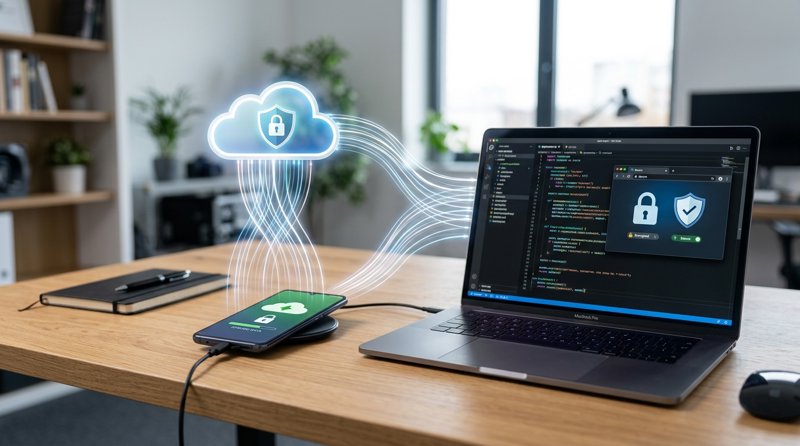
In today's security-conscious digital landscape, One-Time Passwords (OTPs) are indispensable for user authentication, transaction verification, and account recovery. But what if you could securely and affordably send these crucial messages without relying on traditional, often expensive, third-party SMS providers? This guide reveals how you can easily make your phone an SMS OTP server using MySMSGate, transforming your Android device into a robust, private, and cost-effective SMS API endpoint for all your OTP needs.
The Critical Role of OTPs and the Challenge of Traditional SMS Gateways
One-Time Passwords are a cornerstone of modern cybersecurity, providing an essential layer of protection against unauthorized access. Whether it's for two-factor authentication (2FA), password resets, or confirming financial transactions, OTPs delivered via SMS are a widely accepted and trusted method. However, businesses and developers often face significant hurdles when implementing SMS OTP solutions:
- High Costs: Traditional SMS API providers like Twilio or Vonage charge per message, often with additional fees for sender IDs, short codes, and carrier surcharges. These costs can quickly escalate, especially for applications requiring high volumes of OTPs.
- Regulatory Complexities: Navigating regulations like 10DLC in the US, sender ID registration, and carrier approvals can be time-consuming, expensive, and a barrier to entry for small businesses and startups.
- Deliverability Issues: Without proper registration, messages can be filtered or blocked, leading to a poor user experience and failed authentication attempts.
- Lack of Control: Relying entirely on external services means less control over your messaging infrastructure and data.
This is where the concept of turning your phone into an SMS server becomes incredibly appealing. It offers a direct, private, and cost-efficient alternative to the complexities of commercial SMS gateways, providing a reliable way to send OTPs directly from a trusted source – your own phone and SIM card. The idea of building an SMS gateway server at a fraction of the cost, with full control, is gaining significant traction among cost-conscious developers and businesses.
Introducing MySMSGate: Your Android Phone as a Private SMS OTP Server
MySMSGate is an innovative SMS gateway SaaS that empowers you to leverage your existing Android phones as dedicated SMS sending and receiving devices. It effectively allows you to make your phone an SMS OTP server, providing a direct bridge between your applications and the cellular network.
Here's why MySMSGate is the ideal solution for OTPs:
- Unbeatable Cost-Efficiency: Send SMS for as low as $0.03 per message, with no monthly fees or contracts. This is significantly cheaper than competitors like Twilio ($0.05-$0.08/SMS + fees) and SMSGateway.me ($9.99/month). Failed SMS messages are even automatically refunded to your balance.
- No 10DLC or Sender ID Registration: Because messages are sent directly from your phone's SIM card, you bypass complex regulatory hurdles like 10DLC registration and carrier approval processes. This means instant setup and reliable delivery for your OTPs.
- Full Control & Privacy: Your messages are sent through your own SIM cards, giving you greater control and ensuring privacy. This is a true private SMS gateway server.
- Simple REST API: Developers can integrate quickly with a single, straightforward REST API endpoint. Code examples are provided for popular languages like Python, Node.js, PHP, Go, and Ruby.
- Web Dashboard for Non-Technical Users: Even without coding skills, you can manage and send OTPs (or any SMS) through a user-friendly web dashboard, complete with chat-like 'Web Conversations'.
While MySMSGate requires an internet connection for your Android phone to communicate with our dashboard and receive API commands, the actual SMS transmission occurs via your phone's cellular network, not an internet-based SMS service. This means your OTPs are sent with the reliability and speed of a direct SIM message, addressing the core need to turn android into sms api server without internet in terms of how the message physically travels.
Step 1: Create Your MySMSGate Account
The first step to setting up your private SMS OTP server is quick and straightforward. You'll be ready to connect your phone in minutes.
- Visit MySMSGate: Navigate to the MySMSGate registration page.
- Sign Up: Enter your email address and create a secure password.
- Confirm Email: Follow the instructions to confirm your email address.
- Receive API Key: Once registered, you'll gain immediate access to your dashboard, where your unique API key and a QR code for phone connection will be available.
Remember, MySMSGate operates on a pay-as-you-go model with transparent pricing, meaning no hidden fees, no monthly subscriptions, and absolutely no contracts. You only pay for the SMS messages you send.
Step 2: Connect Your Android Phone to MySMSGate
This is where the magic happens – transforming your Android device into a functional SMS gateway. Connecting your phone is designed to be as simple as possible, avoiding complex configurations.
- Install the MySMSGate Android App: On the Android phone you wish to use as your OTP server, download and install the MySMSGate app from the Google Play Store. You can search for 'MySMSGate' or find a direct link within your MySMSGate dashboard. The app effectively acts as your smsgate server download, bridging your phone to our platform.
- Scan the QR Code: Open the MySMSGate app on your phone. From your MySMSGate web dashboard, navigate to the 'Devices' section. You'll see a unique QR code. Use the app on your phone to scan this QR code. This instantly links your phone to your MySMSGate account – no manual API key entry required!
- Grant Permissions: The app will request necessary permissions (SMS, contacts, phone state). Grant these to ensure it can send and receive messages effectively.
- Stay Connected: MySMSGate includes an auto wake-up feature via push notifications, ensuring your phone stays connected and ready to send messages even when in sleep mode. This is crucial for reliable OTP delivery.
You can connect unlimited Android phones to a single MySMSGate account, enabling multi-device setups for redundancy or managing different numbers from various branches, all from one central dashboard. Dual SIM support means you can utilize both SIM cards on any connected phone, choosing which one to send from for each OTP.
Step 3: Send OTPs via the MySMSGate REST API
Once your phone is connected, you're ready to start sending OTPs programmatically using MySMSGate's straightforward REST API. This makes it an excellent choice for best apis for triggering outbound calls and sms from backend rest api for your applications.
MySMSGate offers a single, powerful endpoint for sending SMS:
POST https://mysmsgate.net/api/v1/sendHere's how to send an OTP with code examples:
cURL Example:
curl -X POST \
  https://mysmsgate.net/api/v1/send \
  -H 'Content-Type: application/json' \
  -H 'Authorization: Bearer YOUR_API_KEY' \
  -d '{
    "device_id": "YOUR_DEVICE_ID",
    "number": "+1234567890",
    "message": "Your OTP is 123456. It expires in 5 minutes.",
    "sim": 1 // Optional: 1 for SIM 1, 2 for SIM 2. Default is 1.
  }'
Python Example:
import requests

api_key = "YOUR_API_KEY"
device_id = "YOUR_DEVICE_ID" # Find this in your MySMSGate dashboard
recipient_number = "+1234567890"
otp_code = "123456"
message = f"Your OTP is {otp_code}. It expires in 5 minutes."

headers = {
    "Content-Type": "application/json",
    "Authorization": f"Bearer {api_key}"
}
data = {
    "device_id": device_id,
    "number": recipient_number,
    "message": message,
    "sim": 1 # Optional: 1 or 2 for dual SIM phones
}

response = requests.post("https://mysmsgate.net/api/v1/send", headers=headers, json=data)

if response.status_code == 200:
    print("OTP sent successfully!")
    print(response.json())
else:
    print(f"Failed to send OTP: {response.status_code} - {response.text}")
Replace YOUR_API_KEY and YOUR_DEVICE_ID with your actual credentials found in your MySMSGate dashboard. The device_id specifies which of your connected phones should send the OTP. You can find more detailed examples and documentation on the MySMSGate API documentation page.
Step 4: Handle Incoming SMS and Delivery Reports
For OTPs, knowing the delivery status is crucial for a smooth user experience and debugging. MySMSGate provides robust features for tracking messages and handling incoming replies.
- Real-time Delivery Tracking via Webhooks: MySMSGate offers real-time status updates for every message sent. You can configure webhooks in your dashboard to receive instant notifications about the delivery status (e.g., sent, delivered, failed). This is vital for confirming that your OTPs reached the user's device.
- Incoming SMS to Web Dashboard: Any replies or incoming SMS messages to your connected phone numbers are automatically forwarded to your MySMSGate web dashboard. This allows you to monitor conversations, handle user queries, or even process responses programmatically.
- Automating Responses with Integrations: For those looking to automate actions based on incoming SMS or delivery reports, MySMSGate integrates seamlessly with popular automation platforms. You can use tools like Zapier, Make.com, or n8n to connect your phone number's SMS activity to various backend systems or CRMs. For instance, you could use n8n to connect phone number SMS to server logic, triggering an action in your application when a user replies to an OTP or when an OTP fails to deliver. Explore our integrations page for more details.
Advanced OTP Server Architectures with MySMSGate
Beyond basic OTP sending, MySMSGate offers features that allow you to build more sophisticated and resilient SMS OTP server architectures:
- Multi-Device Redundancy: Connect multiple Android phones to your MySMSGate account. If one phone goes offline or runs out of balance/signal, you can configure your application to automatically failover to another connected device, ensuring continuous OTP delivery. This is a key aspect of how to set up a private sms gateway server with high availability.
- Geographic Distribution: For businesses with a global or regional user base, connect phones in different locations. This allows you to send OTPs from local numbers, potentially improving deliverability and user trust.
- Load Balancing: Distribute your OTP sending load across multiple phones to handle high volumes efficiently.
- Non-Developer Automation: For those without extensive coding knowledge, MySMSGate's integration with platforms like Zapier, Make.com, and n8n allows for powerful automation. You can set up workflows to send OTPs based on events in your CRM, e-commerce platform, or database, without writing a single line of code. For example, a new user registration in your system could trigger an OTP send via MySMSGate and then update their status once the OTP is confirmed. This addresses the need for an android sms messaging and communication platform that is flexible for all skill levels.
Cost-Efficiency: MySMSGate vs. Traditional SMS APIs for OTPs
When considering an SMS OTP server, cost is often a primary factor. MySMSGate stands out as a highly economical choice, especially when compared to established players. This makes it a strong contender for the cheapest sms api for small business and a compelling option among twilio alternatives 2026 for OTPs.
Let's compare MySMSGate with some common alternatives:
| Feature | MySMSGate | Twilio (Programmable SMS) | SMSGateway.me |
|---|---|---|---|
| Price per SMS (US/Global) | $0.03 | $0.05 - $0.08+ (US), varies globally | $9.99/month for 5000 SMS |
| Monthly Fees / Contracts | None | None (pay-as-you-go), but fees for phone numbers | $9.99/month minimum |
| 10DLC / Sender ID Registration | Not required (uses your SIM) | Required for A2P in US, complex & costly | Not required (uses your SIM) |
| Setup Complexity | Easy (QR code scan) | API key, phone number provisioning, 10DLC registration | App install, API key setup |
| Dedicated Phone Required? | Yes, your Android phone(s) | No, cloud-based | Yes, your Android phone(s) |
| Dual SIM Support | Yes | N/A | Yes |
| Refund for Failed SMS | Yes, automatic | No | No |
| Web Dashboard for Non-Devs | Yes (Web Conversations) | Primarily API, basic dashboard | Yes |
As you can see, MySMSGate offers a clear advantage in terms of cost and simplicity, especially for those looking for a low cost sms api solution that bypasses regulatory complexities. For a deeper dive into alternatives, check out our guide on Twilio Alternatives 2026 and Cheapest SMS API for Small Business.
Conclusion: Your Phone, Your OTP Server
The ability to make your phone an SMS OTP server with MySMSGate offers an unparalleled combination of cost-effectiveness, control, and simplicity. Whether you're an indie developer building a new application, a small business looking to implement secure authentication, or a startup aiming to scale affordably, MySMSGate provides a robust and reliable solution.
By leveraging your existing Android devices, you gain a powerful, private SMS gateway that sidesteps the common pitfalls of traditional providers. Start sending secure, reliable, and incredibly affordable OTPs today and take full control of your messaging infrastructure.
Frequently Asked Questions
Can I use multiple phones as an OTP server for redundancy?
Yes, MySMSGate allows you to connect an unlimited number of Android phones to a single account. This enables you to set up redundancy, distribute load, or use different phone numbers for various purposes, ensuring your OTP delivery remains robust even if one device is offline.
Is MySMSGate suitable for high-volume OTP sending?
MySMSGate is highly scalable. By connecting multiple phones, you can distribute your sending load and handle significant volumes of OTPs efficiently. The system is designed to queue messages and ensure reliable delivery through your connected devices.
Do I need a dedicated phone for MySMSGate, or can I use my personal device?
You can use any Android phone (version 5.0 or higher) as your MySMSGate device. While a dedicated phone might offer better reliability for critical applications, you can certainly use a personal device, provided it remains connected to the internet and has a working SIM card.
How secure are OTPs sent via MySMSGate?
OTPs sent via MySMSGate are as secure as any standard SMS message. The MySMSGate app handles the transmission securely, and the messages travel over the cellular network. The security of the OTP itself relies on your application's logic (e.g., strong random generation, short expiration times) and the security of the recipient's phone.
What happens if my phone loses its internet connection?
If your connected Android phone loses its internet connection, it will temporarily be unable to receive new API commands from the MySMSGate dashboard. Any pending messages will be sent once the connection is restored. For critical applications, it's recommended to have multiple phones connected for redundancy, allowing you to route messages through an available device.


Comments (0)
Be the first to comment!