
The Local Business Communication Challenge
Imagine running a busy mechanical workshop in Melbourne or a dental clinic in Adelaide. Your day is fully booked, but by Tuesday afternoon, two clients have failed to show up for their appointments. That is two hours of idle hoists or empty dental chairs, costing your business real money. You cannot spend your afternoon manually calling every client to confirm their bookings. You need a system to automate these reminders.
When looking for a solution, many small businesses search for software sms marketing tools to streamline their communications. However, they are quickly met with a wall of complexity: renting virtual numbers, navigating strict carrier registrations, and facing unpredictable monthly bills. Traditional cloud SMS gateways often treat small local service businesses the same way they treat massive enterprise marketing campaigns. They force you to jump through regulatory hoops, pay monthly fees for virtual numbers, and pay for every single message segment. For an Australian business sending a few hundred operational alerts a month, this administrative and financial overhead can make SMS automation feel out of reach. There is, however, a more direct way to reach your clients mobile phones using the resources you already have.
The Regulatory Landscape: Spam Act 2003 and ACMA Rules
Before sending a single text message to your clients, you must understand the rules governing commercial messaging in Australia. The Australian Communications and Media Authority (ACMA) strictly enforces the Spam Act 2003. Violating these rules can result in significant financial penalties, not to mention damaging your relationship with your customers.
The Spam Act 2003 is built on three core pillars that every business operator must respect:
- Consent: You must have permission from the recipient to send them messages. This can be express consent (such as a tick-box on a booking form) or inferred consent (arising from an existing business relationship where the recipient would reasonably expect to receive operational updates).
- Identify: Your messages must clearly identify who is sending them. Using your own recognizable mobile number is one of the most effective ways to establish trust immediately.
- Unsubscribe: Every commercial message must include a clear, functional way for the recipient to opt out of future messages. For SMS, this is typically done by adding Opt-out reply STOP to the end of the message.
It is vital to understand that no technical platform or gateway can make your business compliant automatically. Compliance is a process managed by you. You must maintain your own list of opted-in customers, handle opt-out requests promptly, and ensure your message content adheres to ACMA guidelines. When a customer replies STOP, your system must process that inbound message and remove them from your active sending list.
The Hidden Costs of Traditional Software SMS Marketing Infrastructure
When evaluating options for software sms marketing, many business owners focus purely on the advertised rate per message. However, the traditional cloud-based SMS pricing model has several structural traps that can quietly inflate your operating costs.
The first trap is the concept of message segments. A standard SMS is limited to 160 characters using the basic GSM-7 character set. If your message fits within this limit, it counts as a single message. However, if you write a longer message, the network must split it into multiple segments. Because each segment requires header data to help the recipient phone reassemble the message, the character limit per segment drops from 160 to 153.
The issue becomes even more pronounced when you use non-standard characters. If your message contains even a single Unicode character—such as an emoji, a curly quote copy-pasted from a word processor, or a special character—the entire message must be encoded using UCS-2. This slashes the character limit of a single message from 160 characters down to just 70. For longer multi-part messages, each segment is restricted to a mere 67 characters.
A simple appointment reminder that looks like this:
Hi Sarah, just a reminder of your booking tomorrow at 10:00 AM. We look forward to seeing you!
This message contains 96 characters and fits easily into a single segment. However, if you accidentally include a smart quote or an emoji, or if you write a slightly longer message explaining your parking instructions, the message is split. Traditional metered providers bill you for every single segment separately. If you want to understand how these character limits impact your technical implementation, you can read more about how a long message is billed as one rather than being sliced into expensive metered segments.
Additionally, global cloud providers often adjust their pricing based on the destination country or the specific carrier network, such as Telstra, Optus, or Vodafone, receiving the message. This makes budgeting unpredictable. To see how an unmetered approach compares to these fluctuating international rates, you can explore why the cost structure does not change based on destination in our guide on the cheapest SMS API.
How Local SIM Routing Changes the Playbook
For small businesses that already have a dedicated mobile phone and an active SIM card with an Australian carrier, there is a far simpler way to send these messages. Instead of routing your traffic through international cloud servers and renting virtual numbers, you can turn an Android phone you already own into your own private SMS gateway.
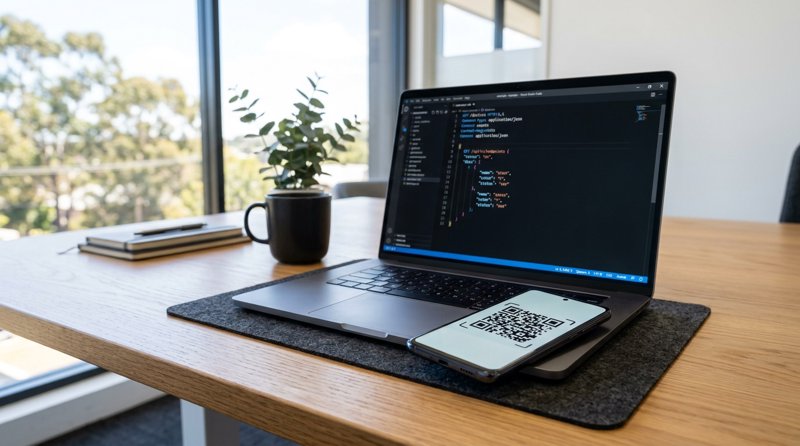
This approach bypasses the complex carrier approvals and A2P registration queues required by large metered providers. You simply install an app on your Android device, scan a QR code from a web dashboard to pair it, and send messages directly through your own SIM card.
Because the messages leave your own phone, they are sent from the mobile number your customers already know and trust. There is no need to explain to your clients why they are receiving a message from an unfamiliar virtual number or a shortcode. Furthermore, any replies from your customers arrive directly back on your phone, where they can be forwarded to your dashboard or processed via webhooks.
This model completely changes the financial equation. Your business is no longer paying a metered premium for every 153-character segment sent to a client. Instead, your message volume is handled through your existing mobile plan. For a detailed breakdown of how this approach stacks up against traditional setups, you can read our direct comparison on how MySMSGate compares with the big SMS providers.
Comparing SIM-Based Routing and Metered Cloud Gateways
To help you decide which infrastructure fits your business model, let us look at how local SIM-based routing compares to traditional cloud-based SMS gateways across key operational categories.
| Operational Feature | Traditional Cloud Gateway | Local SIM-Based Gateway |
|---|---|---|
| Sender Identity | Rented virtual numbers or registered sender IDs (often delayed by carrier approvals) | Your own recognizable 10-digit Australian mobile number |
| Regulatory Overhead | Heavy A2P registration, business verification, and recurring number fees | Standard SIM registration with Telstra, Optus, or Vodafone |
| Message Length Billing | Every 160-character (or 70-character Unicode) segment is billed individually | Unmetered sending through your existing SIM card plan |
| Inbound Reply Routing | Often requires paying extra for inbound routing or virtual numbers | Forwarded automatically to your web dashboard or custom webhooks |
Technical Setup: Hooking Up Your Local Gateway
Getting started with a local gateway is straightforward and does not require a team of developers. If you are comfortable calling a basic REST API or setting up a webhook, you can have your system running in minutes.
The technical foundation relies on a single, secure endpoint: POST /api/v1/send. You authenticate your requests using a Bearer token generated from your dashboard. Because the API is designed to be developer-friendly, you can easily integrate it into your existing workflow. For example, if your business already has code written for other providers, you can use a Twilio-compatible endpoint to switch over by simply changing the base URL. You can read a detailed breakdown of this transition in our comparison of MySMSGate vs Twilio.
For those who want to dive straight into the code, the REST API reference provides all the details you need to construct your payloads. If you prefer to use pre-built libraries, you can access the integration guides for popular languages and automation platforms like Python, JavaScript, PHP, Go, Ruby, Zapier, Make, and n8n.
Once configured, your system can send operational alerts, booking confirmations, and reminders seamlessly. Any replies from your clients can trigger an outbound webhook, allowing your backend application to process the response, update your database, or alert your staff in real-time. If you do not want to use an API, you can also use the browser dashboard with a chat-style conversation view to manage your messages manually.
Making the Switch: Your First Steps
If you are ready to take control of your customer communications and eliminate the unpredictable costs of traditional metered SMS, the path forward is simple:
- Find a spare Android phone: Any modern Android device will work. It does not need to be a high-end model; an older phone sitting in a drawer is perfect.
- Insert an active SIM card: Choose a SIM card from a reliable local carrier (Telstra, Optus, or Vodafone) with an appropriate plan for your expected sending volume.
- Create an account: Set up your account and access your dashboard.
- Install the gateway app: Download the app onto your Android device and scan the QR code on your dashboard to pair the phone instantly.
- Test your first message: Use the API or the manual dashboard to send a test message to your own number to verify the connection.
By moving away from metered, third-party infrastructure, you regain control over your sender identity, simplify your compliance workflow, and ensure your operational alerts remain reliable and cost-effective. To get started today, you can create an account and configure your gateway in minutes.


Comments (0)
Be the first to comment!