
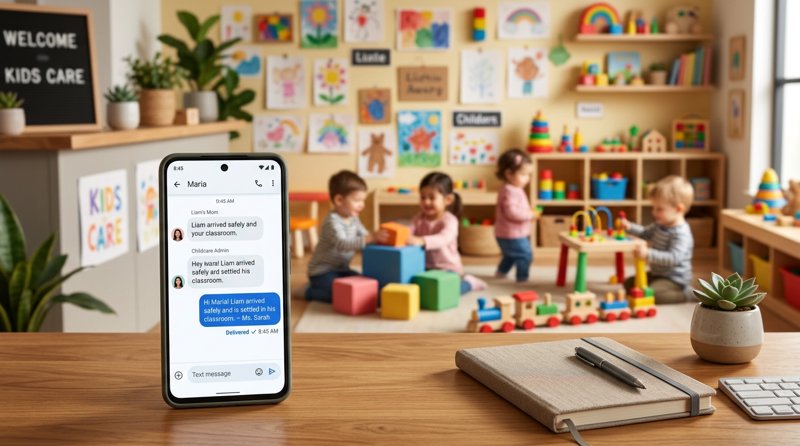
Running a daycare, preschool, or after-school program requires rapid, dependable communication with families, especially during unexpected schedule changes or emergencies. Implementing a childcare center parent alert sms system ensures that critical notifications reach parents instantly on their mobile devices. By using MySMSGate, you can build a highly reliable SMS alert system using your own Android phone and SIM card, avoiding expensive carrier registrations and complicated setups.
Why Your Facility Needs a Childcare Center Parent Alert SMS System
For childcare providers, communication is not just about convenience; it is a matter of safety, trust, and operational efficiency. Emails frequently sit unread in crowded inboxes, and phone calls often go unanswered when parents are at work. Text messaging remains the most reliable channel, boasting an open rate of over 98% with most messages read within three minutes.
Understanding the benefits of sms alerts for childcare parent engagement helps administrators appreciate why text messaging has become an industry standard. When parents receive real-time updates about their child's day, upcoming events, or policy changes, they feel more connected and secure. Regular, proactive communication builds stronger relationships between families and your staff, reducing misunderstandings and administrative overhead.
Beyond daily engagement, SMS is indispensable for operational logistics. From sending an automated text notifications for childcare pick up reminder to alerting parents about a sudden facility closure, text messaging keeps your operations running smoothly. Instead of dedicating staff members to call dozens of families individually, a single SMS broadcast can notify everyone in seconds.
The Real Cost of Text Alert System for Childcare Center
When exploring communication tools, administrators must carefully evaluate the cost of text alert system for childcare center platforms. Traditional SMS APIs like Twilio, Plivo, or MessageBird often present hidden complexities and escalating fees that can strain a small business budget. These platforms charge per 160-character segment, meaning a slightly longer message can quickly double or triple your expected costs.
Furthermore, traditional gateways require strict compliance processes, such as A2P 10DLC registration in the United States or complex carrier approvals in other regions. This process can take weeks, cost hundreds of dollars in registration fees, and result in unexpected message filtering if your registration is delayed. For local childcare centers operating outside the US, these requirements are often an unnecessary, expensive administrative barrier.
MySMSGate offers a practical alternative by turning your own Android phone and SIM card into an SMS gateway. This approach dramatically reduces the cost of mass text messaging for childcare centers, as outlined in the comparison table below:
| Feature / Metric | MySMSGate | Traditional SMS Gateways (Twilio/Plivo) |
|---|---|---|
| Cost per SMS | $0.02 flat rate | $0.05 to $0.08 + carrier fees |
| Billing Model | One flat charge per message (regardless of length) | Billed per 160-character segment |
| Setup Process | Instant setup via QR code scan | Lengthy A2P 10DLC / carrier registration |
| Sender ID | Your own familiar business mobile number | Random shortcodes or unfamiliar toll-free numbers |
| Failed SMS Policy | Automatic refund to your account balance | Charged regardless of delivery success |
| Contracts / Monthly Fees | No contracts, no monthly fees (pay-as-you-go) | Monthly platform, number, and registration maintenance fees |
By leveraging your own SIM card, your messages originate from a phone number that parents already recognize and have saved in their contacts. This significantly improves read rates and trust, while saving your business from complex telecom compliance procedures. To learn more about how this compares to traditional services, read our comprehensive guide on Twilio alternatives for 2026.
How to Integrate SMS Alerts in Childcare Software
If you are already using a custom database, a local management platform, or a custom-built portal, you can easily connect your system directly to our API. Developers and tech-savvy administrators often search for ways of integrating sms api into childcare management software to automate daily workflows. Our REST API is designed to be simple, requiring only a single endpoint to trigger messages.
To integrate sms gateway in childcare management software, you only need to make a standard HTTPS POST request to our API. Below is a clean, production-ready Python example demonstrating how to trigger an automated alert when a child is checked in or out:
import requests

url = "https://mysmsgate.net/api/v1/send"
headers = {
    "Authorization": "Bearer YOUR_API_KEY",
    "Content-Type": "application/json"
}
payload = {
    "to": "+447700900077",
    "message": "Hi Sarah, Leo has been safely checked in at Sunshine Daycare at 08:15 AM. Have a great day!",
    "device_id": "your_connected_android_device_id"
}

response = requests.post(url, json=payload, headers=headers)
if response.status_code == 200:
    print("Alert sent successfully!")
else:
    print(f"Failed to send alert: {response.text}")
For non-technical administrators, you do not need to write code to automate your notifications. MySMSGate integrates seamlessly with no-code automation platforms like Zapier, Make.com, and n8n. This allows you to connect your existing Google Sheets, Airtable, or booking software directly to your Android phone, triggering automated text notifications instantly when data changes.
For a detailed walkthrough on setting up your Android device as a dedicated gateway, check out our step-by-step tutorial on sending SMS from an Android phone via API.
Essential Childcare SMS Templates for Parent Emergency Alerts
Having pre-written templates saved in your system ensures that your staff can communicate rapidly during high-stress situations. Below are several highly effective childcare sms templates for parent emergency alerts and daily operational notifications that you can copy and adapt for your facility.
Emergency Text Message Templates for Childcare Centers
Use these templates for urgent situations where immediate action or awareness is required from parents:
- Weather Closure: "URGENT: Sunshine Daycare will be closed today, [Date], due to severe weather and local road conditions. Please stay safe. Updates will be sent via text and email."
- Power Outage / Facility Issue: "IMPORTANT: Sunshine Daycare is experiencing a localized power outage. The building is safe, but we ask parents to arrange pick-up for their children by [Time] if possible. Call us at [Phone] for questions."
- Drill/False Alarm Notification: "Parent Update: We successfully conducted our scheduled fire drill at [Time] today. All children and staff evacuated safely and returned to classrooms within 5 minutes."
Automated Text Notifications for Childcare Pick Up and Logistics
These templates help manage day-to-day operations and ensure children are collected safely and on time:
- Late Pick-Up Reminder: "Friendly reminder from Sunshine Daycare: Our facility closes at [Time]. If you are running late, please call us directly to avoid late pickup fees. Thank you!"
- Authorized Pickup Notification: "Security Alert: [Child Name] was picked up by [Authorized Person Name] at [Time]. If this was not authorized, please contact our office immediately."
- Payment/Enrollment Reminder: "Hi [Parent Name], this is a reminder that tuition for the upcoming month is due by [Date]. You can complete your payment through our online portal or at the front desk."
How to Set Up MySMSGate for Your Childcare Center
Setting up your own parent alert gateway takes less than five minutes and requires no specialized hardware or complex contracts. Follow these simple steps to get started:
- Create Your Account: Visit MySMSGate Registration and sign up for a free account. You will immediately receive your API key and access to your web dashboard.
- Install the Android App: Download and install our lightweight SMS gateway app on any spare Android phone. This phone will act as your dedicated sending station.
- Connect via QR Code: Open the app on your phone and scan the QR code displayed on your web dashboard. Your phone is now instantly connected to your account—no typing API keys required.
- Insert Your SIM Card: Ensure the Android phone has an active SIM card with a standard mobile plan. If your phone supports Dual SIM, you can choose which SIM slot to use for sending different messages.
- Start Sending: Send messages directly from our clean, browser-based Web Conversations interface, or connect your childcare management software via our REST API or Zapier integration.
Our platform includes an auto wake-up feature, ensuring that the Android app remains connected and ready to send messages even when the phone is in deep sleep mode. If a message ever fails to send due to network issues, your account balance is automatically refunded instantly.
Frequently Asked Questions
Here are answers to some of the most common questions childcare administrators ask when setting up an SMS alert system.
How much does a text alert system for childcare centers cost?
With MySMSGate, there are no monthly subscription fees, setup fees, or contracts. You pay a flat rate of $0.02 per SMS sent through your connected Android phone, with a minimum initial package of 250 SMS for $5.00. This is highly cost-effective compared to traditional SMS APIs that charge monthly platform fees and bill per 160-character segment.
Do I need carrier approval or A2P 10DLC registration to send parent alerts?
No. Because MySMSGate routes messages directly through your own Android phone and SIM card, you do not need to undergo complex A2P 10DLC registration, carrier approval, or brand verification processes. You can begin sending alerts to your parents immediately after scanning the setup QR code.
Can parents reply to the SMS alerts?
Yes. Since the messages are sent from your actual mobile number, parents can reply directly to the text messages. All incoming replies are automatically forwarded from your Android phone to your MySMSGate web dashboard, where your staff can view them and reply in real-time using our Web Conversations interface.
Can I connect multiple phones for different childcare branches?
Yes. MySMSGate supports multi-device configurations. You can connect an unlimited number of Android phones to a single account. For example, if you manage three separate daycare locations, you can connect three different phones (each with its own local number) and manage all conversations and alerts from one centralized dashboard.


Comments (0)
Be the first to comment!