
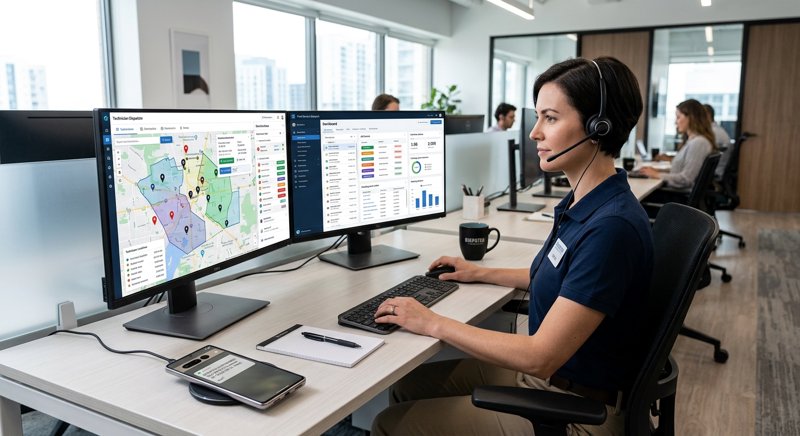
Managing a field service business requires precise coordination between dispatchers, technicians, and customers. Implementing a field service technician dispatch sms system ensures your clients stay informed while your technicians remain on schedule, all without the overhead of traditional telecom setups.
The Operational Challenge of Field Service Dispatching
For small to medium-sized field service businesses—such as HVAC companies, plumbing services, electrical contractors, and appliance repair shops—operational efficiency is the difference between profitability and loss. Every missed appointment, delayed technician, or unnotified customer costs money. When a technician arrives at a property only to find the customer is not home, the business loses both the labor hour and the opportunity cost of another billable job.
Traditional communication methods like phone calls are highly inefficient. Customers rarely answer calls from unknown numbers, and manual dialing consumes hours of admin time. This is where automated text messaging becomes invaluable. By integrating automated alerts, you keep everyone aligned in real time.
Key field service technician dispatch sms use cases
Implementing SMS dispatching spans several critical touchpoints in the service cycle:
- Booking Confirmations: Instantly send a text message once a job is scheduled, confirming the date, time window, and the technician assigned.
- "On My Way" Alerts: Send an automated SMS when the technician leaves the previous job, containing their name and an estimated time of arrival.
- Schedule Changes: Instantly notify the customer if a technician is running late due to traffic or an extended job.
- Post-Job Feedback and Invoicing: Send a follow-up SMS with a link to pay the invoice or leave a review on Google.
Why Traditional SMS APIs Fail Local Service Businesses
Many business owners look to traditional SMS gateways like Twilio, Plivo, or MessageBird when trying to set up dispatch notifications. However, these platforms present significant hurdles for local service businesses operating outside the United States. First, the setup process is incredibly complex. You are forced to undergo strict carrier registration processes, such as A2P 10DLC, which require business registration documents, brand vetting, and weeks of waiting for approval. If you do not comply, carriers will block your messages.
Second, traditional APIs charge per 160-character segment. If your automated dispatch message is 161 characters because it includes a detailed address and technician name, you are billed double. This makes budgeting unpredictable and expensive.
MySMSGate solves this by turning your existing Android phone and SIM card into a fully functional SMS gateway. Because the messages are sent directly through your own SIM card, you do not need carrier approval, A2P registration, or complex compliance checks. You can read more about how this compares in our Twilio alternatives comparison.
Cost Comparison: Traditional Gateways vs. MySMSGate
Let us look at a realistic comparison of costs for a service business sending 1,000 dispatch and reminder messages per month. Traditional providers charge a monthly fee for a dedicated phone number, carrier fees, and per-segment rates, whereas MySMSGate offers flat-rate pricing with no monthly fees.
| Expense Item | Traditional SMS Gateway (Twilio/Plivo) | MySMSGate SMS Gateway |
|---|---|---|
| Monthly Fee | $1.15 - $2.00 (Phone Number) | $0.00 |
| Cost Per SMS | $0.05 - $0.08 (plus carrier fees) | $0.02 (Flat rate) |
| 160+ Character Billing | Billed as multiple messages | Billed as 1 message |
| Registration Fees | $4.00+ / month (A2P 10DLC) | $0.00 |
| Total Monthly Cost (1,000 SMS) | $55.00 - $85.00+ | $20.00 (Flat) |
Best Practices for SMS Dispatching Field Technicians
To get the most out of your dispatch messages, you must structure them for maximum readability and action. If your messages are vague or sent at the wrong times, they will not prevent no-shows.
Proven best practices for sms dispatching field technicians
When designing your automated messaging workflows, implement these guidelines:
- Keep it personal: Include the customer's name, the technician's name, and the specific service being performed. For example: "Hi John, your HVAC specialist, Mark, is on his way."
- Enable Two-Way Conversations: Customers must be able to reply to your texts. If they need to reschedule last-minute, they should be able to text you back directly. MySMSGate enables this via its Web Conversations dashboard, letting your office staff chat with customers in real-time from a computer.
- Use Local Numbers: Customers are far more likely to open and reply to messages from a standard 10-digit local mobile number than a generic shortcode or an international VoIP number. By sending SMS through your own Android SIM, you maintain a recognizable local identity.
- Time it right: Send booking confirmations immediately, reminders 24 hours prior, and "on my way" alerts 15 to 30 minutes before arrival.
How to Integrate SMS Dispatch for Field Service Technicians
Integrating SMS dispatch into your existing software—whether it is a custom CRM, a database, or a field service management platform—is straightforward. For developers, MySMSGate offers a simple, single-endpoint REST API. If you prefer a no-code approach, you can easily connect MySMSGate to platforms like Zapier, Make.com, or n8n to trigger messages based on events in your scheduling calendar.
To learn more about the differences between these approaches, read our guide on SMS gateway vs SMS API.
Step-by-Step API Integration Example
Here is how to integrate sms dispatch for field service technicians using a simple Python script. This script sends a dispatch notification to a customer using the MySMSGate REST API.
import requests

# Replace with your actual MySMSGate API key
API_KEY = "your_api_key_here"

url = "https://mysmsgate.net/api/v1/send"
headers = {
    "Authorization": f"Bearer {API_KEY}",
    "Content-Type": "application/json"
}

payload = {
    "to": "+1234567890",
    "message": "Hi Thomas, your plumber Dave from Rapid Plumbing is on his way to your property. He should arrive in approximately 20 minutes. Reply to this text if you need to provide gate instructions.",
    "device_id": "your_device_id_here",
    "sim_slot": 1
}

response = requests.post(url, json=payload, headers=headers)

if response.status_code == 200:
    print("Dispatch SMS sent successfully!")
else:
    print(f"Failed to send SMS: {response.text}")
With this simple integration, your backend system can automatically fire off dispatch updates whenever a technician changes their status to "In Transit" on their mobile app.
Automated sms dispatch for hvac technicians using No-Code Tools
If you do not have a developer on staff, you can easily set up automated sms dispatch for hvac technicians using Make.com or Zapier. For example, you can create a workflow where:
- A new booking is added to Google Sheets or your CRM (e.g., Jobber, Housecall Pro).
- The integration checks the scheduled date and phone number.
- A web request is sent to MySMSGate to trigger the confirmation text directly from your office's Android phone.
This ensures your dispatch workflow runs entirely on autopilot, freeing up your administrative staff to focus on booking more jobs.
Sending Internal SMS Updates to Field Technicians
While keeping customers informed is critical, clear communication with your internal team is equally important. Technicians working in the field need to receive real-time updates about schedule changes, emergency job additions, or customer cancellations.
How to send sms dispatch to field technicians
To ensure your team receives their alerts instantly, even when working in areas with poor data connectivity, you can use SMS as a primary dispatch channel. Here is how to construct effective internal dispatch messages:
- Include essential job details only: Keep internal alerts concise but informative. Include the job address, customer issue, and scheduled time.
- Provide navigation links: Include a direct Google Maps link in the text message so the technician can click and navigate immediately.
- Enable status replies: Ask technicians to reply with simple codes like "OK" to confirm receipt, or "JOB DONE" to trigger the billing workflow.
For a complete breakdown of setting up this system, check out our tutorial on how to send SMS from an Android phone via API.
Frequently Asked Questions
Below are some of the most common questions regarding setting up a field service dispatch SMS system using an Android-based gateway.
Do I need a business registration or carrier approval to use MySMSGate?
No. Because MySMSGate routes messages through your own Android phone and SIM card, you do not need to register for A2P 10DLC or obtain carrier approval. You can start sending automated dispatch messages immediately after connecting your phone.
Can customers reply to the dispatch messages I send?
Yes. When a customer replies, the text message is received by your Android phone and instantly forwarded to your MySMSGate web dashboard. Your office staff can read and reply to these messages directly from their web browser.
What happens if a dispatch SMS fails to send?
If a message fails to deliver (for example, if the destination number is invalid or disconnected), MySMSGate automatically refunds the SMS credit to your account balance. You only pay for messages that are successfully processed by your device.
Can I connect multiple dispatch phones to a single account?
Yes. If you have multiple branches or different dispatch desks, you can connect an unlimited number of Android devices to a single MySMSGate account. You can then specify which device and SIM slot to send each dispatch message from.


Comments (0)
Be the first to comment!