
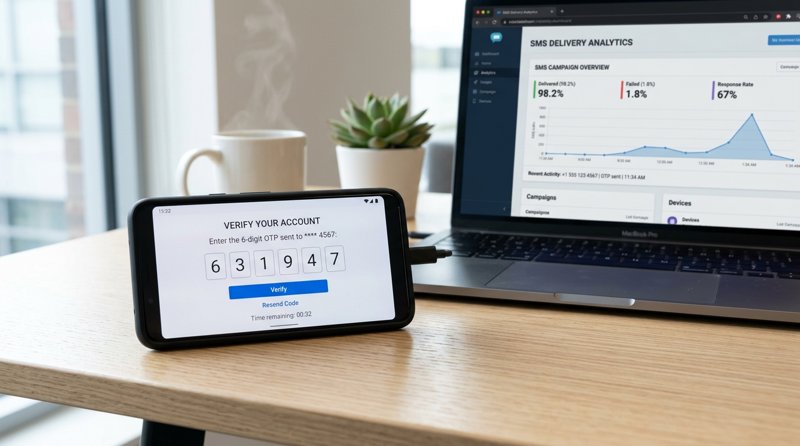
When building a modern mobile application, web portal, or local booking system, implementing a reliable consumer otp gateway is essential for securing user accounts. However, traditional SMS APIs have become increasingly expensive, complex, and restricted by heavy carrier regulations. In this guide, we will explore how to bypass the high costs of legacy providers by turning your own Android phone into a high-performance SMS gateway.
The Problem with Traditional Consumer OTP Gateway Providers
For years, developers and small business owners looking for the best sms api for mobile app integration 2026 automatically turned to legacy giants like Twilio, Vonage, or MessageBird. While these platforms are powerful, they have become highly impractical for startups, local service businesses, and indie developers. The challenges of using these traditional platforms for consumer OTP delivery have grown significantly over the past few years.
First, the introduction of strict a2p sms regulations (such as 10DLC in the United States and similar carrier registries globally) has created massive bureaucratic hurdles. To send a simple verification code, businesses must register their brand, submit campaign details, wait weeks for approval, and pay recurring monthly registration fees. For local clinics, repair shops, language schools, or startups outside the US, this process is slow, expensive, and often entirely inaccessible.
Second, the pricing model of traditional providers is designed to drain your budget. They charge per 160-character segment, meaning a slightly longer message or one containing non-GSM characters (like accented letters or non-Latin scripts) can instantly double or triple your costs. When you add carrier surcharges, a simple OTP verification can cost upwards of $0.05 to $0.08 per message. This makes finding a cheap, reliable cheapest SMS API guide solution more critical than ever.
Complex Carrier Regulations and Approvals
Legacy gateways require you to go through extensive verification processes. If you are a local business—such as a dental clinic or a tutoring center—simply trying to verify a customer's phone number, you shouldn't have to hire a compliance lawyer just to send an SMS. An Android-based gateway bypasses this entire compliance bottleneck because the messages are sent directly through your own SIM card, using your existing mobile network contract.
Hidden Costs and Billing Tricks
Traditional providers bill you for every single attempt, regardless of whether the message was actually delivered to the consumer. Additionally, their per-segment billing means that if your OTP template includes a long URL or a friendly greeting, you will be penalized financially. A modern alternative should offer flat-rate pricing where you only pay for what actually works.
Why Choose an Android-Based Consumer OTP Gateway?
An Android-based SMS gateway turns a standard Android smartphone into a fully functioning SMS sending device. By installing a lightweight application on your phone, you bridge the gap between your backend code and the cellular network. This approach offers several massive advantages for businesses requiring a reliable consumer otp gateway.
With MySMSGate, you can connect unlimited Android devices to a single dashboard. If you run a business with multiple branches—such as five automotive repair shops or three dental practices—you can connect five physical phones. Each phone acts as a localized gateway, sending messages from a number your local customers already recognize. This drastically increases trust and message open rates compared to random shortcodes or foreign virtual numbers.
Furthermore, MySMSGate offers a flat pricing model of just $0.02 per SMS, with no monthly subscription fees, no contracts, and a minimum package of only 250 SMS ($5.00). Unlike Twilio, there is no per-segment billing; you are charged one flat fee per message, regardless of its length. If a message fails to deliver, your balance is automatically refunded.
No Sender Registration Required
Because the SMS is sent directly from your own SIM card, you do not need to register a sender ID or go through 10DLC approvals. You can start sending OTPs and transactional alerts immediately after setting up your account, saving you weeks of administrative delays.
Dual SIM and Multi-Device Management
Modern Android phones often support dual SIM cards. MySMSGate allows you to choose exactly which device and which SIM slot to send your OTP from. This is incredibly useful for routing messages through the cheapest local carrier or separating customer support conversations from automated transactional alerts.
How to Implement Your Consumer OTP Gateway via REST API
Integrating MySMSGate into your application is incredibly simple. While legacy platforms require complex SDKs and multi-step authentication, MySMSGate uses a clean, single-endpoint REST API designed for rapid deployment. Whether you are a developer building a custom mobile app or an IT manager setting up local notifications, you can get started in minutes.
To learn more about the technical differences, you can read our guide on SMS gateway vs SMS API explained. Below is a practical example of how to send an OTP verification code using a simple cURL command or a Python script.
Step 1: The REST API Endpoint
To send an OTP, your backend application simply needs to make a POST request to our secure endpoint. Here is the structure of the API call:
POST https://mysmsgate.net/api/v1/send
Authorization: Bearer YOUR_API_KEY
Content-Type: application/json

{
  "to": "+447700900077",
  "message": "Your verification code is: 482019. This code expires in 5 minutes.",
  "device_id": "device_id_here",
  "sim_slot": 1
}
Step 2: Python Integration Example
If you are integrating this into a Python backend, you can use the standard requests library to trigger your OTP messages instantly:
import requests

def send_otp(phone_number, otp_code):
    url = "https://mysmsgate.net/api/v1/send"
    headers = {
        "Authorization": "Bearer YOUR_API_KEY",
        "Content-Type": "application/json"
    }
    payload = {
        "to": phone_number,
        "message": f"Your secure OTP code is {otp_code}. Do not share this with anyone.",
        "sim_slot": 1
    }

    response = requests.post(url, json=payload, headers=headers)
    return response.json()
Comparing Top SMS Gateways for 2026
When selecting a consumer otp gateway, it helps to look at the hard numbers. Below is a direct comparison between traditional providers, basic Android SMS tools, and MySMSGate.
For a deeper dive into how we stack up against industry giants, check out our comprehensive Twilio alternatives comparison.
| Feature | Twilio / Plivo | SMSGateway.me | MySMSGate |
|---|---|---|---|
| Price per SMS | $0.05 - $0.08+ (variable) | Carrier plan cost | $0.02 flat |
| Monthly Fee | Yes (numbers & campaigns) | $9.99/month | $0.00 (Pay-as-you-go) |
| 10DLC/A2P Registration | Mandatory (Slow) | None | None (Instant setup) |
| Billing Method | Per 160-char segment | N/A | Flat per message |
| Failed Message Refunds | No | No | Yes (Automatic) |
| Setup Method | Complex API configuration | Manual API keys | Scan QR Code |
Step-by-Step Guide: Setting Up MySMSGate in 5 Minutes
You do not need to be an experienced software engineer to configure MySMSGate as your primary consumer otp gateway. We have designed our platform to be accessible to local business owners, school administrators, and medical practice managers alike. You can read our complete Android SMS gateway tutorial for advanced settings, or follow these simple steps to get started:
- Create an Account: Go to mysmsgate.net and register for a free account. You will instantly receive your API key and access to your web dashboard.
- Install the Android App: Download and install our secure SMS gateway application on any spare Android phone containing your active SIM card.
- Scan the QR Code: Open the app on your phone and scan the QR code displayed on your web dashboard. This instantly pairs your device with your account without requiring you to manually type long API keys.
- Send Your First Message: Use our web dashboard's "Web Conversations" interface to send a manual SMS, or trigger an automated OTP using our REST API. Your connected Android phone will instantly send the message through its SIM card.
Our proprietary background service features an auto wake-up function. Even if your Android phone enters deep sleep mode to conserve battery, incoming push notifications will instantly wake the device to ensure your OTP messages are sent without any latency.
Frequently Asked Questions
Have questions about setting up a consumer otp gateway? Here are the answers to the most common queries we receive from developers and business owners.
What is a consumer otp gateway?
A consumer OTP gateway is a specialized SMS delivery service used to send One-Time Passwords (OTPs), verification codes, and two-factor authentication (2FA) messages to end-users. It ensures secure logins, registration verifications, and transaction confirmations for mobile apps, websites, and local customer portals.
Do I need carrier or A2P 10DLC approval to send OTPs?
No. When you use MySMSGate, the messages are routed directly through your own physical Android phone and SIM card. Because you are utilizing your standard cellular plan, you bypass the complex, slow, and expensive A2P 10DLC registration processes required by traditional API providers.
How does MySMSGate handle failed OTP deliveries?
If a message fails to send due to network issues, temporary carrier outages, or an invalid phone number, MySMSGate automatically detects the failure state. Your account balance is instantly and automatically refunded for that failed message, ensuring you only pay for successful transmissions.
What is the best SMS API for mobile app integration in 2026?
For startups, local service businesses, and international developers, the best SMS API is one that offers flat-rate pricing, zero monthly fees, and instant setup. MySMSGate provides a simple one-endpoint REST API, allows you to send from your own recognizable phone number, and costs just $0.02 per message with no hidden segment-billing tricks.


Comments (0)
Be the first to comment!