
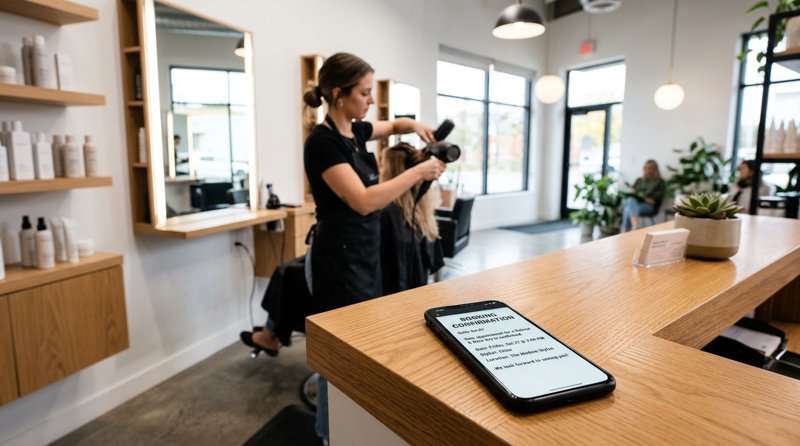
Automating your hair salon booking confirmation sms dispatch is the single most effective way to eliminate costly no-shows and keep your chairs filled. While traditional SMS APIs force small businesses to jump through complex regulatory hoops and pay expensive multi-segment fees, you can easily send confirmation messages directly from your local Android phone. This guide shows salon owners and developers how to set up a robust, flat-rate confirmation system without the overhead of carrier approvals.
Why Your Salon Needs Automated Booking Confirmations
In the service industry, time is literally money. When a client books a slot and fails to show up, you lose both the immediate revenue of that appointment and the opportunity to book a paying client in that seat. Implementing an automated booking confirmation workflow ensures that clients have a physical, easily accessible record of their appointment details right on their mobile devices.
While this guide focuses on the hair salon industry, these operational challenges are shared across many service-based businesses. The same underlying infrastructure works seamlessly whether you are sending spa booking confirmation text messages, setting up electrician job confirmation text messages, or managing bookings for local repair shops. The goal is simple: keep your schedule full, keep your clients informed, and do so without spending hours on the phone manually confirming appointments.
The Real Cost of No-Shows
For an average hair salon, a single no-show can cost anywhere from $50 to $200+ depending on the service booked. If you experience just three no-shows a week, your business is losing up to $2,400 every single month. Sending a timely hair salon booking confirmation sms immediately upon booking, followed by a reminder 24 hours before the appointment, has been proven to reduce no-show rates by up to 80%.
Why Email Confirmations Aren't Enough
Email open rates hover around 20%, and confirmation emails frequently land in spam or promotional folders. SMS, on the other hand, boasts an open rate of over 98%, with most messages read within three minutes of delivery. When you send a text confirmation, you guarantee that your client sees their appointment date, time, and your cancellation policy.
The Problem with Traditional SMS Gateways (Twilio & Plivo)
When small businesses look for automated SMS solutions, they are usually directed to enterprise cloud communication platforms like Twilio, Plivo, or MessageBird. However, these platforms are built for massive software companies, not local service businesses. For a local salon, spa, or trade business, traditional APIs present two major roadblocks: complex regulatory compliance and unpredictable, expensive billing.
The 10DLC and Carrier Registration Nightmare
If you use a service like Twilio to send messages to your clients, you must go through A2P 10DLC (Application-to-Person 10-Digit Long Code) registration. This process requires you to submit business tax documents, register your brand, register specific campaigns, pay upfront and monthly registration fees, and wait weeks for carrier approval. If you are a small business operating outside the US, registering a local sender identity can be even more complicated or completely impossible. With an Android SMS gateway like MySMSGate, you send messages directly through your own SIM card, meaning you use your existing phone number and completely bypass 10DLC registration and carrier approvals.
The Multi-Segment Billing Trap
Traditional SMS providers bill you per "segment" (160 characters of standard GSM text). If your booking confirmation includes your salon name, the client's name, the date, time, stylist, address, and a short cancellation policy, it will easily exceed 160 characters. If you use a single emoji or special character, the limit drops to 70 characters per segment. A message that looks like one text to your client might actually cost you 3 or 4 segments. If you are looking for the cheapest SMS API for small business, paying per segment can quickly balloon your monthly bill. MySMSGate charges a flat rate of $0.02 per message sent, regardless of length, with no monthly subscription fees or hidden costs.
How MySMSGate Solves Salon SMS Delivery
MySMSGate bridges the gap between professional API automation and simple Android hardware. By installing a lightweight app on an Android phone, you turn that device into a fully functional SMS gateway. Your booking software or web dashboard sends a request to our API, and your connected Android phone instantly transmits the SMS using its active SIM card.
This architecture provides several unique advantages for local businesses:
- Familiar Sender ID: Clients receive texts from your actual business mobile number—a number they already have saved in their contacts and can call back directly.
- Dual SIM Support: If your phone has two SIM cards, you can choose which SIM slot to send from, allowing you to separate business lines or optimize for local carrier rates.
- Multi-Device Dashboard: Connect multiple Android devices to a single MySMSGate account. If you manage multiple salon branches, you can route notifications through the specific phone located at each branch.
- Failed SMS Refunds: If a message fails to send because of an invalid number or network issue, your balance is automatically refunded.
Comparing MySMSGate vs. Traditional SMS Providers
To understand the practical differences between an Android-based gateway and traditional cloud APIs, consider this comparison table:
| Feature | Traditional APIs (Twilio, Plivo, etc.) | MySMSGate Android Gateway |
|---|---|---|
| Cost per Message | Varies ($0.0079+ per segment) | $0.02 flat (no segment limits) |
| Monthly Contracts | Often required for dedicated numbers | $0 (Pay-as-you-go, minimum $5.00) |
| 10DLC / Carrier Registration | Mandatory, complex, and slow | None (Send from your own SIM card) |
| Sender ID | Random shortcode or virtual number | Your actual salon phone number |
| Setup Time | Days to weeks (pending approvals) | Under 5 minutes via QR code scan |
| Two-Way Conversations | Requires extra routing configuration | Supported out-of-the-box via Web Conversations |
By leveraging your own hardware, you gain complete control over your communication channel while saving money. For a detailed breakdown of how this approach compares to other market options, read our guide on Twilio alternatives in 2026.
Step-by-Step Guide: Setting Up Your Android SMS Gateway
Setting up your automated hair salon booking confirmation sms system with MySMSGate takes less than five minutes. You do not need advanced technical skills to get started, and our dashboard provides a clean interface to manage your devices.
- Create Your Account: Go to MySMSGate Registration and sign up. Your account includes free testing credits.
- Install the Android App: Download the MySMSGate APK to your Android phone. This app acts as the bridge that receives API commands and sends them out via your SIM card.
- Scan the QR Code: Open the web dashboard on your computer, navigate to the Devices tab, and scan the displayed QR code with your Android phone's camera. Your phone is now instantly linked to your account.
- Send Your First SMS: You can now send messages manually using the Web Conversations dashboard, or integrate the API with your booking software.
Bypassing Android System Limits
Stock Android operating systems include safety mechanisms designed to prevent rogue apps from sending bulk messages. This often manifests as an android-sms-gateway 10 seconds confirmation dialog timeout auto send disable prompt, which pauses automated sending until you manually tap "Allow". To ensure seamless, uninterrupted delivery of your booking confirmations, MySMSGate's native application is optimized to run as a default messaging utility or system background service, effectively bypassing these stock dialog timeouts so your notifications send instantly in the background.
Tracking Delivery Status
When sending operational messages like booking confirmations, knowing if the message reached the client is critical. MySMSGate provides real-time android sms delivery confirmation. When your phone successfully transmits the message and receives a network delivery receipt from the carrier, a webhook is triggered to update your booking system's status dashboard automatically.
Integrating the Confirmation Traitement API
For developers building custom booking platforms or integrating with existing salon management software, triggering a confirmation message is incredibly straightforward. The confirmation traitement api workflow involves sending a simple JSON POST payload to our single `/api/v1/send` endpoint.
Here is an example of how to trigger a booking confirmation using Python:
import requests

url = "https://mysmsgate.net/api/v1/send"
payload = {
    "to": "+33612345678",
    "message": "Hi Sarah, your appointment at Velvet Salon is confirmed for June 20 at 2:00 PM. Stylist: Michael. To reschedule, please call us directly.",
    "sim_slot": 1
}
headers = {
    "Authorization": "Bearer YOUR_API_KEY",
    "Content-Type": "application/json"
}

response = requests.post(url, json=payload, headers=headers)
print(response.json())
This clean integration makes it easy to tie SMS alerts to database events (such as a customer clicking 'Book Now' on your website). You can find additional language examples and webhook configurations in our API Documentation.
SMS Templates for Salons, Spas, and Event Venues
Writing effective confirmation messages requires clear, concise, and actionable copy. Below are copy-and-paste templates tailored for hair salons, spas, and other booking-heavy businesses.
Hair Salon Booking Confirmation SMS Template
"Hi {ClientName}, your appointment at {SalonName} is confirmed for {Date} at {Time} with {StylistName}. Need to reschedule? Please let us know 24 hours in advance at {PhoneNumber}. See you soon!"
Spa Booking Confirmation Text Messages Template
"Hello {ClientName}, your relaxing escape at {SpaName} is booked! {ServiceName} on {Date} at {Time}. Please arrive 10 minutes early to prepare. Map: {MapLink}"
Restaurant Table Booking Confirmation SMS Template
"Table for {PartySize} confirmed at {RestaurantName} on {Date} at {Time}. We hold tables for up to 15 minutes. Looking forward to hosting you!"
Event Venue Booking Confirmation SMS Template
If you manage booking software for event venues, keeping clients informed about venue hire details is essential. Use this template: "Booking Confirmed! Your event at {VenueName} is locked in for {Date} from {StartTime} to {EndTime}. Our coordinator will reach out shortly with setup details."
Best Practices for Venue and Salon Confirmation Systems
Whether you are setting up sms booking confirmation software for event venues or managing a single-chair hair salon, following industry standard guidelines will ensure high delivery rates and happy customers.
Here are the core best practices for venue booking confirmation sms delivery:
- Keep it Actionable: Always include the date, time, and location or specific stylist.
- Include a Clear Cancellation Policy: Make sure clients know how and when they can cancel or reschedule to avoid late fees.
- Enable Two-Way Chat: With MySMSGate's Web Conversations, if a customer replies to a booking confirmation text with a question, you can chat back to them directly from your computer browser.
- Optimize Sending Times: Avoid sending automated confirmations late at night. If a client books online at 2:00 AM, queue the confirmation message to send at 8:00 AM the next morning.
Frequently Asked Questions
Find answers to common questions about setting up and running an Android-based SMS gateway for your local business.
Do I need a special SIM card to send booking confirmations?
No. You can use any standard SIM card from your local mobile carrier. MySMSGate uses your existing mobile plan to send out the messages. We highly recommend using an unlimited SMS plan to keep your operational costs predictable.
Can I use MySMSGate if my business is located outside the US?
Yes, absolutely. In fact, MySMSGate is highly optimized for international small businesses. Because you send messages through your own local SIM card, you do not have to worry about international routing fees, local carrier blocks, or registering foreign business entities with US-centric telecom databases.
How does MySMSGate handle the stock Android SMS limit?
Android systems naturally limit the rate of SMS sending to prevent spam. MySMSGate includes specialized background handling to prevent the android-sms-gateway 10 seconds confirmation dialog timeout auto send disable message from popping up, allowing your booking system to send out confirmation alerts continuously without manual intervention.
How do I track if a salon booking text was actually delivered?
MySMSGate tracks the carrier's delivery status in real-time. Once the SMS is sent from your Android phone and successfully received by the client's network, the android sms delivery confirmation status is updated on your web dashboard and sent back to your software via webhooks.


Comments (0)
Be the first to comment!