
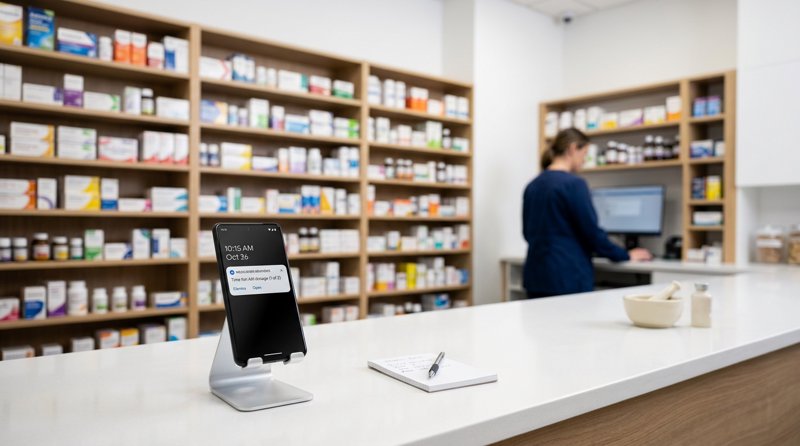
Running an independent pharmacy means balancing patient care with constant administrative tasks, such as calling patients to pick up their medication. Implementing an automated pharmacy prescription ready sms alert system is the fastest way to reduce uncollected inventory and save hours of phone time. In this guide, we will show you how to easily set up and automate these notifications using your existing Android hardware.
The Problem with Traditional SMS APIs for Local Pharmacies
When local pharmacies and independent chemists look for a low cost sms api to send prescription notifications, they usually run into a wall of technical complexity and high costs. Traditional API providers like Twilio, Plivo, or MessageBird were built for enterprise tech companies, not local service businesses.
If you try to use them to send a simple pharmacy prescription ready sms, you face several major obstacles:
- Carrier Registration Headaches: You must go through weeks of registration for A2P 10DLC (in the US) or similar carrier approval processes elsewhere. This requires submitting tax documents, waiting for approval, and paying ongoing registry fees just to send basic operational alerts.
- Complex Per-Segment Billing: Traditional gateways bill you per 160-character segment. If a patient's notification exceeds 160 characters (which is common when including pharmacy address, hours, and pickup instructions), you are billed double or triple.
- Unfamiliar Sender IDs: Messages are sent from random short codes or unfamiliar virtual numbers, meaning patients often ignore them thinking they are spam.
By using an Android SMS gateway, you bypass these carrier registries entirely. You send messages directly from your pharmacy's own Android phone and SIM card, using a number your patients already recognize and save in their contacts.
MySMSGate vs. Traditional SMS Gateways
If you are looking for Twilio alternatives that fit a local business budget, comparing the actual mechanics and costs is eye-opening. Traditional APIs charge variable rates, carrier fees, and segment surcharges. MySMSGate offers a simple flat rate with zero hidden fees.
Here is how MySMSGate compares to traditional SMS providers for operational pharmacy alerts:
| Feature / Cost Component | Traditional SMS APIs (Twilio/Plivo) | MySMSGate Android SMS Gateway |
|---|---|---|
| Price per SMS | $0.05 - $0.08 + carrier fees | $0.02 flat |
| Message Length Billing | Charged per 160-character segment | One flat charge regardless of length |
| A2P 10DLC / Carrier Registration | Required (weeks of waiting + setup fees) | None (sends via your own SIM card) |
| Sender Identity | Unfamiliar virtual number / shortcode | Your pharmacy's real phone number |
| Minimum Monthly Spend | Varies, but requires active balance/number fees | No monthly fees, $5.00 minimum package |
Because MySMSGate acts as an Android-powered messaging and communication platform, you do not have to buy expensive virtual numbers. You simply pair your pharmacy's existing mobile phone and let the gateway handle the rest.
Prescription Ready Text Message Templates for Pharmacies
To ensure high pickup rates and clear communication, your text messages must be direct and easy to read. Below are several highly effective prescription ready text message templates for pharmacies that you can copy and adapt for your system.
Standard Prescription Ready Template
"Hello [Name], your prescription is ready for pickup at [Pharmacy Name]. Our hours today are [Hours]. Please bring your ID. If you have questions, reply directly to this text."
Refill Reminder Template
"Hi [Name], it is time to refill your prescription at [Pharmacy Name]. Reply REFILL to this message to authorize us to prepare it, or call us at [Phone Number]."
How to Send HIPAA Compliant Prescription Ready Text Messages
Security and privacy are critical when handling patient data. To maintain a hipaa compliant sms gateway for prescription notifications, your message content must never expose protected health information (PHI). This means you should never include the drug name, dosage, medical condition, or doctor's name in the text message.
By keeping the message focused strictly on the logistical status (e.g., "your prescription is ready"), you can safely send hipaa compliant prescription ready text messages without risking patient confidentiality. Patients can then use MySMSGate's Web Conversations feature to securely chat with you in real-time if they have questions, allowing your staff to reply from any computer browser.
How to Automate Pharmacy Prescription Ready SMS Alerts
Setting up your automated alert system is simple and does not require a complex development team. Whether you are using a custom local pharmacy management system or a low-code tool like Zapier or Make.com, you can easily connect to our API.
For a detailed breakdown of the costs involved in setting up this type of automation, you can check our cheapest SMS API guide.
Step 1: Connect Your Android Phone
First, create an account at MySMSGate. Install our lightweight Android app on your pharmacy's mobile phone, and scan the QR code displayed in your web dashboard. Your phone is now instantly connected to the gateway. Thanks to our auto wake-up feature, the phone stays connected and ready to send messages even when in sleep mode.
Step 2: Integrate the SMS API
If you have an in-house developer or use a local software provider for your pharmacy dashboard, they can complete the pharmacy prescription notification sms api integration using our single REST API endpoint.
Here is a simple Python example showing how to integrate sms api for pharmacy prescription alerts:
import requests

url = "https://mysmsgate.net/api/v1/send"
headers = {
    "Authorization": "Bearer YOUR_API_KEY",
    "Content-Type": "application/json"
}
payload = {
    "to": "+1234567890",
    "message": "Hello John, your prescription is ready for pickup at City Pharmacy. We are open until 6 PM. Reply to this text if you have any questions.",
    "sim_slot": 1
}

response = requests.post(url, json=payload, headers=headers)
print(response.json())
Step 3: Track Deliveries in Real-Time
Our API returns instant status updates. If a delivery fails (for example, if the patient gave you a non-existent mobile number), MySMSGate automatically refunds the message balance back to your account, ensuring you only pay for successfully processed messages.
Analyzing the Automated Prescription SMS Alert System Cost
Let's look at the actual numbers to understand the automated prescription sms alert system cost for a typical independent pharmacy processing 500 prescriptions per month.
With traditional gateways, you would pay a monthly fee for a virtual phone number ($1.00 - $5.00/month), registration setup fees, and roughly $0.05 to $0.08 per message segment. If your templates average 180 characters, you are billed for 2 segments per message.
Here is the monthly cost comparison for sending 500 messages (averaging 1.5 segments each):
- Traditional SMS API Cost: 500 messages x 1.5 segments = 750 billed segments. At $0.06/segment + $2.00 number fee + $10.00 carrier brand registration fee = $57.00 per month.
- MySMSGate Cost: 500 messages flat. At $0.02/message with no monthly fees and no segment limits = $10.00 per month.
By using your existing Android phone and SIM card, you save 80% on messaging costs while avoiding all carrier registration paperwork. You can check our API documentation to see how easy it is to scale this setup as your pharmacy grows.
Frequently Asked Questions
Find answers to common questions about setting up automated text message alerts for your pharmacy.
Is an Android SMS gateway secure for sending prescription notifications?
Yes. MySMSGate acts as a secure bridge between your software and your physical Android phone. All API communication is encrypted via HTTPS. Because the messages are sent directly from your own physical SIM card, they travel over the standard cellular network just like a normal text message sent by hand.
How do I ensure my prescription ready text messages are HIPAA compliant?
To ensure your alerts are HIPAA compliant, never include protected health information (PHI) such as specific drug names, dosages, medical conditions, or prescribing doctor names in the SMS. Keep the text professional and logistical, simply stating that a prescription is ready for pickup.
Do I need to register a 10DLC or get carrier approval to use MySMSGate?
No. Because MySMSGate routes messages through your own physical Android phone and local SIM card, you do not need to register for A2P 10DLC or wait for carrier approval. You are using your own cellular plan, meaning you can start sending messages immediately after pairing your phone.
Can patients reply to the automated prescription ready texts?
Yes. All incoming SMS replies are automatically forwarded from your Android phone to your MySMSGate web dashboard in real-time. Your staff can view these replies and text back directly from any computer browser using our Web Conversations interface.


Comments (0)
Be the first to comment!