
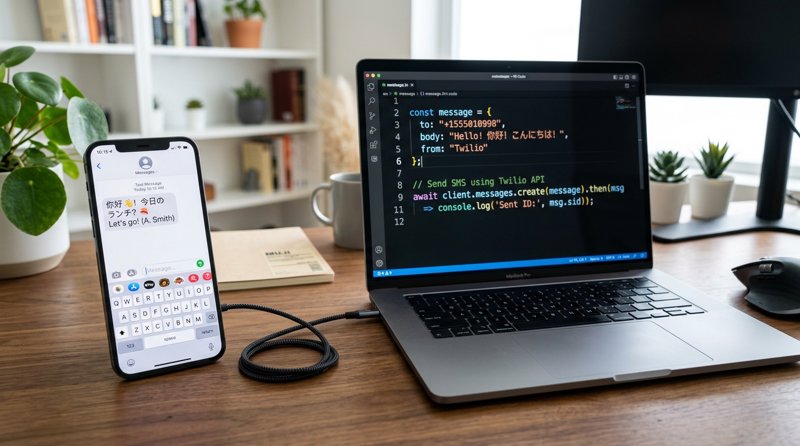
In modern communication, Short Message Service (SMS) remains a powerful tool for reaching users. However, when sending messages containing non-Latin characters such as Chinese, Japanese, Korean, or even emojis, many developers and businesses encounter a common confusion: how to use an SMS API to send messages containing GSM 03.38 double-byte characters? This phrasing itself carries some technical misunderstanding. The GSM 03.38 standard is actually a 7-bit encoding and does not support "double-byte" characters. When SMS content exceeds the GSM 03.38 character set, the SMS system automatically switches to UCS-2 (Unicode) encoding, which is the true "double-byte" character handling method.
This article will dive deep into the differences between GSM 03.38 and UCS-2 encoding and provide a detailed guide on how to use the simple yet powerful MySMSGate SMS API to send SMS containing any complex characters via your own Android phone, whether in Chinese, Japanese, Korean, or other international languages.
Step 1: Understanding SMS Character Encoding: GSM 03.38 vs. UCS-2 (Unicode)
To efficiently send SMS with GSM 03.38 double-byte characters via SMS API, it is first necessary to clarify the technical details behind this terminology.
- GSM 03.38 Encoding (7-bit): This is the default encoding for SMS messages, using 7 bits to represent each character. It includes common Latin letters, numbers, basic punctuation, and some special characters for European languages (e.g., é, ü, ç). When using GSM 03.38 encoding, a single SMS can contain up to 160 characters. When the SMS content includes line breaks or special symbols, they may occupy two character slots.
- UCS-2 (Unicode) Encoding (16-bit): When an SMS contains any character not found in the GSM 03.38 character set—such as Chinese, Japanese, Korean, Arabic, Cyrillic, or emojis—the SMS system automatically switches to UCS-2 encoding. UCS-2 uses 16 bits to represent each character, hence it is often referred to as "double-byte" characters. With UCS-2 encoding, the character limit for a single SMS is reduced to 70 characters. If a message exceeds 70 characters, it will be split into multiple SMS segments, with each segment limited to 67 UCS-2 characters.
Therefore, when you search for "SMS API to send GSM 03.38 double-byte characters," you are actually looking for a solution capable of sending SMS using UCS-2 encoded characters (like Chinese). MySMSGate's API intelligently handles this encoding conversion, so you don't have to worry about the underlying details.
Step 2: Why MySMSGate is the Ideal Choice for Sending Complex Character SMS
Traditional SMS API services, such as Twilio or Vonage, can face high costs and complex regulatory requirements (such as 10DLC registration in the US) when sending international SMS or messages with complex characters. MySMSGate offers a unique, cost-effective solution:
- Seamless Support for All Character Sets: MySMSGate utilizes your own Android phone and local SIM card to send messages. This means your SMS is sent through an actual mobile network, naturally supporting all local carrier character encodings, including complex UCS-2 characters. You don't need to worry about character set compatibility issues.
- No Complex Registration or Approval: Unlike many commercial SMS services, MySMSGate does not require sender ID registration or lengthy carrier approval processes. This is particularly beneficial for small businesses and startups that need to send international SMS containing special characters.
- Highly Competitive Pricing: MySMSGate's pricing model is simple and transparent, costing only $0.03 per SMS with no monthly fees or contracts. In contrast, platforms like Twilio often charge $0.05-$0.08/SMS or higher, plus additional number rental and compliance fees. For scenarios requiring multiple double-byte character messages, MySMSGate significantly reduces costs.
- High Delivery Rates: Since messages are sent via a local SIM card, they are treated as standard person-to-person SMS, which typically results in higher delivery rates, especially in regions like India and Southeast Asia. This addresses concerns found in searches like "best sms api india high delivery rate jio airtel vodafone 2025 2026".
- Easy-to-Use REST API: MySMSGate provides a minimalist REST API with a single sending endpoint (
POST /api/v1/send), allowing developers to integrate quickly.
Step 3: Setting Up Your MySMSGate Account and Android Device
Getting started with MySMSGate to send SMS with complex characters is simple and takes just a few steps:
- Create a MySMSGate Account: Visit mysmsgate.net and register for a free account. You will immediately receive an API Key and a QR code for connecting your device.
- Install the MySMSGate Android App: Download and install the MySMSGate app on your Android phone. Ensure the phone has a valid SIM card inserted and a stable internet connection.
- Connect Phone via QR Code: Open the MySMSGate web dashboard and navigate to the "Devices" section. Use the Android app to scan the QR code displayed on the dashboard. Your phone will connect to your account within seconds and be ready to send and receive SMS. The MySMSGate app also supports dual SIM cards, allowing you to choose which SIM slot to send from.
The entire setup process requires no technical knowledge and no manual entry of complex API keys.
Step 4: Sending Complex Character SMS via MySMSGate API
Once your device is successfully connected, you can send SMS using any character set via the MySMSGate API. The API automatically detects if the message content requires UCS-2 encoding and handles it accordingly.
Example: Sending Chinese SMS via cURL
Here is an example using the curl command to send an SMS containing Chinese (UCS-2 encoding). Please replace YOUR_API_KEY and YOUR_PHONE_NUMBER with your actual information.
curl -X POST \ https://mysmsgate.net/api/v1/send \ -H "Content-Type: application/json" \ -H "Authorization: Bearer YOUR_API_KEY" \ -d '{ "to": "+1234567890", "text": "Hello world! This is a test message. 你好,世界!😊", "device_id": 12345, "sim_slot": 0 }'In the example above:
to: The recipient's phone number, including the country code.text: The SMS content you want to send. MySMSGate automatically detects the Chinese characters and emojis and sends them using UCS-2 encoding.device_id(optional): Specifies which connected Android device to send the SMS from.sim_slot(optional): If your device supports dual SIM cards, you can specify0(SIM 1) or1(SIM 2).
Example: Sending Chinese SMS via Python
MySMSGate provides code examples and integration guides for various languages, including Python, Node.js, PHP, Go, and Ruby. Here is a Python example:
import requestsimport jsonapi_key = "YOUR_API_KEY"recipient_number = "+1234567890"message_text = "Hello World! This is a test SMS from Python. 你好,世界!🚀"api_url = "https://mysmsgate.net/api/v1/send"headers = { "Content-Type": "application/json", "Authorization": f"Bearer {api_key}"}payload = { "to": recipient_number, "text": message_text, "device_id": 12345, # Optional: replace with your device ID "sim_slot": 0 # Optional: 0 for SIM 1, 1 for SIM 2}try: response = requests.post(api_url, headers=headers, data=json.dumps(payload)) response.raise_for_status() # Raises HTTPError for bad responses (4xx or 5xx) print("SMS sent successfully!") print(response.json())except requests.exceptions.RequestException as e: print(f"An error occurred: {e}") if response is not None: print(f"Response content: {response.text}")As you can see, regardless of the programming language used, sending SMS with complex characters is no different from sending plain English SMS. The MySMSGate backend handles the encoding details automatically.
Step 5: Monitoring SMS Delivery Status and Handling Feedback
After successfully sending an SMS, knowing its delivery status is crucial. MySMSGate provides robust delivery tracking features:
- Real-time Status Webhooks: You can configure Webhooks to receive real-time notifications when the SMS status updates (e.g., Sent, Delivered, Failed). This is extremely useful for applications requiring high reliability and real-time feedback (like OTPs, appointment reminders, etc.).
- Automatic Refunds for Failed SMS: If an SMS fails to deliver for any reason (e.g., invalid recipient number), MySMSGate automatically refunds the corresponding balance to your account. This means you only pay for successfully delivered messages.
- Web Dashboard: You can view detailed logs of all sent and received SMS on the MySMSGate dashboard, including delivery status, device used, and SIM card info.
Step 6: Sending Complex Character SMS in Non-Technical Scenarios
Beyond the API, MySMSGate also provides convenient solutions for non-technical users:
- Web Conversations: Your MySMSGate dashboard features a chat-like interface where you can send and receive SMS directly in your browser. This interface also seamlessly handles all character sets, including Chinese and emojis.
- Multi-Device Management: You can connect an unlimited number of Android phones to one MySMSGate account. This means even if you have multiple branches or need to send SMS using SIM cards from different countries, all devices and numbers can be managed through a single unified dashboard. When sending an SMS, you can choose any connected device and SIM slot.
This makes MySMSGate an ideal choice for scenarios like sending appointment reminder SMS without Twilio, especially when those reminders need to include multiple languages or special characters.
Frequently Asked Questions (FAQ)
Here are some common questions regarding SMS encoding and MySMSGate:
What does GSM 03.38 double-byte character mean?
"GSM 03.38 double-byte character" is a common misconception. GSM 03.38 is a 7-bit encoding that does not support double-byte characters. When SMS content includes non-GSM 03.38 characters (like Chinese or emojis), the system switches to UCS-2 (Unicode) encoding, which is the actual 16-bit (double-byte) character encoding.
How does MySMSGate handle complex characters like Chinese or emojis?
MySMSGate intelligently detects the content of messages sent via the API or web dashboard. If non-GSM 03.38 characters are detected, it automatically uses UCS-2 (Unicode) encoding to send the message. You do not need to specify the encoding type in your API request.
Does using UCS-2 encoding affect the character limit?
Yes. With GSM 03.38 encoding, a single SMS is limited to 160 characters. With UCS-2 encoding, a single SMS is limited to 70 characters. If your message exceeds this limit, it will be automatically split into multiple segments, each limited to 67 UCS-2 characters. MySMSGate charges based on the actual number of SMS segments sent.
Are there regional restrictions for MySMSGate when sending international SMS?
No. Since MySMSGate sends SMS via your own Android phone and SIM card, it actually uses your phone carrier's network. As long as your SIM card supports sending to the target country, MySMSGate can send it. This makes it a flexible global SMS solution, particularly suited for regions like India and Southeast Asia.
What is the pricing for MySMSGate? Does it cost more to send complex characters?
MySMSGate's price is flat at $0.03/SMS, whether you are sending plain English or UCS-2 messages with complex characters. The only difference is that UCS-2 messages have a shorter character limit (70 characters), so a long UCS-2 message may be counted as multiple segments. We offer discounted packages: 100 SMS/$3, 500 SMS/$12, and 1000 SMS/$20.


Comments (0)
Be the first to comment!