
The Challenge of Local SMS Integrations
Many local business owners—whether running a busy dental clinic, a car repair workshop, or a regional training school—rely on SMS to keep operations running smoothly. When a customer's car is ready for pickup, or when a student misses a class, a quick text message is the most reliable way to get their attention. However, setting up these automated alerts using European mobile networks like Iliad can be incredibly complex. Developers and business operators searching for a Webhook Iliad SMS: Setup Guide & API Alternatives often find themselves trapped between complicated native carrier APIs, strict regional regulations, and expensive global aggregators.
Historically, integrating SMS alerts directly through a carrier SIM involved setting up hardware gateways, configuring SMPP servers, or navigating carrier-specific portals that lack modern developer tools. For small businesses, this technical barrier is a major obstacle. They do not want to spend weeks registering alphanumeric sender IDs or submitting complex compliance documentation just to send a few hundred appointment reminders a month. They need a straightforward way to trigger messages programmatically and receive status updates via webhooks. To explore the gateway features and understand the overall setup, visit the main overview at MySMSGate.
Webhook Iliad SMS: Setup Guide & API Alternatives
When searching for a Webhook Iliad SMS: Setup Guide & API Alternatives, it is essential to understand how traditional SMS webhooks function and why direct carrier integrations often fall short. A webhook is a simple HTTP callback that allows your application to receive real-time updates. In an ideal SMS setup, you want webhooks for two distinct events. First, when a customer replies to your text, you want that incoming message forwarded to your server immediately. Second, when you send an outbound message, you want a webhook to notify your system when the message has reached its final state, such as when it has been successfully handed over to the mobile carrier network.
Setting this up directly with a standard consumer SIM or a carrier's native interface is rarely possible without enterprise-grade infrastructure. Let's look at a basic Python example of how a webhook receiver is structured to handle incoming message payloads:
from flask import Flask, request, jsonify

app = Flask(__name__)

@app.route('/webhooks/sms-inbound', methods=['POST'])
def handle_inbound_sms():
    data = request.json
    sender = data.get('sender')
    message = data.get('message')
    print(f'Received SMS from {sender}: {message}')
    return jsonify({'status': 'success'}), 200

if __name__ == '__main__':
    app.run(port=5000)
While writing the receiver code is simple, pointing a carrier's network to your endpoint is where the difficulty lies. Most local telecom providers do not expose inbound SMS webhooks to standard commercial accounts. To bypass these limitations, businesses must look at alternative API architectures that bridge the gap between physical SIM cards and modern web development.
How an Android SMS Gateway Simplifies Webhook Integrations
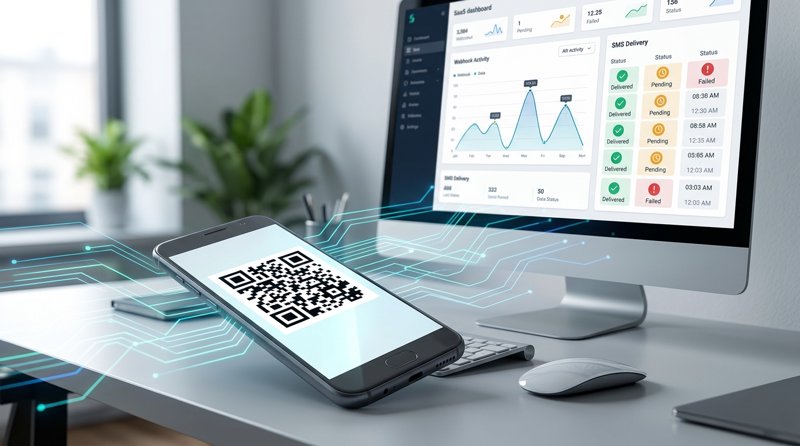
One of the most practical alternatives to complex carrier integrations is using an Android-based gateway. Instead of trying to route messages through expensive global aggregators or wrestling with carrier portals, you can turn an Android phone you already own into a fully functional SMS gateway. By installing a lightweight application on your device and pairing it with your online account via a QR code, you instantly bridge your local SIM card to a modern REST API. Once paired, messages leave your phone's own SIM card, using your own mobile plan, and from the exact phone number your customers already recognize.
This approach offers several distinct advantages for local businesses:
- No Carrier Registration Hassles: Traditional A2P routes require lengthy approval processes. By sending messages directly from your own SIM, you avoid complex carrier registration, 10DLC approvals, or sender ID verification.
- Inbound Message Forwarding: When a customer replies to your SMS, the incoming message is automatically forwarded to your web dashboard. If you have configured an outbound webhook, the system will instantly push the message payload to your server, allowing for automated two-way communication.
- Dual-SIM Support: If your business operates multiple branches or uses different carriers for different regions, you can utilize both slots of a dual-SIM Android phone or connect multiple physical devices to a single account. This allows you to route messages through the most appropriate SIM card automatically.
Comparing Implementation Approaches
To help you decide which path is right for your business, let us compare traditional API providers with an Android-based gateway model.
| Feature | Traditional Global Provider | Android SMS Gateway |
|---|---|---|
| Sender Identity | Rented virtual numbers or shortcodes | Your own physical SIM and phone number |
| Carrier Approvals | Required (A2P 10DLC, Sender ID) | None (uses native SIM card) |
| Inbound Webhooks | Expensive add-ons or complex routing | Native forwarding to your custom URL |
| Dual-SIM Routing | Not supported | Supported natively on compatible devices |
| Long Message Billing | Billed per 160-character segment | Single-message billing shape |
Traditional aggregators offer global routing but come with heavy operational overhead. For example, when comparing costs, global providers charge a metered fee for every single message segment. If a message exceeds 160 characters, it is split into multiple segments, and you are billed for each one separately. Furthermore, these metered rates fluctuate significantly depending on the destination country. You can learn more about how MySMSGate compares to these traditional models by reading about how MySMSGate compares with the big SMS providers.
By contrast, an Android gateway uses your existing mobile subscription. Because you are sending messages directly through your physical SIM, the traditional per-segment metering does not apply to your API usage in the same way. A long message is still split by the network into standard segments for transmission, but your gateway billing shape remains unaffected by message volume or destination. To understand how this structure works, explore how a long message is billed as one, not per 160-character segment.
Step-by-Step Gateway and Webhook Configuration
Setting up an alternative API gateway with webhook support is straightforward. Here is an actionable roadmap to get your system running:
- Create an Account: Set up your profile and obtain your secure Bearer token.
- Install the Android Application: Download and install the gateway app on a dedicated Android device that contains your business SIM card.
- Pair the Device: Open the web dashboard, generate a pairing QR code, and scan it using the Android app. This instantly links your phone's SIM card to the REST API.
- Configure Your Webhook Endpoints: In your developer dashboard, specify the URLs where you want to receive payloads. You can set up webhooks for inbound messages and outbound message status updates.
- Integrate the API: Update your software to send messages programmatically. The gateway offers a single, clean REST API endpoint (POST /api/v1/send) with Bearer-token authentication. For detailed code examples across multiple programming languages, refer to the REST API reference.
- Test and Monitor: Send a test payload from your application. You can monitor the outgoing queue and view incoming customer replies directly in the browser dashboard's chat-style conversation view.
Key Considerations for Local Operational Messaging
When implementing any SMS alert system, keeping your operational workflows reliable is key. First, ensure that your customers have explicitly opted in to receive operational updates, such as appointment reminders or repair status notifications. Understanding local regulations and network standards is crucial for maintaining a clean sender reputation.
Second, handle inbound replies promptly. Customers will naturally reply to the number that texts them. Because an Android gateway uses your actual mobile number, these replies will arrive on your phone. Setting up inbound webhooks ensures these replies are instantly processed by your CRM or customer service software, preventing missed communications.
Third, remember that the Android application also functions as a standard SMS messenger on the physical phone. This means your staff can manually read and reply to texts directly from the device if needed, providing a seamless backup to your automated systems.
Next Steps for Your Business
Don't let complex carrier setups or unpredictable metered billing hold back your customer communication. Setting up a reliable webhook-driven SMS system doesn't require enterprise-grade budgets or months of compliance approvals. To begin building your setup, explore our comprehensive integration guides for Python, JS, PHP, Go, Ruby, Zapier, Make, and n8n. By leveraging an Android device you already own, you can establish a direct, responsive connection with your clients using the phone number they already know and trust.


Comments (0)
Be the first to comment!