
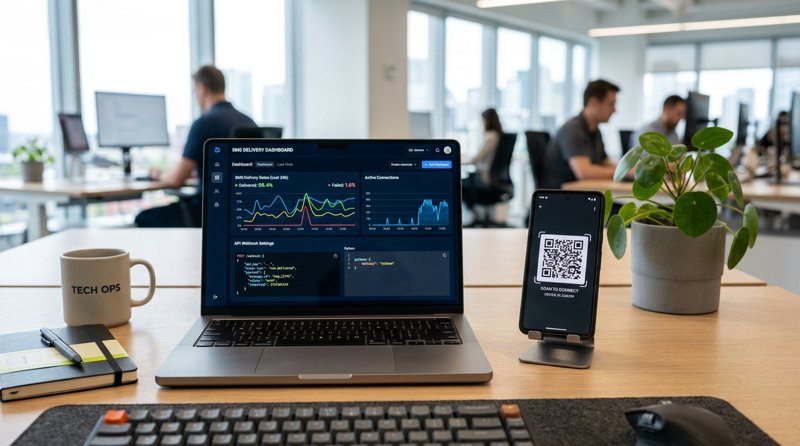
Setting up your sms broadcast api webhook settings 2026 doesn't have to mean drowning in complex carrier registrations and overpriced segment bills. Whether you are an indie developer building automated notification workflows or a local business owner looking for a low cost sms api, real-time delivery tracking is critical. In this comprehensive guide, we will show you how to configure your broadcast API and webhook settings to achieve 100% visibility on every text message sent.
The Evolution of SMS Broadcasting and Webhook Tracking
In 2026, the landscape of transactional and promotional SMS has shifted dramatically. Traditional telecom routes, often referred to under the umbrella of A2P SMS (Application-to-Person), have become heavily regulated, expensive, and bogged down by compliance hurdles. For small businesses, setting up outbound text campaigns now requires complex 10DLC (10-Digit Long Code) registrations, brand vetting, and carrier approvals that can take weeks.
This is why developers and business operators are turning to an alternative: an Android SMS gateway. By converting a standard Android device into a localized messaging and communication platform, you can send texts through your own SIM card and bypass carrier registration entirely. However, sending the message is only half the battle. To ensure your system knows whether a message actually reached the recipient, you must properly configure your sms broadcast api webhook settings 2026.
What is an SMS Webhook?
A webhook is a user-defined HTTP callback. When an event occurs—such as an SMS being successfully delivered to a customer's handset or failing due to an inactive number—the SMS gateway sends an HTTP POST payload to the URL you specified in your webhook settings. This allows your application to update its database in real time, trigger retry logic, or alert your operations team without constantly polling an API endpoint.
Why Real-Time Status Updates Matter
Without webhooks, you are sending messages into a black hole. If you run a local service business, knowing that an appointment reminder failed allows you to quickly place a phone call instead. Furthermore, with platforms like MySMSGate, failed messages are automatically refunded to your account balance, making real-time status tracking financially beneficial.
How to Configure Your SMS Broadcast API Webhook Settings
Configuring your webhook settings requires two main components: setting up a listener server to receive the data and registering that listener's URL in your SMS gateway dashboard. Here is a step-by-step breakdown of how to establish this connection securely and efficiently.
Step 1: Set Up Your Webhook Listener
Your server needs an endpoint ready to accept HTTP POST requests. Below is a clean, lightweight example using Python and Flask to receive delivery status updates from the API:
from flask import Flask, request, jsonify

app = Flask(__name__)

@app.route('/webhooks/sms-status', methods=['POST'])
def handle_sms_status():
    data = request.json

    # Extract key parameters from the gateway payload
    message_id = data.get('message_id')
    status = data.get('status')  # e.g., 'sent', 'delivered', 'failed'
    recipient = data.get('recipient')
    error_code = data.get('error_code')

    print(f"Message {message_id} to {recipient} status updated to: {status}")

    if status == 'failed':
        print(f"Failure reason: {error_code}")
        # Trigger your internal retry or refund logic here

    return jsonify({'status': 'success'}), 200

if __name__ == '__main__':
    app.run(port=5000)
Step 2: Register the Webhook URL in Your Dashboard
Once your listener is active and exposed to the internet (using tools like Ngrok for local development, or deployed directly to your cloud production server), navigate to your MySMSGate web dashboard. Go to the Developer Settings tab, locate the Webhooks section, and paste your URL (e.g., https://yourdomain.com/webhooks/sms-status). Select the events you wish to subscribe to, such as sms.sent, sms.delivered, and sms.failed, then click save.
Step 3: Test with a Mock Payload
Before running a live broadcast, send a test POST request to your endpoint. This ensures your server parses the JSON structure correctly and returns a 200 OK response. If your server fails to respond within the gateway's timeout window (typically 5 seconds), the gateway will flag the delivery attempt as retrying, which can clutter your logs.
The Best SMS Broadcast Services for Preschools and Daycares
When discussing the practical application of these technical settings, local educational institutions present a perfect use case. Preschools, daycares, and tutoring centers frequently need to broadcast urgent alerts to parents—such as sudden weather closures, health notices, or event reminders. If you are researching the best sms broadcast services for preschools and daycares, you will quickly find that traditional enterprise APIs are poorly suited for this market.
Traditional providers require schools to register as corporate entities, jump through regulatory hoops, and pay monthly recurring fees just to keep a phone number active. A local daycare sending 300 messages a month does not need a complex enterprise contract. They need a simple, reliable, and low cost sms api that works out of the box.
Why Local Schools Choose Android-Based Gateways
Using an Android-based gateway like MySMSGate allows preschools to send broadcasts using their existing school mobile number. Parents already have this number saved in their contacts, resulting in much higher open and response rates compared to random short codes or unverified 10-digit numbers. Additionally, because there is no per-segment billing, a long message detailing a school closure costs exactly the same as a short one-sentence alert.
Setting Up Parent Broadcast Lists
With MySMSGate's Web Conversations dashboard, non-technical school administrators can easily upload CSV contact lists, select which connected phone (or specific SIM card slot) to send from, and initiate a broadcast. For developers building custom daycare management software, integrating the single REST API endpoint (POST /api/v1/send) takes less than ten minutes, and the webhook settings ensure teachers receive instant confirmation when a parent's phone receives the notification.
Comparing Traditional SMS Providers vs. MySMSGate in 2026
To understand why modern businesses are shifting their communication infrastructure, it helps to compare the actual costs, setup requirements, and feature sets of traditional APIs against an Android-integrated gateway solution.
Traditional APIs like Twilio or Plivo charge per 160-character segment. If your message contains an accent mark, special characters, or simply runs long, a single text can easily be split into three segments, tripling your costs. MySMSGate charges a flat rate per message, regardless of length, with absolutely no monthly fees.
Comparison Table: Cost & Setup Features
| Feature / Parameter | Traditional APIs (Twilio, Plivo, etc.) | MySMSGate Gateway |
|---|---|---|
| Cost Per SMS | $0.05 - $0.08 + Carrier Fees | $0.02 (Flat Rate) |
| Monthly Fees / Contracts | Yes (Number rental + compliance fees) | $0.00 (No contracts, pay-as-you-go) |
| 160-Char Segment Billing | Yes (Charged per segment) | No (One flat charge per message) |
| Carrier Approval / 10DLC | Required (Takes weeks, high failure rates) | Not Required (Uses your own SIM card) |
| Failed Message Refunds | No (Charged regardless of delivery) | Yes (Auto-refunded on failure) |
| Hardware Required | None (Cloud-only) | Any Android Phone (Connected via QR) |
Why the Pay-As-You-Go Model Wins
With packages starting at just $5.00 for 250 SMS, MySMSGate provides a highly accessible entry point for small businesses. There are no recurring monthly charges to keep your API active. If your business only sends notifications during certain seasons, you pay absolutely nothing during your inactive months, making it the most cost-effective option on the market.
Integrating the Outbound API with Your Webhook Listener
Let's look at how to tie your outbound API requests together with your webhook settings. When you trigger an outbound broadcast from your backend rest api, you will pass a unique identifier. This identifier is returned in the webhook payload, allowing you to match the status update to the original sender request.
For a detailed breakdown of this architecture, you can read our comparison on sms gateway vs sms api systems.
Outbound API Request Example (cURL)
To trigger an outbound message, send a POST request to the MySMSGate API endpoint. You can specify which device ID and SIM slot to route the message through, giving you absolute control over your outbound sender identity:
curl -X POST https://mysmsgate.net/api/v1/send \
  -H "Authorization: Bearer YOUR_API_KEY" \
  -H "Content-Type: application/json" \
  -d '{
    "to": "+1234567890",
    "message": "Your appointment is confirmed for tomorrow at 10:00 AM. Reply to this text if you need to reschedule.",
    "device_id": "dev_8f3a92bc",
    "sim_slot": 1
  }'
Handling Incoming SMS via Webhooks
Webhooks are not just for tracking outbound delivery status; they are also used to forward incoming customer replies back to your server. When a customer replies to your broadcast, the Android app on your phone instantly detects the incoming message and forwards it to your registered webhook URL. This enables full two-way conversational workflows directly inside your CRM or custom business dashboard.
Frequently Asked Questions
Find answers to the most common questions regarding SMS broadcast API settings, webhook configurations, and Android gateway integration in 2026.
Do I need to register for 10DLC or A2P compliance to use MySMSGate?
No. Because MySMSGate routes messages directly through your own Android phone and SIM card, the messages are treated by telecom carriers as standard person-to-person (P2P) traffic. You do not need to undergo 10DLC registration, pay brand vetting fees, or wait for carrier approval. You can start sending broadcasts immediately after scanning the QR setup code.
What happens if my Android phone goes to sleep or loses internet connection?
MySMSGate features an automated push-notification wake-up system. Even if your Android phone enters deep sleep mode to conserve battery, our servers send a high-priority silent push notification to wake the app instantly when an API request is received. If the phone completely loses internet connectivity, messages are queued on our servers and sent the moment the phone reconnects.
How do webhook retries work if my server experiences temporary downtime?
If your webhook listener server goes offline or returns an error code (such as 500 or 503), the gateway queue will automatically retry sending the payload at increasing intervals (exponential backoff) over a 24-hour period. This ensures you do not lose critical delivery or reply logs during routine server maintenance.
Can I connect multiple Android phones to a single account?
Yes. MySMSGate supports multi-device setups. You can connect an unlimited number of Android phones to a single dashboard. For example, if you manage five physical business branches, you can connect five different phones (each with its own local SIM card) and programmatically select which device sends each broadcast based on the recipient's location.


Comments (0)
Be the first to comment!