
For modern trade contractors, field service businesses, and local service providers, manual client communication is a massive bottleneck. By leveraging make.com integrations sms email crm webhook contractor automations 2026, you can completely automate booking confirmations, dispatch alerts, and follow-ups. In this guide, we will show you how to build a seamless, cost-effective automation stack using Make.com and MySMSGate—without dealing with complex carrier approvals or expensive SMS API platforms.
The Contractor Communication Challenge in 2026
Running a successful contracting business—whether HVAC, plumbing, electrical, roofing, or landscaping—requires keeping clients constantly informed. Homeowners expect real-time updates: booking confirmations, technician arrival times, invoices, and post-job review requests. If you rely on manual texting and emailing, jobs slip through the cracks, leading to missed appointments and lost revenue.
Many contractors attempt to solve this by connecting their CRM (like Jobber, Housecall Pro, HubSpot, or Airtable) to traditional SMS APIs like Twilio, Plivo, or MessageBird. However, in 2026, this approach has become a bureaucratic nightmare for small businesses. Strict A2P 10DLC (10-Digit Long Code) registration rules, mandatory carrier approvals, and lengthy vetting processes mean small contractors are often blocked from sending simple operational texts to their own customers. Furthermore, traditional APIs charge per 160-character segment, meaning a single long message can cost triple the advertised rate.
This is where make.com integrations sms email crm webhook contractor automations 2026 come into play. By pairing Make.com with MySMSGate, you can bypass the complex registration processes. MySMSGate turns your own Android phone and SIM card into an Android SMS gateway, allowing you to send messages directly from your business number with zero carrier approval delays and a flat, predictable pricing model.
The High Cost of Traditional SMS APIs
Traditional SMS APIs charge hidden fees, network access fees, and bill you per 160-character segment. If your automated reminder contains a personalized booking link and details about the technician, it will easily span 2 or 3 segments, tripling your costs. Additionally, you must pay monthly fees for rented virtual numbers that your customers do not recognize and often ignore.
The Android Gateway Advantage
MySMSGate operates as an Android SMS messaging and communication platform. By connecting your Android device to the cloud dashboard via a simple QR code, you can route SMS traffic from Make.com directly through your phone's SIM card. Your clients receive messages from your actual business mobile number, drastically improving open and response rates.
Comparing Contractor SMS Automation Methods in 2026
To understand why a local contractor or service business should choose an Android-based gateway over traditional cloud APIs, let's look at a direct comparison of features, pricing, and setup friction in 2026:
| Feature / Metric | MySMSGate (Android Gateway) | Traditional SMS APIs (Twilio, Plivo) |
|---|---|---|
| Cost per SMS | $0.02 (Flat rate, no segment billing) | $0.05 - $0.08 + Carrier fees |
| Monthly Fees & Contracts | $0.00 (Pay-as-you-go, minimum $5.00) | Rented number fees ($1-$5/mo per number) |
| 10DLC / A2P Registration | Not required (Sends via your own SIM) | Mandatory (Weeks of approval, $15+ registration fee) |
| Sender ID Recognition | Your actual mobile number (High trust) | Unrecognized virtual numbers or shortcodes |
| Failed SMS Policy | Auto-refunded to your balance | Billed regardless of delivery success |
| Setup Complexity | Scan QR code & call 1 API endpoint | Complex developer setup & webhook routing |
If you are looking for the cheapest SMS API for small business, MySMSGate provides a flat $0.02 rate per message with absolutely no monthly commitments. This makes it highly competitive for local service providers who send between 100 to 1,000 operational messages per month.
Step 1: Setting Up Your Android SMS Gateway with MySMSGate
Before building your Make.com contractor automations, you need to connect your Android phone to MySMSGate. This process takes less than two minutes and requires no technical expertise.
- Go to mysmsgate.net and create your free account.
- Once logged in, navigate to your dashboard to view your API Key and connection QR Code.
- Download the MySMSGate Android app onto your office or field Android phone. This app acts as a full SMS messenger and gateway agent.
- Open the app and scan the QR code displayed on your web dashboard. Your phone is now instantly connected.
- (Optional) If your device supports Dual SIM, configure which SIM slot to use for outgoing messages directly from the dashboard.
Your Android phone will now stay awake and connected in the background via push notifications, ready to send messages triggered by your automated workflows.
Step 2: Connecting Make.com to MySMSGate via Webhooks
Make.com is a powerful visual automation platform that lets you connect apps using APIs and webhooks. While MySMSGate offers direct integrations, using the standard "HTTP / Make a Request" module in Make.com gives you total control over your payloads.
To trigger an SMS from Make.com, you simply need to make a POST request to the MySMSGate REST API. Below is the API configuration you will enter into the Make.com HTTP module:
{
  "endpoint": "POST https://mysmsgate.net/api/v1/send",
  "headers": {
    "Authorization": "Bearer YOUR_API_KEY",
    "Content-Type": "application/json"
  },
  "body": {
    "to": "+1234567890",
    "message": "Hi John, this is ABC Plumbing. Your technician, Dave, is on his way and will arrive in 15 minutes.",
    "sim_slot": 1
  }
}
This simple payload allows you to trigger personalized text messages dynamically based on data pulled from your CRM or email parser. If a message fails to deliver due to an invalid number, MySMSGate's automated system instantly refunds the $0.02 credit back to your account.
Step 3: Creating the Ultimate Contractor Automation Blueprint
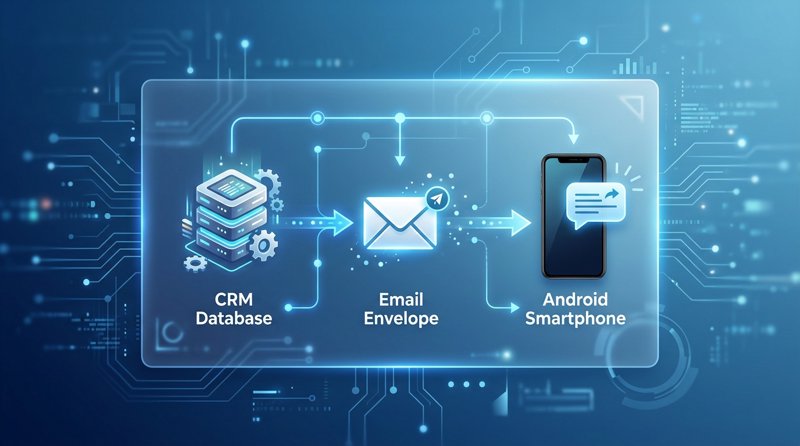
Let's map out how to build a complete automated sequence that connects your email, CRM, webhooks, and SMS. This workflow ensures that whenever a new booking is confirmed, the client receives an email, your CRM is updated, and a personalized text message is sent from your Android phone.
Trigger: New Booking in CRM
The automation begins in Make.com with a trigger module. This could be a webhook from your CRM (such as Jobber, Housecall Pro, or ServiceTitan) or a new row added to an Airtable database. When a job is scheduled, the CRM sends a webhook containing the customer's name, phone number, email address, and job details to Make.com.
Action 1: Send a Professional Email
Using the Gmail or Microsoft Outlook module in Make.com, send a detailed email confirmation containing the full service agreement, pricing estimate, and preparation instructions. Email is excellent for long-form, non-urgent documentation.
Action 2: Send a High-Priority SMS via MySMSGate
While emails are easily ignored, text messages have a 98% open rate. Add the HTTP module in Make.com to send a short, actionable SMS via MySMSGate: "Hi {{customer_name}}, your appointment with {{company_name}} is confirmed for {{job_date}} at {{job_time}}. Reply to this text if you need to reschedule." Because the message is sent from your own Android SIM card, any replies will flow straight back to your phone and your MySMSGate Web Conversations dashboard, letting you chat live with the client in real-time.
Advanced Make.com Use-Cases for Contractors
Once you master the basic setup, you can build highly specific workflows to eliminate administrative overhead in your contracting business. Here are three highly effective patterns used by local service businesses:
1. Automated Job Completion & Review Generation
When a technician marks a job as "Completed" in your CRM, Make.com can wait 2 hours and then send an automated SMS request: "Thanks for choosing us! Could you take 30 seconds to rate our service? [Google Review Link]". This is the single fastest way to build local SEO authority and outrank competitors in your area.
2. Multi-Branch Operations (Multi-Device Routing)
If your contracting business operates across multiple locations, you can connect unlimited Android devices to a single MySMSGate account. In Make.com, you can dynamically route the SMS through a specific phone based on the job's region. For example, if the job is in the North branch, route the SMS through SIM slot 1 of "North Phone"; if in the South branch, route through "South Phone". This ensures your clients always interact with local numbers.
3. Automated No-Show and Appointment Reminders
Reduce costly missed appointments by scheduling automated reminders. Set Make.com to query your CRM every morning for jobs scheduled for the next day. If you want to build this without complex coding, read our guide on appointment reminders without Twilio to see how quickly you can protect your schedule.
Frequently Asked Questions
Here are answers to the most common questions contractors and developers ask when setting up automated SMS workflows in 2026.
How do I connect MySMSGate to Make.com without coding?
You do not need to write code to use MySMSGate with Make.com. You can use Make's intuitive HTTP module to perform a "Make a Request" action. Simply paste the API endpoint, enter your API key in the headers, and structure your text message using drag-and-drop fields from your CRM or email trigger. For non-technical users, this visual mapping replaces traditional development entirely. If you want to understand the foundational differences before building, check out our guide on SMS gateway vs SMS API.
Do I need 10DLC registration or carrier approval to send SMS in 2026?
No. Because MySMSGate routes your messages directly through your own physical Android phone and SIM card, you do not need to undergo A2P 10DLC registration, brand vetting, or carrier approval. Your messages are sent as person-to-person (P2P) traffic from your existing mobile plan, bypassing the strict compliance filters applied to virtual cloud numbers rented from platforms like Twilio.
Can I use my existing contractor CRM with these Make.com integrations?
Yes. If your CRM has an integration on Make.com (such as Jobber, Housecall Pro, HubSpot, Salesforce, or Airtable) or supports outbound webhooks, you can easily connect it to MySMSGate. Make.com acts as the bridge, passing data from your CRM directly to your Android device for instant SMS delivery.
What happens if my Android phone loses internet connection or goes to sleep?
MySMSGate includes an auto-wake feature. When an outgoing SMS is triggered via Make.com, our servers send a high-priority push notification to your connected Android phone, instantly waking it up to send the message. If your phone loses internet entirely (e.g., dead battery or no Wi-Fi/cellular data), the messages are safely queued on our servers and will be sent automatically the moment the device reconnects.


Comments (0)
Be the first to comment!