
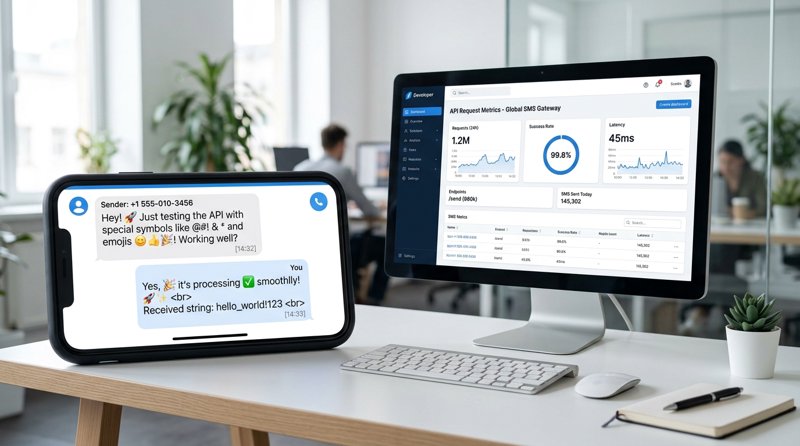
When you send notifications to your customers, a simple special character or a misplaced accent can double or even triple the cost of your campaign. Understanding the management of forbidden SMS characters and the impact of GSM-7 and Unicode encodings is essential for any business looking to communicate effectively without exploding its budget.
Are there really forbidden characters in SMS?
Technically speaking, there are no forbidden SMS characters that would completely block your message from being sent by telephone operators. Today, modern networks are capable of transmitting almost all symbols, including emojis, Cyrillic, Arabic, or Chinese characters. However, the term "forbidden" refers to characters that are not part of the standard telecommunications industry norm: the GSM 03.38 encoding (commonly known as GSM-7).
If you insert a character outside of this standard alphabet, the SMS protocol automatically switches the entire message to another encoding format called Unicode (UCS-2). This switch has immediate financial and technical consequences on the maximum length of your message and your billing.
GSM-7 vs Unicode: The direct impact on your SMS length
To understand why your messaging costs vary, you need to analyze how operators split messages. A standard SMS is not unlimited; it is measured in data segments.
- GSM-7 Encoding: This is the default encoding. Each character uses 7 bits of data. In this format, the maximum number of SMS characters for a single segment is 160 characters.
- Unicode Encoding (UCS-2): Required for special characters, emojis, and non-Latin alphabets. Each character uses 16 bits. The number of characters allowed in a text message then drops to just 70 characters per segment.
If you exceed these limits, your message is divided into multiple segments (concatenated SMS). For messages containing special characters, the extra cost is massive:
| Encoding Type | Number of Segments | Character Limit (Single Message) | Limit per Segment (Long / Concatenated Message) |
|---|---|---|---|
| GSM-7 Standard | 1 segment | 160 characters | 160 characters |
| GSM-7 Standard | 2+ segments | 306 characters (2 segments) | 153 characters per segment |
| Unicode (UCS-2) | 1 segment | 70 characters | 70 characters |
| Unicode (UCS-2) | 2+ segments | 134 characters (2 segments) | 67 characters per segment |
Why does a single special character increase your bill?
This is the question many entrepreneurs and developers ask: why does an SMS consume more than one message depending on special characters? The answer lies in the rigidity of telecommunication protocols. As soon as a single character not supported by GSM-7 is detected, the sending application or the operator must permit sending special characters outside the GSM-7 format using the Unicode format. This will have a direct impact on SMS consumption where, for example, one SMS will drop to 70 characters.
Imagine you send an appointment reminder of 100 characters. If you only use GSM-7 characters, you pay for 1 single SMS. If you add a simple emoji (like a calendar 📅) or a specific accented character, the limit drops to 70 characters. Your 100-character message is then divided into 2 Unicode segments (67 + 33 characters). You will therefore pay double the price for a single emoji!
Similarly, if you integrate dynamic variables (like a case number or bulletin number), you can exceed limits unexpectedly. Some developers sometimes wonder: what happens if I exceed the 36-character limit for letters but the bulletin number appears at the beginning? If the fixed text combined with the dynamic variable exceeds the segment threshold (70 or 160 characters depending on encoding), the message will be billed as multiple SMS, regardless of the position of your variables.
Which characters are allowed in GSM-7 and which trigger Unicode?
To optimize your campaigns and operational notifications, you need to know exactly which special characters for SMS sending modify the encoding. Knowing which special characters for SMS limit to 70 characters will allow you to write lighter and more economical messages.
The basic GSM-7 alphabet (Safe)
This alphabet includes all letters from A to Z (uppercase and lowercase), numbers from 0 to 9, spaces, as well as some common accented characters in French like é, è, à, ù, ç, and ì. You can use these characters without fear of switching to Unicode.
The GSM-7 extension table (Watch out for double counting)
Some characters are part of a GSM-7 "extension table." They do not force the switch to Unicode (the limit remains 160 characters), but they count as double (they occupy the equivalent of 2 characters in your count). These characters include: [, ], {, }, |, ^, \, ~, and the euro symbol €.
Unicode characters (Strict 70-character limit)
To answer the question which characters can be used in SMS in MCE? or on other SMS sending platforms without risking extra costs, absolutely avoid the following characters if you want to stay under the 160-character limit:
- All emojis (e.g., 😊, 🚗, 📅)
- Curved typographic quotes (e.g., “ ” or « ») instead of straight quotes (
") - Certain specific accents like
ê,â,î,ô,û, or Spanish and Portuguese characters likeá,í,ó,ú,ã,õ - Cyrillic, Greek, Arabic, or Hebrew characters
Writing guide: How to format your SMS for your customers
For small local businesses (clinics, hair salons, driving schools, repair shops), every penny counts. Finding the right balance between clarity and budget is crucial. What is the maximum character value for an SMS to be well-received by your customers while remaining economical?
- Stay under the 140-150 character mark: This leaves you a safety margin if you insert personalized fields (like the customer's name or the appointment time).
- Replace problematic characters: Use
einstead ofêorâ. Your customers will perfectly understand the message "Your vehicle is ready" instead of "Your véhicule is prêt", and you will save thousands of billing segments per year. - Avoid unnecessary emojis: Use clear action words rather than icons for your booking confirmations.
How MySMSGate definitively solves the long SMS problem
If you use traditional SMS gateways like Twilio, Plivo, or MessageBird, managing encodings is a real financial headache. These platforms bill you strictly per segment of 160 or 70 characters. If you send a 145-character message containing a single unsupported accent, Twilio will bill you for 3 segments (3 times the base price), in addition to imposing restrictive number registration fees (10DLC, operator approval).
This is where MySMSGate changes the game for small businesses and developers:
- Flat pricing, no surprises: MySMSGate charges a single rate of $0.02 per successfully sent SMS, regardless of message length or the type of characters used (GSM-7 or Unicode). No more complex per-segment billing!
- Use your own Android phone: Our solution transforms your Android smartphone into a powerful SMS gateway. Messages are sent directly via your phone's SIM card, meaning your customers receive SMS from your own mobile number, a number they know and trust.
- No tedious number registration: Unlike US APIs that require weeks of validation and monthly fees for 10DLC, MySMSGate allows you to start sending SMS immediately after installing our Android app.
- Refund for failed SMS: If an SMS cannot be delivered, your balance is automatically credited back.
To learn more about economical alternatives to traditional APIs, check out our comparison of Twilio alternatives in 2026.
Technical integration: Send SMS without worrying about encoding
For developers and system integrators, MySMSGate offers an extremely simple and robust REST API. You no longer need to design complex algorithms to clean your strings or validate GSM-7 encoding before sending.
Here is a simple example in Python to send an SMS containing special characters and emojis via the MySMSGate API:
import requests

url = "https://mysmsgate.net/api/v1/send"
headers = {
    "Authorization": "Bearer YOUR_API_KEY",
    "Content-Type": "application/json"
}
data = {
    "to": "+33612345678",
    "message": "Hello! Your appointment is confirmed for tomorrow at 2 PM. 📅 See you soon!",
    "device_id": "your_device_id"
}

response = requests.post(url, json=data, headers=headers)
print(response.json())
Thanks to our system, you also benefit from a delivery report (real-time delivery report) via our webhooks, allowing you to track the reception status of each message directly in your own customer relationship management (CRM) software.
Want to set up your own gateway in minutes? Follow our step-by-step guide to send SMS from an Android phone via API.
Frequently Asked Questions
Find answers to the most frequently asked questions about character limitations and professional SMS sending.
What are the forbidden characters in SMS?
There are no characters technically blocked by operators, but using characters outside the GSM-7 standard (like emojis, circumflex accents, or certain complex symbols) reduces your SMS capacity from 160 to 70 characters, leading to multi-segment billing with traditional providers.
Why is my SMS billed double for a single emoji?
Inserting an emoji forces the message encoding into Unicode. In Unicode, each character takes up more memory space. The SMS limit then drops from 160 to 70 characters. If your text is 80 characters long, it will be split and billed as 2 SMS.
How can I test if my SMS contain Unicode characters?
You can use online SMS character counting tools or integrate text-cleaning libraries into your code to automatically replace special characters with their GSM-7 equivalents (for example, replacing "ê" with "e").
How does MySMSGate help me save on long SMS?
MySMSGate does not bill per segment of 160 or 70 characters. We apply a fixed rate of $0.02 per successfully sent SMS, regardless of its length or the presence of special characters and emojis, by routing messages directly through your connected Android mobile plan.


Comments (0)
Be the first to comment!