
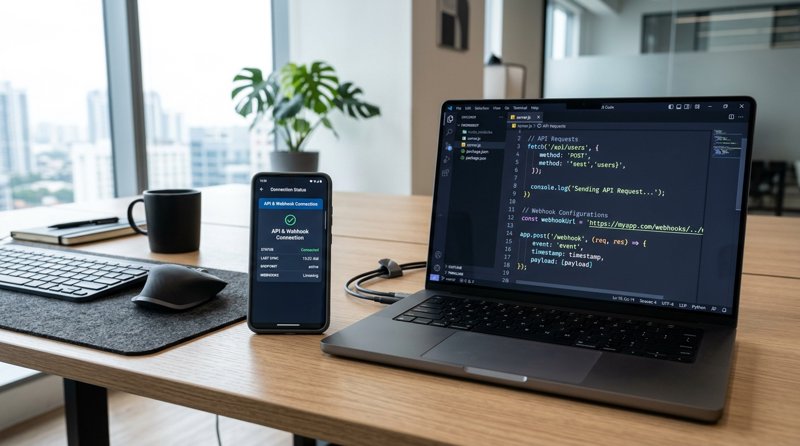
If you're wondering if a webhook works with a SIM card to send messages, the technical answer is yes, but with an important nuance regarding how APIs and webhooks interact. In this detailed guide, we explain how to connect your physical SIM card with your web system to send and receive SMS automatically.
The difference between sending messages (API) and receiving events (Webhook) with a SIM
To understand if a webhook works with a SIM card to send messages, we first need to clarify the technical difference between an outbound API and an inbound webhook. Many developers and business owners confuse these terms when planning their communication infrastructure.
When you want to send a text message using the SIM card of your own Android phone, you make an outbound request. This is done through a REST API (an HTTP POST method). Your server tells the gateway software: "Send this text to this phone number using SIM 1".
On the other hand, a webhook is a reverse communication mechanism. It is not used to initiate the sending of the message, but to receive real-time notifications about what is happening with that SIM card. For example, when the SIM receives an SMS from a customer, or when the delivery status of a sent message changes (from "pending" to "delivered"). The gateway sends an HTTP POST data packet to your server to inform you of the event instantly.
Therefore, the perfect combination for your business is to use an API to send messages via the SIM and configure webhooks to process your customers' replies or confirm deliveries without having to constantly check the status (polling).
The sending and receiving flow with MySMSGate
To implement this flow efficiently, MySMSGate acts as the bridge between your web server and your physical SIM card hosted on an Android device. The process works in four simple steps:
- Your system makes a POST request to the MySMSGate API with the message and the destination number.
- MySMSGate processes the request and sends it securely to the app installed on your Android phone.
- The Android phone uses your physical SIM card and your local phone plan to transmit the SMS.
- If the customer replies to the SMS, the Android app detects the incoming message and MySMSGate triggers a webhook to your server with the content of the reply.
How to set up a system where the webhook works with a SIM to send messages
Setting up this system does not require complex infrastructure or expensive contracts with telecommunications operators. By using your own SIM card, you avoid the bureaucratic red tape of sender registration (such as the 10DLC system in the United States or local A2P SMS regulations) and can send messages at standard local rates or even with unlimited SMS plans.
For developers looking to integrate this technology, it is essential to understand the difference between an SMS gateway and a traditional SMS API. While traditional APIs force you to buy expensive virtual numbers, an Android-based gateway allows you to reuse the phone number your customers already know and trust.
To start sending messages and receiving confirmations via webhooks, you just need to follow these steps:
- Register on the platform and download the official Android app.
- Link your phone by scanning a QR code from the control panel (no need to copy complex credentials).
- Configure your webhook URL in your account settings to start receiving delivery notifications and incoming messages.
Code example for sending an SMS (API POST)
To send the message through your SIM card, you make a simple HTTP call to our API endpoint. Here is a practical example using cURL:
curl -X POST https://mysmsgate.net/api/v1/send \
  -H "Authorization: Bearer YOUR_API_KEY" \
  -H "Content-Type: application/json" \
  -d '{
    "to": "+34600000000",
    "message": "Hello, your medical appointment is confirmed for tomorrow at 10:00.",
    "sim_slot": 1
  }'
Example payload received by your Webhook
When the delivery status changes on the SIM card (for example, when the mobile network confirms that the recipient's phone received the SMS), our system sends an HTTP POST request to the webhook URL you have configured. The JSON payload will have a structure similar to the following:
{
  "event": "sms.status_changed",
  "message_id": "msg_874192",
  "status": "delivered",
  "phone_number": "+34600000000",
  "sim_slot": 1,
  "timestamp": "2026-08-17T14:35:00Z"
}
Comparison of solutions: MySMSGate vs. other alternatives
When businesses look for solutions to connect software with SIM cards, they often research industry tools to understand how they work. For example, many developers wonder how SMS Bear works or similar Android-based platforms. Most of these tools require mandatory fixed monthly subscriptions and complex network configurations.
Unlike competitors that charge flat monthly fees regardless of whether you use the service or not, MySMSGate offers a real pay-as-you-go model of $0.02 per SMS sent, with minimum top-ups starting from $5.00 (250 SMS). Furthermore, we do not charge additional costs for message length or split your texts into 160-character segments to charge you double or triple, as platforms like Twilio or Plivo often do.
Below is a detailed comparison table to help you decide the best option for your business:
| Feature | MySMSGate | SMS Bear / Similar | Traditional APIs (Twilio/Plivo) |
|---|---|---|---|
| Monthly cost | $0.00 (No contracts or fixed fees) | Fixed monthly subscription ($9.99+) | Number subscription + SMS costs |
| Rate per SMS | $0.02 (Flat rate per full message) | Uses your SIM plan (requires paid app) | Variable ($0.05 - $0.08 + charge per 160-character segment) |
| Webhook Support | Yes, real-time for deliveries and replies | Variable / Requires complex configuration | Yes, but requires prior sender approval |
| Sender Registration (10DLC) | Not required (send from your local SIM) | Not required | Mandatory and strict (high risk of blocking) |
| Dual SIM Support | Yes, select SIM 1 or SIM 2 via API | Limited on some devices | Not applicable (virtual numbers) |
How to implement webhooks to optimize customer service
For local businesses that send operational notifications—such as dental clinics, mechanical workshops, hair salons, or language schools—automating two-way communication is a key factor in reducing no-shows and improving customer satisfaction. If you want to learn more about the technical side of the process, you can consult our complete guide on how to send SMS from an Android phone via an API.
Imagine you are the owner of a mechanical workshop. Your system sends an automatic message when the customer's car is ready for pickup. By using your own physical SIM card, the customer receives the message from a local mobile phone number they recognize and trust, not from a generic 5-digit short code.
If the customer replies to the message saying "Thank you, I'll come pick it up this afternoon at 6:00 PM", the webhook captures that reply instantly and sends it to your management software. Your customer service team can see the reply directly on their screen and confirm receipt without having to physically look at the workshop's mobile phone.
Failure management and automatic refunds
One of the biggest fears when using an Android phone as an SMS gateway is mobile network stability. What happens if the phone loses coverage or the battery runs out? At MySMSGate, we have designed the system to mitigate these issues. If a message fails to send through the SIM card, our system detects the error via the status webhook and performs an automatic refund of that message's balance to your MySMSGate account immediately.
Auto Wake-up Technology
Many Android operating systems close background applications to save battery, which can disconnect your gateway. Our application features an automatic wake-up technology using high-priority push notifications. This ensures that even if your phone enters deep sleep mode, it will wake up instantly when you send an SMS request from your server, ensuring the message is transmitted without delays.
Frequently Asked Questions about Webhooks and SIM cards (FAQ)
Below, we answer the most common questions from developers and entrepreneurs looking to implement messaging solutions based on real hardware and web automations.
Does the webhook work with a SIM to send bulk messages?
Yes. You can send message flows using the MySMSGate API and use webhooks to monitor the status of each send in real time. However, you must take into account the physical sending limits of your SIM card and your mobile operator's fair use policies to avoid spam blocks on your phone line.
What is the difference between the MySMSGate API and how SMS Bear works?
While tools like SMS Bear typically require payment of fixed monthly licenses or complex manual network configurations, MySMSGate offers an extremely simple pay-as-you-go model ($0.02 per SMS), with no monthly fees or contracts. Additionally, we provide a modern REST API with native support for multiple programming languages, Dual SIM support, and an intuitive web control panel for non-technical users.
Do I need to register my number or pass carrier approvals (10DLC)?
No. By using your own Android phone and your own physical SIM card, messages are sent as person-to-person (P2P) traffic from the mobile network's perspective. You do not need to go through brand verification processes, 10DLC campaign registrations, or pay mandatory monthly registration fees.
What happens if my Webhook server is temporarily down?
If your server experiences a temporary outage, messages will still be sent and received on your Android phone as normal. All incoming messages and delivery statuses are securely saved in your MySMSGate dashboard so you can check or retrieve them once your server is back online.


Comments (0)
Be the first to comment!