
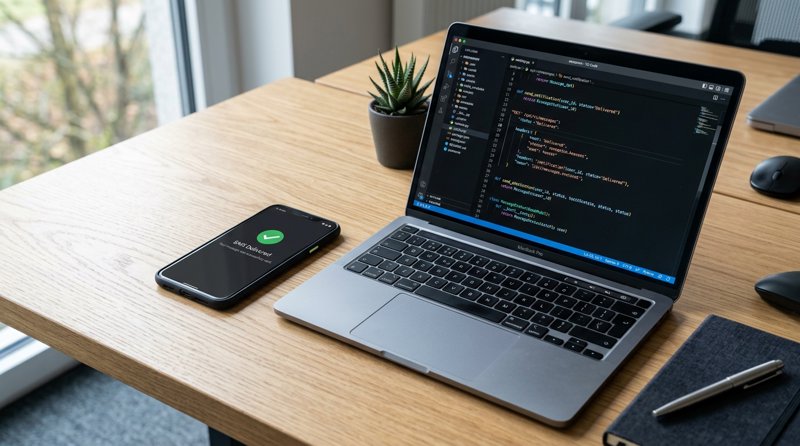
Searching for a reliable free sms notification api to send transactional alerts, booking updates, or customer notices often leads to a dead end of hidden costs. Standard SMS APIs charge heavy monthly fees, require complex carrier registration, and bill you per 160-character segment. In this guide, we will show you how to build a low-cost SMS notification system using your own Android hardware and SIM card.
The Hidden Costs of Traditional SMS Gateways
When local businesses look for a low-cost or free sms notification api, they often encounter platforms that look cheap on paper but quickly become cost-prohibitive. For instance, calculating the cost of automated pharmacy sms notification systems or the cost of sms notification system for auto body shops using traditional A2P (Application-to-Person) gateways reveals massive overheads. Traditional API providers require you to pay for virtual phone numbers, lease short codes, and undergo complex registration processes like 10DLC (in the US) or local equivalent carrier approvals globally.
Furthermore, traditional gateways bill you per 160-character segment. If your notification contains accented characters or exceeds the limit, you are charged double or triple. By contrast, using an Android-based gateway allows you to send messages using your own local SIM card plan, completely bypassing intermediate carrier registration and per-segment surcharges.
To help you compare your options, here is how a traditional API stack stacks up against an Android-based gateway like MySMSGate:
| Feature | Traditional SMS API (e.g., Twilio, Vonage) | Android-Based SMS Gateway (MySMSGate) |
|---|---|---|
| Price per SMS | $0.05 - $0.08 + carrier fees | $0.02 flat (or free via your SIM plan) |
| Monthly Fees | Yes (for virtual numbers & sender IDs) | $0 (No monthly contracts) |
| Carrier Approval (10DLC) | Required (takes weeks, costs money) | Not required (sends via your own SIM) |
| Character Billing | Per 160-char segment (multiplies cost) | One flat charge per message regardless of length |
| Sender ID | Random virtual number | Your own mobile number (recognized by clients) |
If you want to explore how these platforms compare in-depth, read our comprehensive Twilio alternatives comparison.
How to Build SMS Notification Workflows via API
To build sms notification workflows, you do not need complex enterprise software. An Android-based gateway turns your physical phone into an SMS-sending server. While some developers consider using push notifications, they run into the android push notification character limit (which truncates long payloads) and the risk of notifications being silenced when the phone is in sleep mode. SMS remains the most reliable channel because it delivers directly to the device's native inbox without requiring an app installation.
With MySMSGate, you can connect your phone instantly by scanning a QR code from your dashboard. The Android app remains active even in sleep mode using optimized push wake-ups, forwarding your API requests directly to your SIM card for transmission.
Here is a simple example of how to trigger an SMS notification using a standard cURL request:
curl -X POST https://mysmsgate.net/api/v1/send \
  -H "Authorization: Bearer YOUR_API_KEY" \
  -H "Content-Type: application/json" \
  -d '{
    "to": "+447700900077",
    "message": "Your order is ready for pickup!",
    "sim_slot": 1
  }'
This simple setup is ideal for developers and business owners alike. For a complete step-by-step walkthrough on configuring this on your device, check out our Android SMS gateway tutorial.
Industry Use Cases and Notification Templates
Operational SMS notifications are highly effective for service-oriented businesses. Below are practical templates and implementation strategies for common industries.
Daycare and Early Education Centers
Managing communication in a childcare setting requires speed and reliability. Implementing a daycare pickup text message notification system ensures that parents are alerted instantly when their child is ready or in case of emergencies. Following daycare sms notification system best practices means keeping messages clear, direct, and secure.
Here are some standard sms notification templates for daycare parent communication:
- Emergency Alert: "[Daycare Name] Alert: Power is out at the facility. Please arrange to pick up [Child Name] by 1:00 PM today. Reply for assistance."
- Pickup Confirmation: "Hi [Parent Name], [Child Name] has been safely checked out by [Authorized Person] at [Time]."
- Activity Update: "Reminder from [Daycare Name]: Tomorrow is outdoor splash day. Please pack a towel and change of clothes for [Child Name]."
Courier and Delivery Services
For local courier services, keeping customers informed about their delivery status reduces failed delivery attempts and customer support calls. Knowing how to integrate courier delivery notification sms api into your dispatch software can save hours of manual coordination.
Utilize these delivery notification sms templates for courier services to automate your workflow:
- Out for Delivery: "Your package from [Merchant] is out for delivery today with courier [Driver Name]. Track it here: [Link]"
- Delivered: "Great news! Your delivery has been dropped off at [Location/Front Door]. Thank you for choosing [Courier Name]."
- Failed Attempt: "We missed you! [Courier Name] tried to deliver your package at [Time]. Please reschedule your delivery here: [Link]"
Why Local Businesses Choose Android-Based SMS Gateways
For local clinics, auto repair shops, salons, and tutoring centers operating outside the United States, traditional A2P SMS is broken. Carrier registration rules are designed for massive corporations, leaving small business owners locked out or facing steep monthly compliance fees. An Android-based SMS gateway offers a practical loop-hole: it uses your existing, pre-approved SIM card to send messages.
This approach provides several unique advantages:
- No Sender Registration: You do not need to register a 10DLC brand, buy a dedicated short code, or wait weeks for carrier approval. You can start sending notifications five minutes after signing up.
- Recognizable Numbers: Because the messages are sent from your physical SIM card, your customers see your actual business phone number on their screens. They can call you back or reply directly to the text.
- Failed SMS Refunds: If a message fails to send due to a network error or invalid number, your balance is automatically refunded.
- Dual SIM Support: If you use a dual-SIM Android phone, you can select which SIM card to send from inside the dashboard, allowing you to separate personal and business messaging easily.
If you are looking for the most budget-friendly way to keep your clients informed, read our cheapest SMS API guide to see how optimizing your hardware setup can drastically cut your monthly bills.
Frequently Asked Questions
Find answers to common questions about setting up and running an Android-based SMS notification API.
Can I use a free SMS notification API for testing?
Yes. Many developers look for a free SMS notification API to test their integrations. With MySMSGate, you can set up an account for free and connect your Android device. You only pay for the messages you actually send, with packages starting as low as $5.00 for 250 SMS ($0.02 per message), with no monthly fees or contracts.
How does the API handle long SMS messages?
Unlike traditional SMS APIs that charge you for multiple 160-character segments, MySMSGate charges a single flat fee of $0.02 per message sent from your phone, regardless of the message length. Your Android phone handles the segmentation and delivery seamlessly.
Do I need a special SIM card to use an Android SMS gateway?
No. You can use any standard SIM card from a local carrier. The Android app on your phone acts as the bridge between our REST API and your SIM card, meaning your messages are sent using your standard mobile plan rates or allowances.
Is my data secure when using an Android phone as a gateway?
Yes. All communication between our API servers and your Android application is encrypted. Incoming SMS messages are securely forwarded to your web dashboard automatically, allowing you to manage conversations in real-time from your computer browser.


Comments (0)
Be the first to comment!