
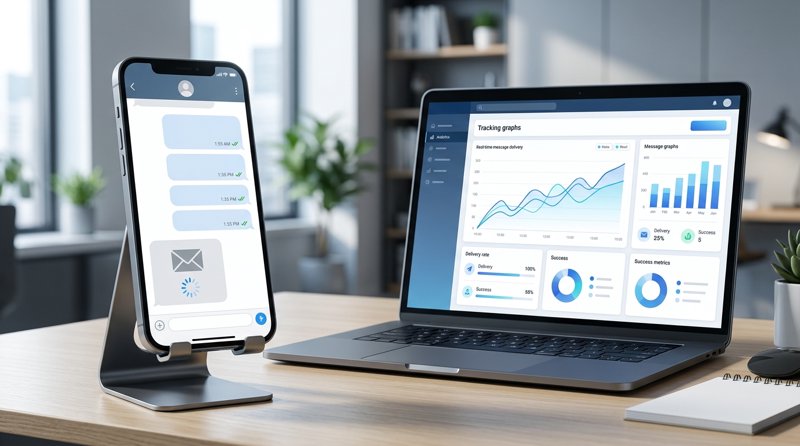
If you run a local service business like a medical clinic, tutoring school, or auto repair shop, knowing whether your customers actually see your messages is critical. In this tutorial, we will explain how to get the sms status if it's read or not from the sms gateway, clarify the technical limitations of SMS protocols, and show you how to implement reliable delivery and read tracking for your outbound notifications.
Step 1: Understand the Difference Between SMS Delivered and Read Status
Before diving into API integrations, it is vital to understand the technical difference between sms delivered and read status. Traditional SMS technology is built on cellular protocols designed decades ago. In this environment, "users can communicate using quick status updates of 160 characters or less." Because of this legacy infrastructure, the global telecom network only supports delivery receipts, not open or read receipts.
This is highly different from modern instant messaging apps (like WhatsApp, iMessage, or RCS), where "this free flowing dialogue lets you send messages, pictures and video to anyone" with native typing indicators and blue "read" checkmarks. Standard carrier SMS does not have a native network packet that tells the gateway when a user has tapped on a text message to open it.
Instead, we rely on the smsgate status meaning mapped out by your gateway provider. Here is what those statuses typically mean in your SMS gateway logs:
| Status | Technical Meaning | Does it mean "Read"? |
|---|---|---|
| Sent | The message has left the gateway and has been accepted by the cellular carrier network. | No. The phone might even be switched off. |
| Delivered | The recipient's mobile handset has sent an acknowledgement back to the carrier confirming receipt. This is your sms receipts status. | Not necessarily. It is on their device, but they may not have opened it yet. |
| Failed | The message could not reach the handset (e.g., disconnected number, network routing error). | No. |
To accurately track whether a message was actually read, businesses use a combination of carrier-level delivery reports and application-level smart tracking links, which we will configure in the following steps.
Step 2: Set Up Your Android SMS Gateway to Check SMS Delivery Status
To begin tracking your messages, you need an SMS gateway that natively exposes delivery reports without burying them behind expensive enterprise contracts. Traditional gateways like Twilio require complex A2P 10DLC registration, carrier approval, and charge high per-segment fees. A simpler, more cost-effective alternative for small businesses is MySMSGate.
MySMSGate turns your own Android phone and SIM card into an SMS gateway. Because you are sending from your own local phone number, you bypass carrier registration blocks, and you can easily check sms delivery status directly from your dashboard or API.
To set up your gateway and start tracking delivery status, follow these steps:
- Go to the MySMSGate Register Page and create a free account.
- Download and install the MySMSGate Android application on your phone.
- Scan the QR code displayed on your web dashboard using the mobile app to instantly link your phone. No API keys need to be typed manually.
- Send a test SMS from the web dashboard.
Once the message is sent, your Android phone will return the carrier-grade delivery report back to your MySMSGate dashboard in real time. If a message fails, MySMSGate automatically refunds your balance, protecting your operational costs.
Step 3: Configure the Android SMS Gateway Delivery Reports Status Callback Webhook
For developers integrating SMS notifications into their own CRM, booking engine, or custom software, polling an API endpoint to check delivery status is inefficient. Instead, you should configure an android-sms-gateway delivery reports status callback using webhooks.
This section explains how to get sms delivery status from api webhook configurations. When your connected Android phone delivers the message to the recipient's handset, it receives an internal delivery report from the local carrier. MySMSGate captures this event and instantly posts the status update to your server.
Here is an example of how to handle the android-sms-gateway delivery reports status callback sms payload in a Python Flask application:
from flask import Flask, request, jsonify

app = Flask(__name__)

@app.route('/webhooks/sms-status', methods=['POST'])
def handle_sms_status_callback():
    data = request.json

    # Extract key parameters from the MySMSGate webhook payload
    message_id = data.get('message_id')
    status = data.get('status')  # e.g., 'delivered', 'failed', 'sent'
    recipient = data.get('to')
    error_code = data.get('error_code')

    print(f"Message {message_id} to {recipient} updated to status: {status}")

    if status == 'delivered':
        # Update your database to mark notification as delivered
        # update_booking_notification_status(message_id, 'Delivered')
        pass
    elif status == 'failed':
        # Handle failed delivery (e.g., alert staff, retry via alternative channel)
        # log_failed_delivery(message_id, error_code)
        pass

    return jsonify({"status": "success"}), 200

if __name__ == '__main__':
    app.run(port=5000)
By implementing this callback, your backend application will always stay in sync with the live status of your outbound messages, allowing you to build automated follow-up workflows for failed deliveries.
Step 4: Track Actual "Read" Status Using Smart Link Tracking
Since standard SMS protocols do not support a native "Read" receipt, how do smart service businesses actually track if a customer opened and read their message? The industry-standard solution is Smart Link Tracking.
Instead of sending a plain text message, you include a unique, shortened tracking link in your SMS. When the recipient taps the link, they are briefly routed through your tracking server before being redirected to their destination (such as an invoice, booking confirmation, or appointment details page). This redirect happens in milliseconds and acts as your "Read Receipt."
Here is the step-by-step workflow to implement this:
- Generate a unique token: For every SMS you send, generate a short, unique identifier (e.g.,
myshop.co/r/x89D2). - Map the token in your database: Associate
x89D2with the recipient's phone number, the specific message sent, and a "Read" status initialized toFalse. - Send the SMS: Send the message containing the short URL via the MySMSGate API or dashboard.
- Log the redirection: When the user taps the link, your server logs the incoming request for
x89D2, updates the database record toRead = Truealong with the timestamp, and immediately redirects the user to the actual landing page.
This method gives you 100% accurate read tracking and provides valuable data on user engagement, helping you optimize your communication templates.
Step 5: Compare SMS Status Tracking Across Gateways
When selecting a platform for your business, it is helpful to look at how different gateways handle delivery tracking, pricing, and system complexity. While many developers search for a twilio sms delivery status callback tutorial, they often find that setting up and maintaining Twilio's cloud infrastructure for basic local notifications is overly complex and expensive.
Below is a direct comparison of tracking capabilities and features between MySMSGate and traditional cloud gateways:
| Feature | MySMSGate | Traditional Cloud Gateways (Twilio / Plivo) |
|---|---|---|
| Delivery Status Tracking | Real-time via webhooks & dashboard | Real-time via webhooks |
| Pricing Model | Flat $0.02 per SMS. No monthly fees. | Variable ($0.05 - $0.08+ per SMS) + monthly number rentals |
| Message Length Billing | One flat charge per message regardless of length | Billed per 160-character segment (concatenated messages cost double/triple) |
| Sender ID & 10DLC Registration | None required. Sends from your own Android SIM. | Mandatory registration, carrier fees, and strict approval delays |
| Failed Message Refunds | Automatic refund on failed delivery | No refunds. You pay for failed attempts. |
| Setup Complexity | Scan QR code on Android phone | Highly technical API setup & regulatory verification |
For local service businesses operating outside the United States, MySMSGate offers a far more practical approach. You can read more about alternative options in our comprehensive guide on Twilio alternatives comparison or check out our Cheapest SMS API guide to optimize your communication budget.
Frequently Asked Questions
Here are answers to the most common questions regarding SMS delivery and read status tracking.
Can you see if an SMS is read or opened?
No, the standard cellular SMS protocol does not support native read receipts. To track whether an SMS has been read, you must include a unique, shortened tracking link in the message body and monitor when the recipient taps on that link.
What is the difference between delivered and read status?
Delivered status means the carrier network has successfully transferred the text message to the recipient's mobile handset. Read status means the user has actively opened and viewed the message. Standard SMS only tracks delivery; application-level tracking links are required to track read status.
How do I get real-time delivery reports using MySMSGate?
MySMSGate forwards delivery reports directly from your Android phone's carrier network back to your account. You can view these delivery statuses in real-time on your web dashboard or configure a status callback webhook to receive instant POST requests on your server.
Do I need carrier approval or 10DLC registration to track delivery status?
No. When you use MySMSGate, you send messages through your own Android phone and SIM card. Because you are using your own personal or business mobile line, you do not need 10DLC registration, brand verification, or carrier approval to send and track your messages.


Comments (0)
Be the first to comment!