
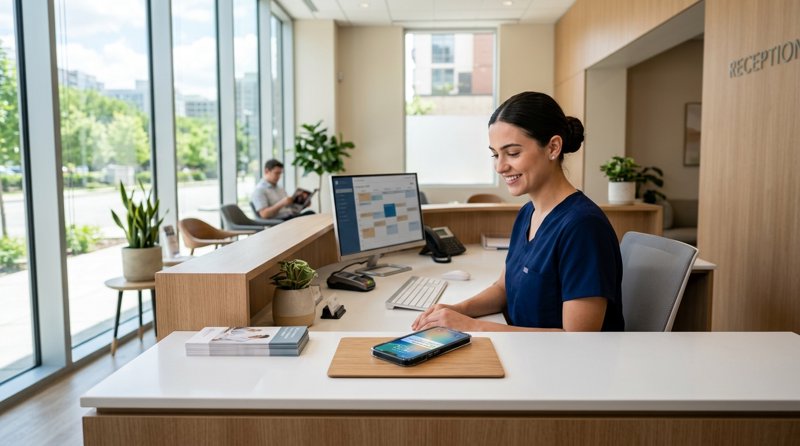
For a private GP practice, sending automated appointment confirmations and health check notifications is essential to reduce no-shows and keep patients informed. However, setting up private gp practice sms reminders without twilio has become the preferred choice for clinics tired of complex carrier registrations, hidden multi-segment billing fees, and tedious verification delays. By using an Android-based SMS gateway, medical practices can bypass traditional telecom bottlenecks and send text messages directly through their own SIM cards.
The Problem with Twilio for Independent Medical Clinics
When local clinics and private GP practices decide to automate their patient communications, they often turn to Twilio first. However, they quickly run into significant regulatory and financial hurdles. Traditional cloud communication platforms require complex A2P 10DLC (Application-to-Person 10-Digit Long Code) registration, carrier approvals, and business verification. For a local healthcare provider, this means waiting weeks for approval and paying ongoing monthly fees just to send basic operational alerts.
Furthermore, traditional gateways charge per 160-character segment. If a patient reminder contains personalized details (such as the doctor's name, clinic address, and booking time) and exceeds 160 characters, or uses non-standard characters like accented letters, it is split into multiple segments. This instantly doubles or triples the cost of a single message. When calculating the cost of sms appointment reminders for eye clinics, dental offices, or GP practices, these hidden charges quickly add up.
Regulatory Friction and Carrier Blocking
With traditional SaaS SMS APIs, your messages are sent through shared virtual numbers. Because of rising spam regulations, major carriers block unregistered traffic. For a private GP practice, a blocked reminder means a missed appointment, lost revenue, and disrupted staff schedules. Bypassing this requires extensive registration processes that independent clinics simply do not have the administrative bandwidth to manage.
Twilio vs. MySMSGate Comparison
To understand why many clinics are looking for Twilio alternatives, let us compare the setup, billing, and regulatory requirements of both platforms:
| Feature | Twilio / Traditional APIs | MySMSGate |
|---|---|---|
| Base Pricing | Varies by country + per-segment fees | $0.02 flat per message |
| Multi-segment Billing | Yes (charged per 160-character segment) | No (one flat charge regardless of length) |
| Carrier Approval (A2P) | Required (takes weeks, expensive setup) | No registration or approval needed |
| Monthly Contracts | Yes (monthly number fees and brand fees) | No monthly fees, pay-as-you-go |
| Sender Identity | Unfamiliar virtual number | Your own familiar mobile number |
| Setup Complexity | High (requires developer and compliance team) | Low (scan a QR code to connect) |
How an Android-Based SMS Gateway Solves the Problem
An Android SMS gateway like MySMSGate turns a standard Android smartphone with a local SIM card into an automated SMS-sending device. Instead of routing your messages through virtual international networks, the API sends commands to your connected Android phone, which dispatches the SMS natively via your SIM card.
Because the messages are sent from a real SIM card and a physical phone, they bypass A2P carrier blocks entirely. Your patients receive the reminder from a standard mobile number they recognize, allowing them to reply directly. These replies are automatically forwarded to your MySMSGate web dashboard, enabling two-way conversations with patients directly from your computer browser.
For clinics with multiple branches, MySMSGate supports multi-device management. You can connect unlimited Android phones to a single account. For example, if you manage three distinct clinics, you can connect three separate Android phones, allowing you to choose exactly which device and SIM slot to send messages from based on the patient's location.
Step-by-Step Setup: Private GP Practice SMS Reminders Without Twilio
Setting up your automated patient reminder system does not require deep technical expertise. You can configure the system in four simple steps:
- Create your MySMSGate account: Go to the MySMSGate registration page and sign up. You will instantly receive your unique API key and a setup QR code in your web dashboard.
- Install the Android App: Download the MySMSGate companion application onto any spare Android phone. This phone will act as your physical gateway.
- Link your device: Open the app and scan the QR code displayed on your dashboard. Your phone is now securely linked to your account. The application features an auto wake-up mechanism using push notifications, ensuring the device stays connected even when in sleep mode.
- Integrate with your booking system: Connect your patient management system to our simple REST API or use automation platforms like Zapier, Make.com, or n8n to trigger reminders automatically when an appointment is booked.
Simple REST API Integration Example
For clinics with in-house developers or custom software, triggering an appointment reminder is as simple as making a single POST request to our API endpoint. Here is a clean cURL example:
curl -X POST "https://mysmsgate.net/api/v1/send" \
  -H "Authorization: Bearer YOUR_API_KEY" \
  -H "Content-Type: application/json" \
  -d '{
    "to": "+447700900077",
    "message": "Hello, this is a reminder for your appointment at the Private GP Clinic tomorrow at 10:00 AM. Please reply to this message if you need to reschedule."
  }'
If a message fails to deliver due to network issues, MySMSGate automatically refunds your balance, ensuring you only pay for successfully dispatched text messages.
Adapting Automated Reminders to Other Service Sectors
While private GP practices benefit immensely from reliable, flat-rate SMS dispatching, the same technology is highly effective across various local service industries and community organizations. The need to keep clients informed without paying high SaaS fees or dealing with carrier verification is universal.
Consider these common use cases that benefit from an Android-based SMS gateway:
- Pet Care Services: Utilizing automated sms reminders for pet grooming ensures pet owners do not forget their appointments, maximizing the groomer's daily schedule.
- Wedding and Event Planning: Service providers can learn how to set up text reminders for wedding appointments to keep nervous couples aligned on dress fittings, venue walkthroughs, and tastings. Additionally, knowing how to automate wedding client reminders via sms saves planners hours of manual follow-up.
- Non-Profits and Charities: Relying on automated sms reminders for volunteer shifts ensures high turnout at community events. Organizers can quickly learn how to send sms reminders to volunteers via a simple web dashboard without writing any code.
Frequently Asked Questions
Find answers to common questions about setting up independent SMS reminders using your own Android devices.
Do I need to register for A2P 10DLC or obtain carrier approval?
No. Because MySMSGate routes your messages through your own Android phone and SIM card, you do not need to register for 10DLC or seek carrier approval. Your messages are sent as standard person-to-person (P2P) texts from your physical SIM card.
Can patients reply to the automated SMS reminders?
Yes. Since the messages are sent from your actual mobile number, patients can reply directly to the text. All incoming messages are automatically intercepted by our Android app and forwarded in real-time to your MySMSGate web dashboard, where you can read and reply to them from your computer.
What happens if a message fails to send?
If a message fails to send due to a temporary carrier issue or loss of internet connection on the Android device, our system automatically detects the failure and refunds the cost of that message to your account balance immediately.
Is there a limit to how many messages I can send?
MySMSGate does not impose arbitrary limits on your sending volume. However, your local mobile operator may have daily or monthly sending limits on your SIM card plan. We recommend checking your mobile carrier's terms of service to ensure compliance with their daily sending policies.


Comments (0)
Be the first to comment!