
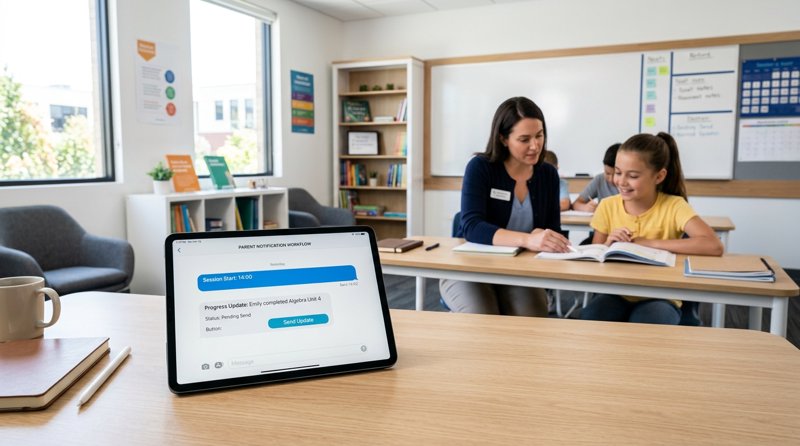
Running a successful educational program requires seamless communication between instructors and families. Sending a tutoring center parent notification sms is the most direct, reliable way to confirm lesson schedules, announce sudden closures, and alert parents of student absences—ensuring your classes run smoothly and your revenue remains protected.
The Problem with Traditional SMS Gateways for Tutoring Centers
For local tutoring centers, language schools, and music academies, keeping parents in the loop is vital. However, setting up an automated SMS system has historically been a headache. Traditional cloud communication platforms like Twilio, Plivo, and MessageBird have turned what should be a simple task into a compliance nightmare. To send automated texts in many countries, you must navigate complex A2P 10DLC registrations, submit business tax IDs, and wait weeks for carrier approvals just to send basic operational alerts.
Furthermore, the pricing structure of these legacy providers is designed to penalize small businesses. When analyzing the twilio cout sms notification pricing (often searched by business owners looking to budget their outbound alerts), you quickly realize they bill per 'segment' rather than per message. This leads to unexpected budget spikes when sending detailed updates to parents.
Understanding the Character Limit Trap
A common question among educational coordinators is: how long should a sms notifications be characters? In standard telecommunications, a single SMS segment is capped at 160 characters. If your message goes even one character over—say, 161 characters—you are billed for two full segments. But wat's a "notification character"? It refers to the standard GSM-7 encoding characters that make up your message. If you include a single emoji, a special accent, or a non-English character (common in language tutoring centers), the segment limit drops from 160 to just 70 characters. A single parent notification can easily span three or four segments, quadrupling your expected costs.
How MySMSGate Solves the Parent Notification Dilemma
Instead of renting expensive virtual numbers and paying per-segment fees to cloud carriers, MySMSGate allows you to turn any spare Android phone and SIM card into your own private SMS gateway. Because the messages are sent directly from your physical SIM card using your existing mobile plan, you do not need to register for A2P 10DLC or wait for carrier approvals. Parents receive messages from a local, recognizable phone number that they can actually call back or reply to directly.
MySMSGate charges a flat rate of just $0.02 per SMS with no monthly fees, no contracts, and no per-segment billing. Whether your tutoring center parent notification sms is 50 characters or 300 characters, you are only billed for one flat message from your MySMSGate balance. If a message fails to deliver, your balance is automatically refunded in real time.
Comparing SMS Costs Across Operational Industries
To put this in perspective, let us look at how transactional and operational SMS costs stack up across various service-based industries using traditional gateways versus MySMSGate's flat-rate Android model:
| Use Case / Industry | Typical Message Complexity | Traditional Carrier Cost (Per Segment + Fees) | MySMSGate Cost (Flat Per Message) |
|---|---|---|---|
| Tutoring Center Parent Notification SMS | High (Student names, times, custom feedback) | $0.05 - $0.08 | $0.02 |
| Courier delivery notification sms | Medium (Tracking links, address details) | $0.04 - $0.07 | $0.02 |
| Daycare pickup notification sms | Low (Quick security codes, timing alerts) | $0.03 - $0.06 | $0.02 |
| Computer repair shop status notification sms | Medium (Diagnostic reports, cost estimates) | $0.05 - $0.07 | $0.02 |
| Property management maintenance notification sms | High (Tenant instructions, scheduling) | $0.06 - $0.09 | $0.02 |
Whether you are calculating the cost of sms notifications for property managers or budgeting for daily student updates, utilizing an Android-based gateway consistently slashes operational expenses by 50% to 75% while removing all carrier registration bottlenecks.
Step-by-Step: Setting Up Your Parent Notification System
Setting up your tutoring center parent notification sms workflow takes less than five minutes. You do not need advanced technical skills to get started, though developers will find our REST API incredibly easy to integrate.
- Create your account: Go to MySMSGate and create a free account. You will instantly receive an API key and access to your web dashboard.
- Connect your Android device: Download the MySMSGate Android app onto any Android phone. Scan the QR code displayed on your web dashboard. Your phone is now securely connected to your account.
- Configure your SIM cards: If your phone supports Dual SIM, you can assign different tasks to different SIM cards. For example, use SIM 1 for primary tutoring reminders and SIM 2 for administrative alerts.
- Send messages: Use our Web Conversations interface to text parents directly from your computer, or connect your existing student management software to our API.
Automating Notifications with No-Code Tools
If you use Google Sheets, Airtable, or a custom CRM to manage your tutoring schedule, you can automate your notifications without writing code. By searching for make integromat how to push notifications on android, you will find that MySMSGate integrates seamlessly with automation platforms like Make.com (formerly Integromat), Zapier, and n8n. You can set up a simple scenario: whenever a tutor marks a student as 'Absent' in your spreadsheet, Make triggers an API request to MySMSGate, which instantly pushes the notification through your Android phone to the parent's mobile device.
Developer Integration: Sending SMS via REST API
For software developers building custom management portals for tutoring centers, schools, or local businesses, MySMSGate offers a clean, single-endpoint REST API. There is no need to learn complex SDKs. You can review our full developer resources in the API documentation or check out our Twilio alternatives comparison to see how our payload structure simplifies your codebase.
Here is a basic Python example to send a parent notification using our POST /api/v1/send endpoint:
import requests

url = "https://api.mysmsgate.net/api/v1/send"
headers = {
    "Authorization": "Bearer YOUR_API_KEY",
    "Content-Type": "application/json"
}
payload = {
    "to": "+1234567890",
    "message": "Hi Mrs. Davis, this is a reminder that Liam has a math tutoring session today at 4:00 PM. Please reply to confirm.",
    "sim_slot": 1
}

response = requests.post(url, json=payload, headers=headers)
print(response.json())
With real-time webhooks, your application will receive instant delivery status updates. If a parent's number is disconnected or out of service, MySMSGate automatically detects the failure and refunds the $0.02 transaction fee back to your account balance.
Frequently Asked Questions
Find answers to common questions about setting up parent notifications and managing SMS gateway costs below.
How long should a tutoring center parent notification sms be?
To keep parents engaged, keep your notifications under 160 characters if possible. However, unlike traditional APIs that bill you extra for exceeding this limit, MySMSGate charges a flat $0.02 per message regardless of character length, meaning you can send detailed progress updates without worrying about extra segment costs.
Do I need A2P 10DLC registration to send parent notifications?
No. Because MySMSGate routes messages directly through your physical Android phone and SIM card, you do not need carrier approval, brand registration, or a dedicated short code. You can start sending messages immediately after connecting your phone.
Can I connect multiple Android phones to one account?
Yes. If your tutoring center has multiple branches, you can connect an unlimited number of Android phones to a single MySMSGate account. You can manage all incoming and outgoing conversations across all branches from a single unified web dashboard.
How does MySMSGate handle failed messages?
If a parent's phone is switched off or the number is invalid, our app detects the carrier failure and updates your dashboard. MySMSGate automatically refunds the message cost to your account balance, ensuring you only pay for successfully processed SMS transmissions.


Comments (0)
Be the first to comment!