
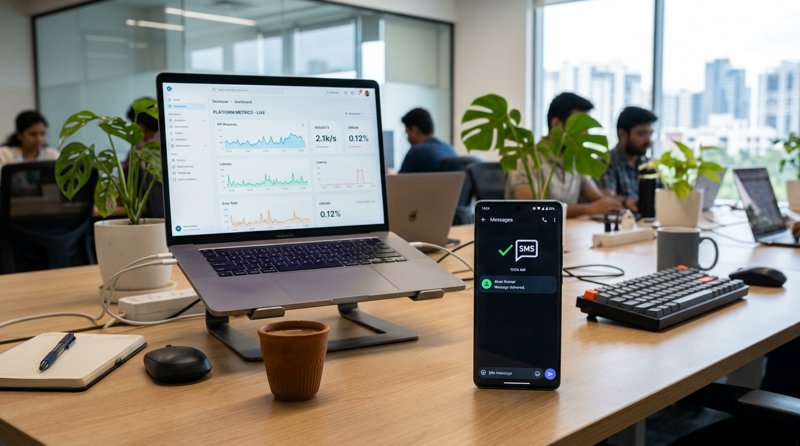
Imagine a Tuesday morning at a busy dental clinic. The receptionist has a list of forty patients to call for appointment confirmations. At the same time, three patients have failed to show up for their early slots, leaving expensive chairs empty and practitioners sitting idle. Or consider a local auto repair shop where completed vehicles sit in the yard for days because the mechanics are too busy turning wrenches to dial every customer individually. These are everyday operational bottlenecks that directly impact a company's bottom line. When small businesses look for a modern solution, searching for a reliable sms bulk provider often leads them to complex enterprise platforms designed for massive marketing campaigns rather than local, transactional needs.
The challenge is that a typical sms bulk provider operates on a model built for multinational corporations. They require tedious registration processes, charge for every individual segment of text, and route your messages through generic, virtual numbers that your customers do not recognize. For a local clinic, repair shop, or school, this traditional approach introduces unnecessary friction, high costs, and a loss of personal connection with the recipient.
Evaluating Your Options Beyond a Standard SMS Bulk Provider
Traditional bulk messaging services rely on global networks of aggregators. When you call their API, the message is passed from your software to their gateway, then to a regional aggregator, and finally to the recipient's mobile carrier. Every handoff in this chain introduces potential delays and, more importantly, additional fees that are passed down to you.
One of the most frustrating aspects of this model is the segment trap. A standard text message is limited to 160 characters using the standard GSM-7 character set. However, if you include a single non-standard character, such as a Turkish special letter, a Spanish tilde, or a simple emoji, the entire message is forced into Unicode encoding. This slashes the character limit per segment down to 70 characters. If your appointment reminder is 150 characters long and contains one accented letter, a metered provider will split that single text into three separate segments and bill you for three messages. For businesses sending thousands of notifications, these hidden costs compound rapidly. You can explore how these segments impact your operations in our guide on the long SMS API. Furthermore, because these providers route traffic through their own virtual numbers, your customers receive texts from random, unrecognizable numbers, reducing trust and response rates.
Navigating the Carrier Registration Bureaucracy
In recent years, mobile carriers have clamped down heavily on automated messaging to combat spam. This has resulted in a complex web of compliance requirements, such as A2P 10DLC (Application-to-Person 10-Digit Long Code) registration in North America, and strict Sender ID registration rules in other parts of the world. For a local business owner, navigating this bureaucracy is a major hurdle. You are asked to register your brand, submit tax documentation, provide detailed descriptions of your messaging campaigns, and wait weeks for carrier approval. During this vetting period, your automated systems are completely blocked.
The SMS glossary is filled with confusing terms like 10DLC, brand registration, and campaign vetting fees. For massive enterprises sending millions of marketing blasts, these hurdles are just a cost of doing business. But for a local business sending operational alerts to existing clients who have already consented, this administrative wall is an unnecessary barrier. If you want to see how these requirements compare between different approaches, check out our analysis of SMS provider differences.
A Smarter Alternative: Leveraging Your Own Android Gateway
Fortunately, there is a modern alternative that bypasses the traditional aggregator network entirely. Instead of routing your business alerts through expensive global networks, you can turn an Android phone you already own into a dedicated gateway. With MySMSGate, the setup is straightforward. You simply install our lightweight Android application on any compatible phone, log into your web dashboard, and scan a QR code to pair the device with your account. Once paired, your system can call our REST API, and the messages leave directly from your own phone's SIM card, using your own mobile plan and your own existing phone number.
This architecture changes everything for local service businesses. Because the messages leave directly from your physical SIM card, they are treated as standard mobile origin traffic, removing the need for complex A2P 10DLC registration or waiting weeks for bureaucratic clearance. Your customers receive messages from the exact phone number they already know and trust. They can call you back or reply directly, and the message will land right on your phone or your dashboard. Additionally, if you run multiple branches or want to separate operational alerts, you can utilize both slots of a dual-SIM Android phone, managing multiple numbers from a single physical device. To see how this approach stacks up against traditional infrastructure, you can read our MySMSGate vs Twilio comparison.
Comparing the Architecture: API vs. Traditional Gateways
Let's break down the core differences between a traditional bulk messaging service and an Android-based SIM gateway to help you decide which model fits your business operations best.
| Feature | Traditional Metered Provider | Android SIM Gateway (MySMSGate) |
|---|---|---|
| Billing Structure | Metered per segment; rates vary by destination country. | Send volume is not metered by segment. You use your own local carrier plan. Learn more on our pricing page. |
| Setup & Compliance | Requires brand vetting, campaign registration, and registration fees. | Immediate setup via QR code pairing. No carrier registration required. |
| Sender Identity | Rented virtual numbers, shortcodes, or unfamiliar random numbers. | Your own SIM card and phone number that your clients already recognize. |
| Inbound Handling | Requires renting an expensive dedicated code to receive replies. | Inbound SMS are automatically forwarded to your web dashboard or webhook. |
| International Rates | Prices spike dramatically when sending messages across borders. | Pricing remains completely independent of the destination country. See details at our cheapest SMS API guide. |
Technical Integration: How the REST API Works
For developers and system administrators, integrating an Android-based gateway is just as simple as working with any cloud-based API. MySMSGate provides a clean, standard REST API with a single endpoint to send messages. Authentication is handled securely via Bearer tokens. If you are migrating an existing application from a legacy provider, we also offer a Twilio-compatible endpoint. This means you do not have to rewrite your existing codebase; you simply change the base URL in your configuration to point to our servers, and your messages will route through your Android device automatically.
Here is a basic example of how simple it is to send a message using a standard POST request to our REST API reference:
POST /api/v1/send
Authorization: Bearer YOUR_API_TOKEN
Content-Type: application/json

{
  "to": "+1234567890",
  "message": "Your appointment at the clinic is confirmed for Tuesday at 10:00 AM."
}
In addition to sending messages, the gateway supports outbound webhooks. You can configure webhooks for two essential events: when an inbound message is received on your phone, and when an outbound message reaches its final state (such as being successfully handed over to your local mobile carrier). This allows you to build interactive, two-way conversational workflows. If your clients reply to an appointment reminder, their response is immediately forwarded to your backend system or to a web dashboard where your staff can reply in a chat-style view. You can find ready-to-use client libraries for Python, JavaScript, PHP, Go, Ruby, as well as integrations for low-code platforms like Zapier and Make, at our integrations directory.
Step-by-Step: Setting Up Your Local SMS Dispatch
If you are ready to move away from the high costs and complexity of traditional providers, setting up your own gateway takes less than ten minutes. Follow these actionable steps to get started:
- Prepare Your Hardware: Find a spare Android phone running a modern version of the OS. Ensure it has an active SIM card with an appropriate texting plan from your local carrier.
- Create Your Account: Sign up for an account on our dashboard at MySMSGate registration.
- Install the App: Download and install the MySMSGate Android application on your device.
- Pair the Device: Open the app and scan the QR code displayed on your web dashboard. The phone is now securely linked to your account.
- Test Your First Send: Use our interactive API explorer or a simple curl command to send a test message to your personal phone.
- Configure Webhooks: If you want to handle incoming replies, set up your webhook URL in the dashboard to receive incoming messages in real-time.
Choose the Right Path for Your Business Communication
When choosing a communication channel, you must weigh administrative overhead against operational control. Traditional bulk services have their place for massive, millions-strong marketing campaigns where sender identity is secondary. But for local service providers, veterinary clinics, schools, and repair shops, the ability to send messages from your own number without navigating complex registration portals is a massive advantage. By utilizing the hardware you already own, you gain full control over your customer communications, eliminate the risk of unexpected segment-billing spikes, and maintain the personal trust that keeps your business running smoothly.


Comments (0)
Be the first to comment!