
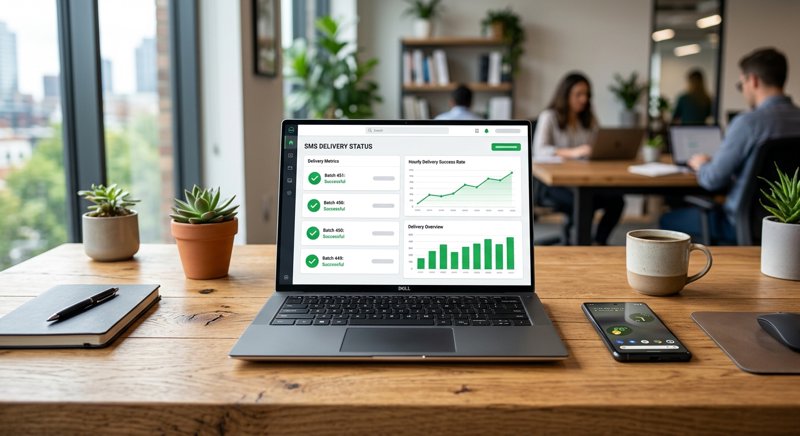
When you send a critical message like an appointment reminder, a booking confirmation, or a pickup alert, you cannot afford to send it blindly. Implementing reliable sms receipt tracking is the only way to guarantee your customers actually receive your messages and to keep your business running smoothly. With MySMSGate, you can easily monitor these statuses in real-time using your own Android devices, completely avoiding the expensive setup costs and regulatory hurdles of traditional APIs.
What is SMS Receipt Tracking and Why Does It Matter?
For local service businesses like dental clinics, auto repair shops, tutoring centers, and salons, SMS is the ultimate tool for reducing no-shows and keeping customers informed. But simply sending an SMS is only half the battle. If a customer has their phone turned off, is out of cellular range, or has provided an invalid number, your message will fail to deliver. Without sms receipt tracking, you are left in the dark, wondering why a client missed their appointment or why a package remains uncollected.
Sometimes searched online as sms reciece receipts tracking, this process refers to the system-level confirmation sent back by the recipient's mobile network once a text message is successfully delivered to their handset. In the telecom industry, this confirmation is called a Delivery Receipt (DLR). By actively tracking sms delivery statuses, your business gains the visibility needed to take immediate action—such as calling the client directly if an urgent reminder fails to deliver.
For many businesses, utilizing an sms gateway with real time delivery tracking is the difference between an efficient operation and wasted administrative hours. Let us look at how this tracking functions and how you can implement it without breaking the bank.
The Business Value of Knowing a Message Was Delivered
When you know the exact status of your outbound messages, you can optimize your workflows. For instance, if a hair salon sends an appointment reminder 24 hours in advance and the delivery status shows "Delivered," the staff can confidently assume the client is aware. If the status remains "Pending" or shifts to "Failed," an automated system or receptionist can flag that contact, saving the business from a costly empty slot.
Common Reasons for SMS Delivery Failures
SMS delivery can fail for several reasons beyond your control. The recipient's phone might be powered off, in airplane mode, or experiencing temporary network congestion. In other cases, the number could be a landline, or the subscriber's prepaid account might have expired. Tracking these statuses allows you to clean your database and avoid wasting money sending messages to dead numbers.
How SMS Receipt Tracking Works Under the Hood
To appreciate how delivery tracking works, it helps to understand the path an SMS takes. When you trigger a message from your software or web dashboard, it does not go directly to the recipient's phone. Instead, it travels through a series of hops:
- The API Request: Your application sends a payload to your SMS gateway provider.
- The Gateway to Carrier: The gateway routes the message to the mobile network operator (MSO).
- The Carrier to Handset: The carrier locates the recipient's phone on the network and delivers the message.
- The Handshake (DLR): Once the handset receives the message, it sends a confirmation back to the carrier, which passes it back to the gateway.
- The Webhook: The gateway alerts your system of the status change (e.g., "Delivered" or "Failed").
For developers, capturing these real-time status changes is typically done via webhooks. Instead of constantly polling an API to check if a message went through, the SMS gateway sends an HTTP POST request to your server the moment the carrier updates the status.
A Simple Developer Integration Example
If you are integrating SMS tracking into your backend, you can set up a simple webhook endpoint. Below is a basic Python code snippet using Flask to demonstrate how your system can listen for incoming delivery updates from MySMSGate:
from flask import Flask, request, jsonify

app = Flask(__name__)

@app.route('/webhooks/sms-status', methods=['POST'])
def handle_sms_status():
    data = request.json
    message_id = data.get('message_id')
    status = data.get('status')  # e.g., 'sent', 'delivered', 'failed'
    recipient = data.get('to')

    print(f"Message {message_id} to {recipient} updated to: {status}")

    if status == 'failed':
        # Trigger backup logic, like sending an email or queuing a staff alert
        pass

    return jsonify({"status": "received"}), 200

if __name__ == '__main__':
    app.run(port=5000)
This simple integration ensures your backend database is always in sync with the real-world delivery status of your operational alerts.
Does SMS Delivery Receipt Tracking Cost Money?
A common question among small business owners is: does sms delivery receipt tracking cost money? The short answer is: it depends on your provider. Traditional cloud communication platforms like Twilio, Plivo, or MessageBird often bundle the cost of sms delivery tracking services into their base message rates, which can be surprisingly high. Furthermore, they charge you per 160-character segment, meaning a single long notification can cost double or triple their advertised rate.
With MySMSGate, we take a completely different approach. Because our system routes messages directly through your own Android phone and SIM card, the delivery receipts are retrieved directly from your local mobile carrier. We charge a flat, transparent rate of $0.02 per SMS, and we do not charge extra for webhooks or real-time status tracking. Even better, if a message fails to deliver, our platform automatically refunds the cost of that SMS back to your balance.
Let us compare the costs and requirements of tracking delivery statuses across different platforms:
| Feature / Cost Component | Traditional APIs (Twilio/Plivo) | MySMSGate Android Gateway |
|---|---|---|
| Base Cost per SMS | $0.05 - $0.08+ (varies by region) | $0.02 flat rate (packages from $5.00) |
| Multi-segment Billing | Charged per 160-character block | One flat charge per message (any length) |
| A2P 10DLC Registration | Required (costs $15+ upfront + monthly fees) | None required (send from your own SIM) |
| Carrier Approval Delays | Weeks of waiting for approval | Instant setup via QR code |
| Failed Message Refunds | No (you pay for failed attempts) | Yes, auto-refunded on failure |
| Real-Time DLR Webhooks | Included (but tied to high base rates) | Included for free |
As the table highlights, traditional APIs introduce significant hidden overhead, especially for businesses outside the United States. If you are looking for a Twilio alternative that keeps costs predictable, leveraging your own Android device is an incredibly practical path.
Best Practices for SMS Delivery Receipt Tracking
To get the most out of your delivery monitoring, you should follow established sms receipt tracking best practices. These guidelines ensure your system remains efficient, your customer data stays clean, and your operational costs are kept to a minimum.
- Use Webhooks Over Polling: Constant polling (repeatedly asking the API "is it delivered yet?") wastes server bandwidth and introduces unnecessary latency. Always configure webhooks to receive push notifications of status updates.
- Implement Auto-Refunds for Failed Messages: If a carrier confirms a message failed because the number is invalid, you should not have to pay for it. Ensure your SMS gateway provider supports auto-refunds. (MySMSGate handles this automatically, returning the $0.02 credit to your account balance instantly).
- Cleanse Your Contact List Regularly: If your delivery reports consistently show "failed" for a specific phone number over several attempts, flag that contact in your CRM. Stop sending automated texts to that number to prevent wasted spend and keep your delivery rates pristine.
- Establish a Fallback Protocol: For time-sensitive notifications, define what happens when a message fails. For example, if an appointment reminder fails to deliver, your software should automatically escalate the issue, queuing a task for a staff member to make a quick phone call.
Enhancing Deliverability with Dual SIM and Multi-Device Support
One of the best practices for sms delivery receipt tracking when using an Android-based gateway is taking advantage of Dual SIM hardware. By utilizing two SIM cards from different local carriers on a single phone, you can choose the optimal network for each recipient. This reduces routing hops, lowers latency, and significantly increases your successful delivery rate.
Real-World Use Cases: From School Buses to Local Clinics
SMS tracking is not just a technical metric; it is an essential operational tool across many industries. Let us look at how different businesses and institutions utilize delivery tracking to solve real challenges.
School Bus Tracking SMS API Integration
For educational institutions and private transport companies, a school bus tracking sms api integration is invaluable. Parents want to know exactly when the bus is approaching their neighborhood. By integrating real-time SMS alerts with GPS tracking systems, the school can send automated texts like "Bus is 5 minutes away." Tracking these delivery receipts ensures that if a parent's phone is unreachable, the system can instantly retry via an alternative SIM card or log the failure for administrative review, ensuring child safety and parent peace of mind.
Local Clinics and Dental Practices
A dental or physical therapy clinic relies heavily on steady appointments. When they send out booking confirmations and reminders, they need to know these messages arrived. By tracking delivery statuses, the clinic's front-desk staff can see which patients have received their texts and which have not. This allows them to proactively call the small percentage of patients with failed deliveries, keeping the schedule full and reducing costly no-shows without wasting hours on the phone. For a simple setup, check out our guide on appointment reminder SMS without Twilio.
Service Providers in India and Southeast Asia
For businesses looking for sim tracking api providers in india or Southeast Asia, local regulatory environments can make traditional international SMS gateways incredibly difficult and expensive to navigate. By using a local Android device with a local SIM card via MySMSGate, businesses can send messages at local carrier rates while maintaining complete, real-time tracking of delivery statuses. This bypasses complex registration procedures while keeping deliverability high because the messages come from a local, recognizable mobile number.
How to Set Up SMS Tracking with MySMSGate
Setting up your own Android-powered SMS gateway with real-time tracking is simple and takes less than five minutes. You do not need to deal with carrier approval, 10DLC registration, or complex contracts. Here is how to get started:
- Create an Account: Register at MySMSGate to get your API key and access your personal web dashboard.
- Install the Android App: Download our lightweight SMS gateway app onto any spare Android phone.
- Scan the QR Code: Open the app and scan the QR code displayed on your web dashboard. Your phone is now securely connected to your account.
- Send and Track: Start sending messages via our simple REST API or directly from the Web Conversations dashboard. You will see the delivery status of every single message update in real-time.
Whether you are an indie developer building a custom app or a local business owner looking for a simple web interface to chat with your customers from your computer, MySMSGate provides the visibility, cost savings, and reliability you need.
Frequently Asked Questions
Here are answers to the most common questions regarding SMS receipt tracking and delivery statuses.
Does SMS delivery receipt tracking cost money?
With traditional gateways like Twilio, tracking is built into their high per-message rates, and they often charge you for failed messages. With MySMSGate, real-time tracking is completely free. We charge a flat $0.02 per SMS, and if a message fails to deliver, the cost is automatically refunded to your balance.
How do I track SMS delivery statuses via API?
When you send an SMS using the MySMSGate API, you can define a webhook URL. Our system will send an HTTP POST request to your server with real-time status updates (such as 'sent', 'delivered', or 'failed') as soon as they are reported by the carrier. For a detailed walkthrough, read our guide on how to send SMS from an Android phone via API.
Why do some SMS delivery receipts show as failed?
An SMS can show as failed if the recipient's phone number is invalid, if it is a landline that cannot receive text messages, or if the recipient's phone has been powered off or out of network coverage for an extended period (usually over 48 to 72 hours, depending on the carrier's retry policy).
Can I track delivery receipts for dual SIM phones?
Yes. MySMSGate fully supports Dual SIM Android devices. You can choose which SIM card slot to send your messages from, and our gateway will track and report the delivery receipts for both SIMs in real-time on your dashboard.


Comments (0)
Be the first to comment!