
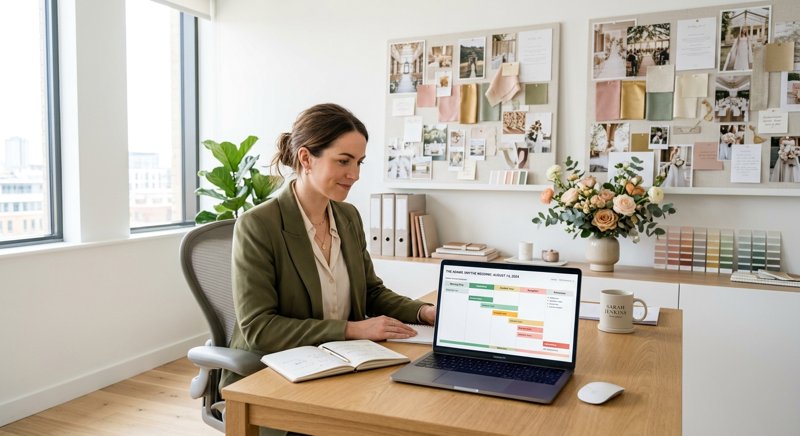
Coordinating a wedding is an exercise in managing high emotions, tight timelines, and hundreds of moving parts. For wedding planners, venue managers, and bridal coordinators, a single missed detail can cascade into a major issue on the big day. When a caterer is delayed by traffic, or a bridesmaid forgets her arrival time, relying on email is a recipe for disaster. Email open rates are notoriously low, and messages frequently end up in spam filters during the critical weeks leading up to the ceremony.
This is where reliable wedding client communication sms strategies become essential. Text messaging cuts through the noise of crowded inboxes, delivering urgent updates directly to a device the recipient is already holding. Whether you need to nudge a couple about an overdue deposit or send a last-minute weather plan to forty vendors simultaneously, SMS provides an immediate, personal channel that matches the fast-paced nature of event coordination.
Touchpoints that Need Instant Reach
A successful wedding coordination workflow relies on clear communication from the initial inquiry to the post-event thank you. Implementing structured text messaging across key milestones ensures that nothing slips through the cracks. Let us examine the critical phases where SMS outshines other channels.
Booking Confirmations and Milestones
The moment a couple signs their contract, the journey begins. Sending an automated text confirmation establishes a professional, reliable tone. Instead of letting contracts gather dust in an email thread, a quick text can confirm receipt and outline the next immediate steps. You can also use automated messages to mark major planning milestones, such as reminding the couple to schedule their first tasting or dress fitting.
RSVP Management and Deadline Reminders
Any wedding planner knows the headache of chasing down late RSVPs. Weeks are wasted waiting for paper cards or email replies. A direct text message containing a link to the digital RSVP page yields near-instantaneous responses. A simple reminder sent three days before the deadline can resolve dozens of outstanding headcounts in a single afternoon.
The Week-Of and Day-Of Coordination
The final week is when communication volume peaks. Vendors need load-in schedules, hair and makeup artists need exact chair times, and the wedding party needs rehearsal coordinates. During these high-pressure days, sending group updates via SMS keeps everyone aligned. On the wedding day itself, you can send automated alerts to vendors when the ceremony timeline shifts by even ten minutes, preventing costly delays.
Navigating Technical Hurdles: Long Messages and Character Limits
While the business benefits of SMS are clear, the underlying technology has quirks that can catch coordinators off guard. Traditional telecom networks process messages in blocks of 160 characters, known as segments. If your message exceeds this limit, it is split into multiple segments and reconstructed on the recipient's phone.
For wedding planners, this limit is easily breached. A message detailing a rehearsal dinner address, parking instructions, and a contact number will quickly exceed 160 characters. Furthermore, if you use special characters or non-standard accents (such as a curly quote or a specific regional character), the character encoding shifts from GSM to Unicode. Under Unicode, the limit per segment drops dramatically to just 70 characters. With a traditional metered SMS provider, a single message that runs over these limits can silently cost you three or four times your expected budget. To understand how to manage this risk, it is helpful to look at how a long message is billed as one rather than per segment, which can keep your operational costs predictable.
Bypassing the Bureaucracy of Traditional Gateways
Many independent planners and boutique venues who try to set up automated SMS systems find themselves blocked before they even send their first text. Traditional A2P (Application-to-Person) gateways require extensive registration processes. In many regions, you must register your business entity, pay monthly fees for a virtual number, and submit every text template for carrier approval before it can be sent. This system, designed for massive enterprise marketing campaigns, is a poor fit for a local wedding planner sending personalized, operational messages.
Furthermore, these virtual numbers are unfamiliar to your clients. When a couple receives a text from a random shortcode or an unknown area code, they may ignore it or mark it as spam. The ideal solution is to send messages from the phone number your clients already know and have saved in their contacts. By using an Android-based gateway, you can bypass the complex carrier registration processes altogether. To see how this approach compares to enterprise setups, read about how MySMSGate compares with the big SMS providers in terms of setup speed and simplicity.
When you use an app that turns your own Android phone into a gateway, your messages travel over your own SIM card and your own cellular plan. There are no virtual numbers to rent, no brand registrations to file, and no carrier approvals to wait for. You retain absolute control over your sender identity.
Implementing Your Wedding Client Communication SMS Strategies
To help you implement these wedding client communication sms strategies effectively, we have outlined a standard communication timeline. This structure balances helpfulness with respect for the couple's personal space, avoiding message fatigue.
| Phase | Recipient | Purpose of Message | Timing |
|---|---|---|---|
| Contract Signed | Couple | Welcome message and link to planning portal | Immediate |
| Planning Milestone | Couple | Reminder to book florist and caterer tasting | 6 Months Prior |
| RSVP Chase | Guests | Friendly nudge to submit RSVP online | 1 Week Before Due Date |
| Rehearsal Details | Wedding Party | Location, time, and dress code for rehearsal | 3 Days Before |
| Vendor Coordination | All Vendors | Load-in times and parking instructions | 2 Days Before |
| Day-Of Alert | Groom/Bride Party | Hair & makeup start notification | Morning of Wedding |
A Practical Setup for Planners: No-Code and Low-Code Integrations
You do not need to be a software developer to build a robust SMS notification system. Many wedding planners manage their clients using spreadsheets (like Google Sheets) or CRM platforms designed for creative professionals. By using integration platforms like Make or Zapier, you can easily connect your existing tools to an SMS API.
For instance, you can set up a simple workflow: when a row in your Google Sheet is updated to show that a couple's RSVP is overdue, a webhook triggers an SMS through your gateway. For those who want to write custom scripts or build bespoke portals, a simple REST API is available. You can authenticate with a secure Bearer token and send messages programmatically using a single endpoint. To explore the technical setup, check out our REST API reference, which details the simple POST request needed to dispatch messages.
Additionally, if your agency already uses software that has an integration built for Twilio, you do not have to rewrite your entire codebase. You can simply swap the base URL to point to a Twilio-compatible endpoint and leverage your existing configuration. Learn more about this by reviewing our direct comparison with Twilio.
How to Get Started with Your Mobile Gateway
If you are ready to put these strategies into action without dealing with the high fees and strict regulations of traditional gateways, setting up an Android-based system with MySMSGate is the most straightforward path. Here is how you can get started today:
- Install the App: Download the MySMSGate Android application onto a phone you already own. This can be a dedicated spare phone or your primary business device.
- Pair Your Device: Log into your dashboard on a computer and scan the provided QR code with your phone's camera. This securely links your device to your account.
- Configure Your Integrations: Connect your CRM, spreadsheet, or custom application using our integration guides for Python, JS, PHP, Go, Ruby, Zapier, and Make.
- Send Your First Message: Test the system by sending a message to your own number. You will see it leave your phone just like a manual text, using your existing mobile carrier plan.
By shifting your communication to a direct, mobile-first strategy, you can drastically reduce the time spent chasing clients and vendors. Your couples will appreciate the timely, reliable updates, and your events will run smoother than ever. To create your account and start sending today, visit the MySMSGate registration page.


Comments (0)
Be the first to comment!