
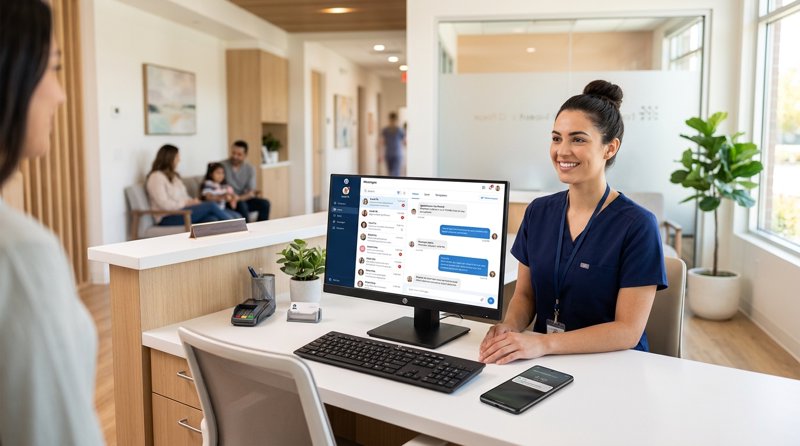
For small medical, dental, and physical therapy clinics, missed appointments are a direct drain on revenue and staff productivity. Implementing a reliable medical clinic patient appointment reminder sms system is the most effective way to eliminate no-shows, but traditional SMS gateways make setup unnecessarily complex and expensive. This guide shows you how to bypass regulatory hurdles and high costs by running your patient reminders through your own Android device.
The Hidden Cost of No-Shows and the Regulatory Nightmare of Traditional SMS Gateways
Every empty slot in a medical clinic's daily schedule represents lost revenue, disrupted clinical workflows, and delayed patient care. While phone calls are time-consuming for administrative staff and emails are frequently ignored, SMS has an open rate of over 98%. However, small and mid-sized clinics outside the United States face significant hurdles when trying to deploy automated text reminders using traditional cloud communication platforms.
If you have ever tried setting up an account with platforms like Twilio, Vonage, or MessageBird, you have likely run into the complex barrier of A2P SMS regulations. Even for clinics operating entirely outside the US sending relationship-based messages to their own opt-in patient lists, these platforms demand rigorous business verification, brand registration, and carrier approvals. This process can take weeks, requires extensive paperwork, and often ends in rejection for small, independent practices.
The True Financial Impact of Missed Appointments
A single missed appointment per day can cost a specialized clinic thousands of dollars in lost billing every month. When patients forget their bookings, staff members sit idle, and other patients who need urgent care are locked out of the schedule. Automated text reminders solve this by prompting patients to confirm, reschedule, or cancel in advance, allowing the clinic to backfill open slots quickly.
Why Traditional SMS APIs Fail Independent Clinics
Traditional API providers treat every small local clinic like a high-volume enterprise spammer. They force you to go through tedious registration processes, purchase dedicated virtual numbers, and submit template designs for carrier pre-approval. Furthermore, their pricing models are built for massive scale, leaving small businesses with high fixed overhead costs and complex billing structures that do not align with their actual usage patterns.
A Simpler Alternative: Android-Powered SMS Gateways
Instead of renting virtual numbers from international telecom conglomerates and begging carriers for approval, modern clinics are turning to an android sms messaging and communication platform like MySMSGate. By turning a dedicated Android smartphone in your clinic into an active SMS gateway, you can send automated reminders directly through your own local SIM card and mobile plan.
This approach bypasses the entire carrier registration ecosystem because you are sending messages from a physical SIM card that your patients already recognize as your clinic's local number. There is no need for complex configurations, and you can start sending messages within minutes of setting up your account.
How It Works: Connecting Your Clinic's Phone to Your Software
The architecture is straightforward: you connect your Android phone to the MySMSGate dashboard by scanning a secure QR code. Once connected, your clinic's existing booking software, electronic health record (EHR) system, or custom backend script can trigger messages via a simple REST API. The MySMSGate server routes the API request to your connected Android phone, which instantly transmits the text message through its local SIM card.
Why Sending From Your Own SIM Card Changes Everything
When patients receive a text from a random short code or an unfamiliar virtual number, they often ignore it or mistake it for spam. Sending a appointment reminder SMS without Twilio means the message comes from your clinic's actual mobile number. Patients can save this number in their contacts, call it back directly, or reply naturally to confirm their attendance. All incoming replies are automatically forwarded back to your web dashboard in real time.
Cost Analysis: MySMSGate vs. Twilio for Medical Clinics
When evaluating a low cost sms api, you must look beyond the advertised per-message rate and calculate the total cost of ownership. Traditional providers charge monthly fees for virtual numbers, apply hidden markups, and bill you based on a complex concept called "segment billing."
In standard telecom routing, a single SMS is limited to 160 characters. If your reminder message is 161 characters long (perhaps because you included the clinic's address, doctor's name, and cancellation policy), Twilio will split the message into two segments and bill you twice. MySMSGate charges a single, flat rate of $0.02 per message regardless of its length, meaning you never have to carefully count characters or worry about surprise bills.
Below is a direct comparison of the setup and ongoing costs for a typical medical clinic sending 500 patient reminders per month:
| Feature / Cost Component | Traditional API (e.g., Twilio) | MySMSGate Android Gateway |
|---|---|---|
| Setup Time | Days to Weeks (due to brand registration) | Under 5 Minutes (instant QR pairing) |
| Monthly Phone Number Rent | $1.15 - $2.00+ per month | $0.00 (uses your existing SIM card) |
| A2P 10DLC Registration Fees | Up to $15.00+ setup + monthly brand fees | $0.00 (no registration required) |
| Cost Per 160-Character SMS | ~$0.0079 - $0.05+ (highly variable by country) | $0.02 flat rate |
| Cost Per 200-Character SMS | Double (billed as 2 segments) | $0.02 flat rate (1 segment charge) |
| Minimum Monthly Commitment | Varies, but requires active number maintenance | None ($5.00 minimum top-up, credits never expire) |
| Failed Message Refunds | No (you pay for failed deliveries) | Yes (automatic balance refund on failure) |
For independent clinics outside the US looking for the cheapest sms api alternatives to twilio 2026, the choice is clear. MySMSGate provides predictable, flat-rate pricing with zero hidden fees and no monthly contracts.
Step-by-Step Guide to Implementing Patient Appointment Reminders
Setting up your automated system is simple, whether you are a clinic manager using a no-code integration platform like Zapier or Make.com, or a developer building a custom integration for your clinic's EHR system.
- Create your account: Go to MySMSGate Registration and sign up for a free account.
- Install the Android app: Download the MySMSGate APK onto any spare Android phone with an active SIM card.
- Pair your device: Open the app on your phone and scan the QR code displayed on your web dashboard. Your phone is now securely connected to your account.
- Fund your balance: Purchase a starting package (e.g., 250 SMS for $5.00 or 500 SMS for $10.00). There are no monthly subscriptions; your balance only decreases when messages are successfully sent.
Python Code Example for Triggering Reminder SMS
If you are integrating reminders directly into your custom clinic management software, you can trigger a message with a single API call. Here is a simple Python example using the MySMSGate REST API:
import requests

# Define the API endpoint and your authorization token
url = "https://mysmsgate.net/api/v1/send"
headers = {
    "Authorization": "Bearer YOUR_API_KEY_HERE",
    "Content-Type": "application/json"
}

# Configure the reminder payload
payload = {
    "to": "+447700900077",
    "message": "Hi Sarah, this is a reminder for your dental cleaning at Smile Clinic tomorrow, June 12th, at 10:30 AM. Reply YES to confirm or CALL to reschedule.",
    "device_id": "your_device_id_here",
    "sim_slot": 1
}

# Send the request
response = requests.post(url, json=payload, headers=headers)

if response.status_code == 200:
    print("Reminder sent successfully!")
else:
    print(f"Failed to send. Error: {response.text}")
Managing Two-Way Patient Conversations Without Coding
Not all clinic interactions can be fully automated. When a patient replies to a reminder with a question like "Can I bring my child with me?" or "Where should I park?", your administrative staff needs an easy way to read and reply. MySMSGate's Web Conversations feature provides a web-based, chat-like interface directly in your browser. Your team can manage multiple conversations, view incoming texts, and reply manually from a computer while the system continues to send automated reminders in the background.
Best Practices for Medical Clinic SMS Communications
To maximize the effectiveness of your medical clinic patient appointment reminder sms strategy, follow these industry best practices to ensure high deliverability, patient compliance, and a professional experience.
- Keep it clear and actionable: State the patient's name, the date, the time, and the doctor's name clearly. Always include a direct instruction on how to confirm or change the appointment (e.g., "Reply YES to confirm").
- Time your messages strategically: Send the first reminder exactly 24 or 48 hours before the scheduled appointment. Sending messages too early allows patients to forget again, while sending them too late does not give you enough time to fill the slot if they cancel.
- Utilize dual SIM capabilities: If your clinic has different departments (e.g., general medicine and dental), you can use a dual SIM Android phone to route messages from separate numbers depending on the department, all managed from a single dashboard.
- Respect patient privacy: Avoid including sensitive medical details or diagnostic terms in the text message. Keep the content focused strictly on the administrative details of the appointment.
Frequently Asked Questions
Find answers to common questions about setting up and running an Android-based SMS gateway for your clinical practice.
Do I need to register for A2P 10DLC to send clinic reminders with MySMSGate?
No. Because MySMSGate routes messages through your physical Android phone and its active SIM card, you are sending messages over standard peer-to-peer (P2P) mobile networks. You do not need to register a brand, go through 10DLC verification, or wait for carrier approvals. You can start sending reminders immediately.
How does MySMSGate handle messages longer than 160 characters?
Unlike traditional APIs that charge you per 160-character segment, MySMSGate charges a single flat rate of $0.02 per message, regardless of length. If your reminder message requires detailed instructions or clinic addresses that exceed the standard limit, you will still only be charged for one message.
Can patients reply to the appointment reminder SMS?
Yes. Because the messages are sent from your actual SIM card number, patients can reply directly to the text. All incoming messages are captured by the Android app and instantly forwarded to your MySMSGate web dashboard, where your staff can view and respond to them in a chat-like interface.
What happens if an SMS fails to deliver?
If a message fails to send (for example, if the recipient's number is invalid), MySMSGate automatically refunds the $0.02 cost of that message back to your account balance. You only pay for messages that are successfully processed by your device.


Comments (0)
Be the first to comment!