
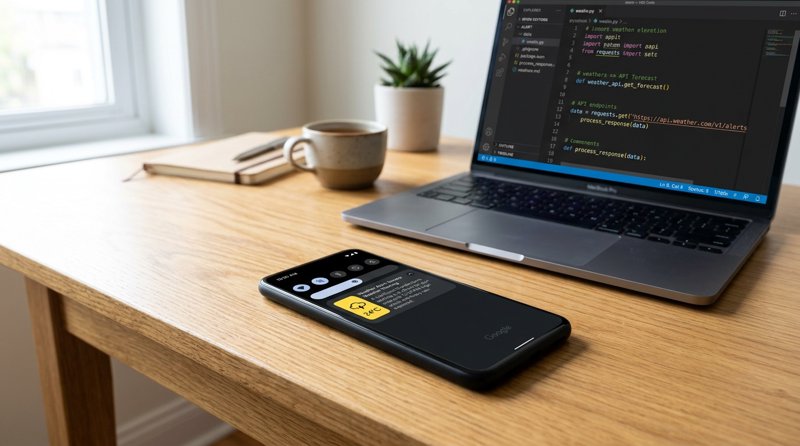
For field-service trades, property managers, and local businesses, sudden extreme weather events mean immediate operational disruptions. This comprehensive webhook weather api to sms gateway tutorial trigger sms alert threshold guide shows you how to automate instant SMS alerts to your team or clients when weather thresholds are crossed. By combining a reliable weather API with an affordable Android SMS gateway, you can bypass complex carrier approvals and expensive pay-per-segment bills.
Step 1: Set Up Your MySMSGate Android SMS Gateway
Before you can trigger automated SMS alerts based on weather data, you need a reliable, cost-effective SMS gateway. Traditional APIs like Twilio or MessageBird require complex A2P 10DLC registration, carrier approvals, and charge high monthly fees alongside per-segment billing. MySMSGate offers a practical alternative: it turns your own Android phone and SIM card into an SMS gateway with no monthly contracts, no carrier approval delays, and a flat rate of $0.02 per SMS.
To get started, follow these quick steps to connect your hardware:
- Go to mysmsgate.net and create a free account.
- Once logged in, navigate to your dashboard to view your unique API key and setup QR code.
- Download and install the MySMSGate Android app on your designated Android phone (this can be an old or spare device).
- Open the app and scan the QR code from your dashboard. Your phone is now instantly connected as an SMS gateway.
By utilizing this setup, you can send messages from your business's actual phone number. For a more detailed walkthrough on setting up your hardware, check out our guide on how to send SMS from an Android phone via API.
Why Android SMS Gateways Beat Traditional APIs for Local Services
Local businesses such as HVAC repair shops, plumbing services, and landscaping companies do not need the overhead of enterprise telecom networks. When local temperatures plummet below freezing, an HVAC business needs to send immediate preventative maintenance tips or scheduling updates to their local client list. Doing this via a traditional API involves navigating strict registration guidelines. With an Android SMS gateway, you send the messages directly through your local SIM card, ensuring high delivery rates and using a number your local customers already recognize and trust.
Step 2: Get Your Weather API Credentials
To monitor weather conditions in real-time, you need access to a dependable weather data provider. For this tutorial, we will use OpenWeatherMap, which offers a robust free tier suitable for small businesses and developers alike. However, you can adapt this logic to any modern weather API that provides structured JSON payloads.
Follow these steps to obtain your API key:
- Visit the OpenWeatherMap website and register for a free account.
- Navigate to your API keys tab and generate a new API key.
- Note your key down; we will use it in our Python script to fetch current conditions and forecasts for your specific geographic coordinates.
This API will act as the data source that feeds our automated threshold checker, prompting our script to send an SMS when critical weather conditions are detected.
Step 3: Define Your Weather Alert Thresholds
An alert threshold is the specific metric that, when crossed, triggers an automated action. Defining these thresholds accurately prevents your system from spamming recipients with unnecessary messages. Depending on your industry, your thresholds will vary significantly.
Consider these common business use-cases for setting weather thresholds:
- Plumbing and HVAC Services: Trigger an alert when the temperature drops below 0°C (32°F) to warn customers to drip their faucets or check their heating systems.
- Landscaping and Roofing Trades: Trigger an alert when precipitation probability exceeds 80% or wind speeds exceed 40 km/h to automatically reschedule outdoor jobs.
- Property Managers: Trigger alerts for heavy snowfall forecasts so tenants know when plow services will arrive.
- Agricultural Businesses: Trigger frost alerts when night-time temperatures approach freezing to protect sensitive crops.
Structuring the Threshold Logic
In our code, we will construct a conditional logic block. For example, if we retrieve the current temperature and find it is less than or equal to our threshold, we call the MySMSGate REST API. This keeps the logic lightweight and incredibly easy to customize as your business operational needs evolve.
Step 4: Write the Python Trigger Script
With your MySMSGate API key and Weather API key ready, you can write the Python script that connects the two services. This script fetches the weather data, evaluates it against your configured threshold, and triggers an SMS alert via MySMSGate if the threshold is met.
Unlike other platforms that charge you per 160-character segment, MySMSGate charges a flat $0.02 per message regardless of length. This makes it highly cost-effective for sending detailed weather advisories. For more details on budgeting your SMS alerts, consult our cheapest SMS API guide.
Here is the complete, working Python script:
import requests

# Configuration
WEATHER_API_KEY = "your_openweathermap_api_key"
CITY_NAME = "Chicago"
TEMP_THRESHOLD_CELSIUS = 0.0  # Trigger when temperature is at or below freezing

MYSMSGATE_API_KEY = "your_mysmsgate_api_key"
MYSMSGATE_SENDER_PHONE = "+1234567890"  # Your connected Android phone number
RECIPIENT_PHONE = "+1987654321"  # Customer or team lead phone number

def check_weather_and_trigger_sms():
    # 1. Fetch current weather data
    weather_url = f"http://api.openweathermap.org/data/2.5/weather?q={CITY_NAME}&appid={WEATHER_API_KEY}&units=metric"
    response = requests.get(weather_url)

    if response.status_code != 200:
        print("Error fetching weather data")
        return

    data = response.json()
    current_temp = data["main"]["temp"]
    weather_desc = data["weather"][0]["description"]

    print(f"Current temperature in {CITY_NAME}: {current_temp}°C ({weather_desc})")

    # 2. Evaluate threshold
    if current_temp <= TEMP_THRESHOLD_CELSIUS:
        message = f"Weather Alert: The temperature in {CITY_NAME} has dropped to {current_temp}°C. Please take precautions to prevent frozen pipes. Contact us at {MYSMSGATE_SENDER_PHONE} if you need assistance."
        send_sms_alert(message)
    else:
        print("Temperature is above threshold. No alert sent.")

def send_sms_alert(text_message):
    # 3. Call the MySMSGate REST API
    api_url = "https://mysmsgate.net/api/v1/send"
    headers = {
        "Authorization": f"Bearer {MYSMSGATE_API_KEY}",
        "Content-Type": "application/json"
    }
    payload = {
        "to": RECIPIENT_PHONE,
        "message": text_message,
        "device_id": "your_connected_device_id" # Optional: specify SIM or device if using multi-device
    }

    sms_response = requests.post(api_url, json=payload, headers=headers)

    if sms_response.status_code == 200:
        print("SMS alert sent successfully via MySMSGate!")
    else:
        print(f"Failed to send SMS: {sms_response.text}")

if __name__ == "__main__":
    check_weather_and_trigger_sms()
This script checks the weather and sends a custom alert message directly through your Android phone. Because MySMSGate features automated failed SMS refunds, you never pay for messages that fail to leave your device due to carrier issues.
Step 5: Automate and Deploy the Webhook Trigger
To make this system truly useful, you need to run it automatically. You have two main options for deployment: setting up a recurring cron job on a server, or utilizing a webhook workflow tool like Make.com, Zapier, or n8n.
Option A: Deploying via Cron Job
If you have a lightweight server or VPS, you can schedule the Python script to run every hour using cron. Open your terminal and type:
crontab -eThen, add the following line to execute your script at the top of every hour:
0 * * * * /usr/bin/python3 /path/to/your/weather_alert.pyOption B: No-Code Automation (Zapier / Make.com)
If you prefer not to manage code scripts, you can build this workflow visually. MySMSGate integrates seamlessly with Zapier, Make.com, and n8n:
- Set up a trigger in Make.com using a weather module (e.g., Weather Underground or OpenWeatherMap) scheduled to run periodically.
- Add a filter step that only allows the scenario to proceed if the temperature or precipitation metric crosses your defined threshold.
- Add a MySMSGate HTTP request module to POST the message details to
https://mysmsgate.net/api/v1/send.
This approach gives non-technical business owners the power of robust SMS automation without touching a single line of code.
Comparing MySMSGate and Legacy SMS Providers
When setting up automated systems, costs can quickly spiral out of control with legacy providers. Let us look at how MySMSGate compares to traditional platforms like Twilio or MessageBird for small and medium-sized service businesses sending up to 1,000 alerts per month.
| Feature / Cost Component | MySMSGate | Twilio / Plivo / MessageBird |
|---|---|---|
| Price per SMS | $0.02 (Flat rate) | $0.05 - $0.08 + carrier fees |
| Monthly Fees & Contracts | $0.00 (No monthly fees) | Varies (often requires lease fees for numbers) |
| Character Segment Billing | Single flat charge per message | Billed per 160-character segment |
| A2P 10DLC Registration | Not required (Send from own SIM) | Mandatory (costly, complex, long approval times) |
| Multi-Device / Multi-SIM | Supported (Connect unlimited Android phones) | Not applicable |
| Setup Time | Under 5 minutes via QR code | Days to weeks for brand/campaign approval |
As shown, MySMSGate eliminates the administrative and financial hurdles that prevent smaller operations from adopting automated SMS. If you are currently using expensive services, learn more about your options in our detailed guide on Twilio alternatives for 2026.
Frequently Asked Questions
Find answers to the most common questions about building automated weather SMS alerts and utilizing an Android SMS gateway.
How does the weather alert SMS trigger work without Twilio?
Instead of routing messages through expensive virtual telecom networks, MySMSGate routes your API request directly to our lightweight Android app installed on your phone. Your phone then transmits the SMS using your standard cellular network plan, utilizing your own SIM card. This bypasses the need for complex carrier approvals and virtual number rentals.
Can I send weather alerts to multiple phone numbers simultaneously?
Yes. You can loop through a list of recipient phone numbers in your Python script or trigger multiple SMS requests via your no-code automation platform. Because MySMSGate supports multi-device and Dual SIM setups, you can distribute the sending load across multiple connected Android phones to speed up delivery.
Is there a character limit or multi-segment fee for weather alert SMS?
No. Traditional SMS providers split long messages into 160-character segments and charge you for each segment individually. MySMSGate charges one flat rate of $0.02 per message sent from your dashboard or API, regardless of the message length, making long weather warnings much more affordable.
Do I need carrier approval or 10DLC registration to send operational weather alerts?
No. Because you are sending messages from your personal or business Android phone using your own SIM card, you do not need to register for A2P 10DLC or wait for carrier campaign approvals. You can start sending automated alerts immediately after connecting your phone.


Comments (0)
Be the first to comment!